Getting started modules
Getting started modules
https://developer.mozilla.org/en-US/docs/Learn_web_development
Code editors
Exploring VS Code extensions
安装 Prettier 插件
Prettier is an opinionated code formatter.
参考:
https://www.freecodecamp.org/chinese/news/how-to-use-prettier-in-visual-studio-code/
效果:
function sayHello(name){const greeting = `Hello, ${name}!`;
return greeting;}
格式化的效果:
function sayHello(name) {
  const greeting = `Hello, ${name}!`;
  return greeting;
}
Command line
WSL
相关信息
Windows Subsystem for Linux (WSL) is a feature of Windows that allow you to run a linux environment on your Windows machine, without the need for a separate virtual machine or dual booting.
Install
- 查看可安装的版本
PS C:\Users\mingstudent\Desktop> wsl --list --online
以下是可安装的有效分发的列表。
使用 'wsl.exe --install <Distro>' 安装。

NAME                            FRIENDLY NAME
Debian                          Debian GNU/Linux
Ubuntu                          Ubuntu
Ubuntu-24.04                    Ubuntu 24.04 LTS
Ubuntu-20.04                    Ubuntu 20.04 LTS
Ubuntu-22.04                    Ubuntu 22.04 LTS
...- 安装linux
使用wsl --install默认安装Ubuntu distribution of Linux 或
使用wsl --install <Distribution Name>安装指定linux 版本
PS C:\Users\mingstudent\Desktop> wsl --list --verbose
  NAME              STATE           VERSION
* docker-desktop    Stopped         2
PS C:\Users\mingstudent\Desktop> wsl --install
正在下载: Ubuntu
正在安装: Ubuntu
已成功安装分发。它可通过 “wsl.exe -d Ubuntu” 启动- List installed Linux distributions
PS C:\Users\mingstudent\Desktop> wsl --list
适用于 Linux 的 Windows 子系统分发:
docker-desktop (默认)
UbuntuPS C:\Users\mingstudent\Desktop> wsl --list --verbose
NAME STATE VERSION
* docker-desktop Stopped 2
Ubuntu Stopped 2显示详细信息
PS C:\Users\mingstudent\Desktop> wsl --list --running -v
  NAME              STATE           VERSION
* docker-desktop    Stopped         2
  Ubuntu            Running         2
显示正在运行的
- 启动

要求配置默认用户的名称以及密码,这个用户拥有管理员权限。
配置完成后:
mingstudent@mingstudent:/mnt/c/Users/mingstudent/Desktop$成功进入系统
其他
- set default distribution
PS C:\Users\mingstudent\Desktop> wsl --set-default Ubuntu
操作成功完成。
PS C:\Users\mingstudent\Desktop> wsl --list -v
  NAME              STATE           VERSION
* Ubuntu            Running         2
  docker-desktop    Stopped         2
默认的distribution 前带有* 指示符
Your first website
What will it look like?
To begin, you'll need to answer these question:
- What is your website about?
一个用于番茄工作法的番茄钟网站 - What information are you presenting on the subject?
以下是几个我觉得还不错的番茄钟应用、网站的截图:
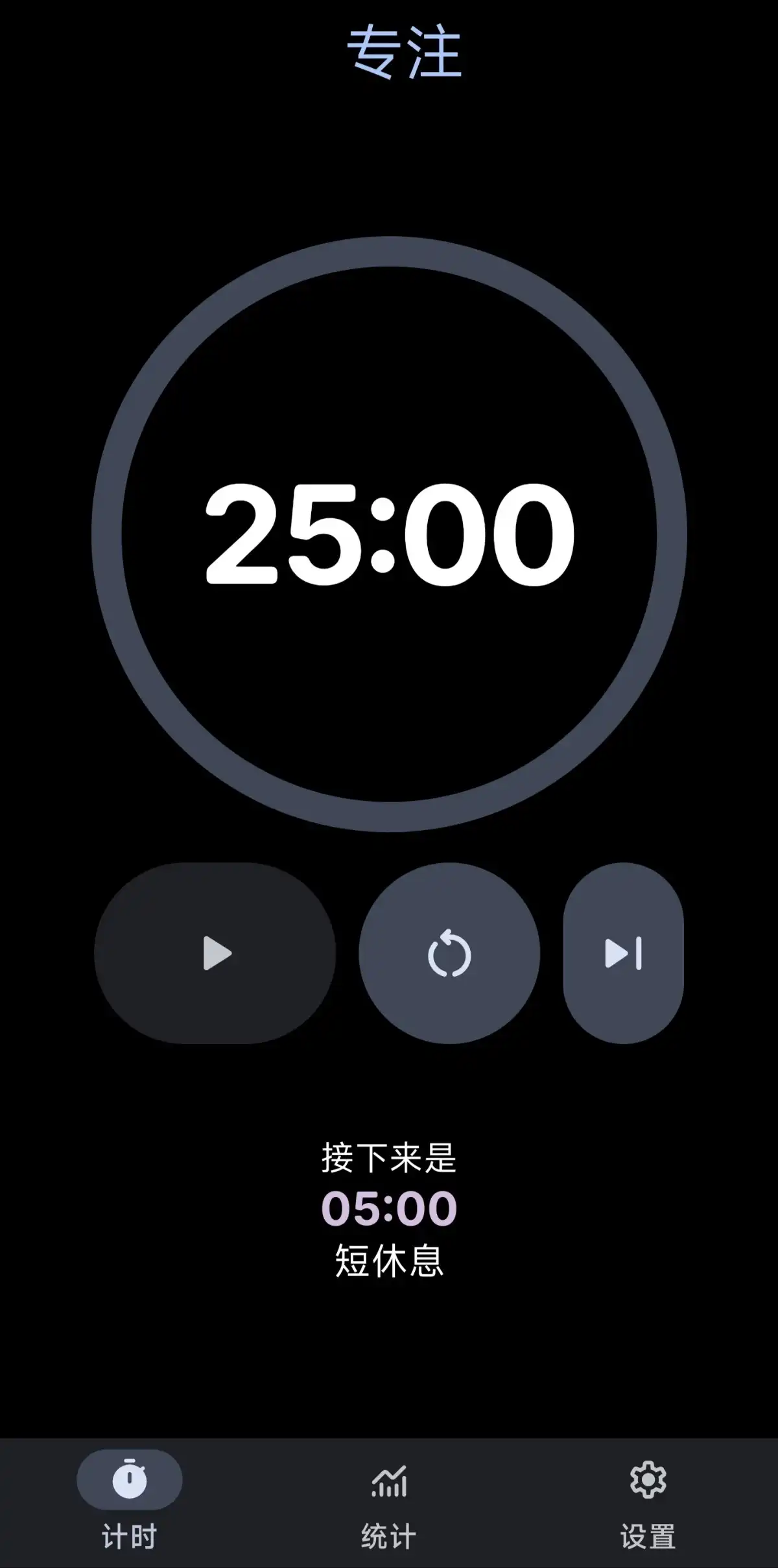
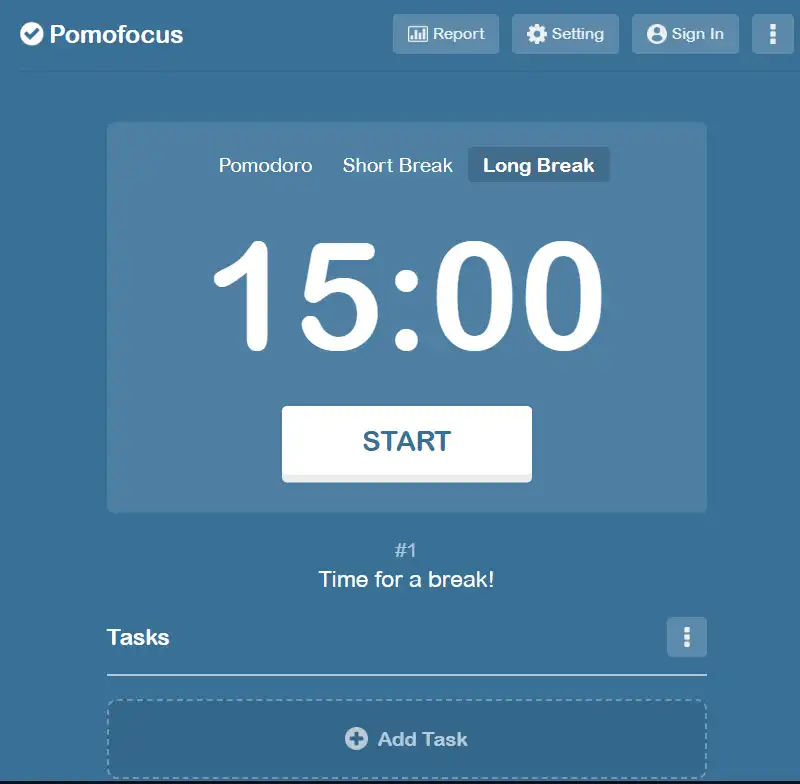

番茄钟应用功能大致分为:
- 计时系统:启动一个番茄钟、暂停、手动结束、自动结束
- 统计功能:番茄钟的使用情况,当日,每周、月、年
- 番茄钟工作法介绍
先搞定基本计时功能,个人觉得 KissFocus 的界面更好,主界面显示当前时间,下面显示计时,其余的设置在右上角,需要配置时再展开,避免信息干扰。
然后可以新增一个功能: 可以在本地时钟 和 计时之前切换。切换时进行聚焦。
- what does your website look like
首先主题背景应该是可以配置的,然后有一个快速选择栏,预置几个主题,用户可以替换快速选专栏钟的主题。
Sketching out your design

Choosing a theme color
可以使用PowerToy中的颜色选择器获取屏幕颜色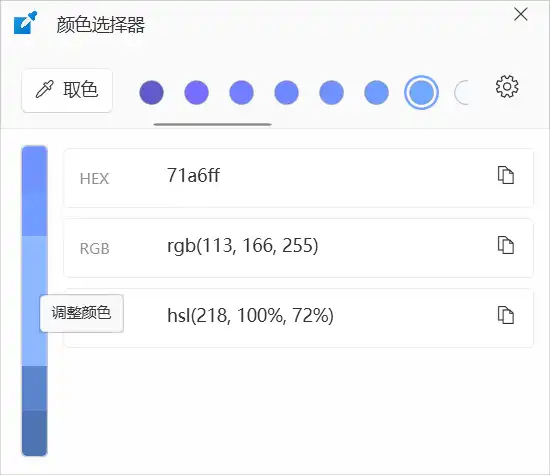
点击“取色”,鼠标移动到要获取的颜色位置,左键确认,颜色列表中就新增了获取的颜色。
点击左侧棒状的颜色条 中的 调整颜色会出现一个调整界面,拖动滑动按钮 或 直接编辑 数据颜色条颜色会相应地变化。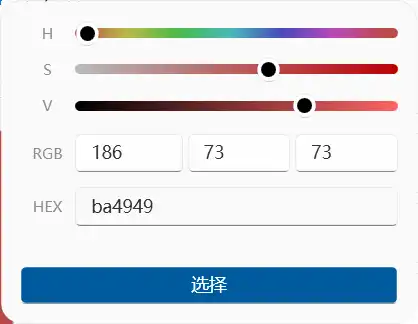
Choosing an image
浏览器搜索图片名称
内容选择image,将 licenses 修改为 Creative Commons licenses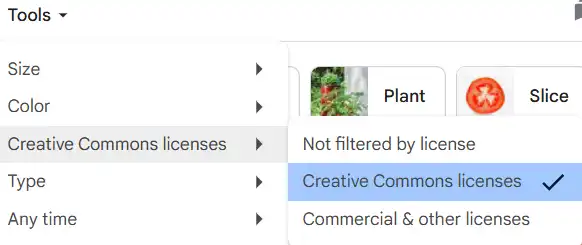

Choosing a font
暂略