Adding interactivity
Adding interactivity
使用Javascript 更改list items的样式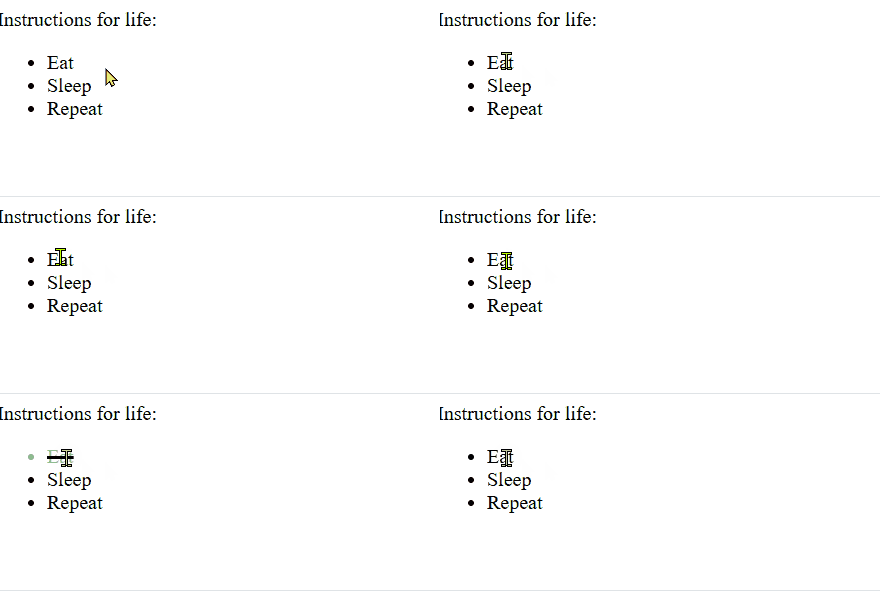
What is the Javascript
Javascript is a programming language that adds interactivity to websites. You can use it to control just about anything - form data validation, button functionality, dynamic styling, animation updates ...
Javascript 为网站添加交互性体验
交互的过程:
- 用户输入:鼠标、键盘。。。
- 处理用户输入
- 反馈结果
对应的Javascript需要的功能
- 获取用户输入
- 获取界面元素
- 能够处理数据:programming features, loops,variables, functions
- 修改界面元素
更改list items 的Javascript代码:
const listItems = document.querySelectorAll("li");

function toggleDone(e) {
  if (!e.target.className) {
    e.target.className = "done";
  } else {
    e.target.className = "";
  }
}

listItems.forEach((item) => {
  item.addEventListener("click", toggleDone);
});| 行号 | 功能 | 说明 |
|---|---|---|
| 1 | 获取页面中所有的li 元素 | |
| 3-9 | 修改元素所属的类 | 如果元素没有className,将其添加到done中;有className,则将其从所在clas中移除(置空) |
| 11-13 | 对所有li 元素添加事件监听 | 设置元素的鼠标事件处理函数为前面的toggleDone(e) |
设置项目完成后的样式:
.done {
  color: darkseagreen;
  text-decoration: line-through solid black 2px;
}| 行号 | 功能 | 说明 |
|---|---|---|
| 1 | 类选择器 | rule应用到className 为done的elements上 |
| 2 | 颜色 | |
| 3 | 设置删除线 |
关联js 和 html
在index.html内添加:
<head>
    <script async src="scripts/main.js"></script>
</head>
This does the same job as the <link> element for CSS - it applies the Javascript to the page so it can affect the HTML (along with the CSS and anything else on the page)
问:这里是不是说js 可以 控制 css,css 指的是样式还是文件?《=》js是直接能够修改元素的样式 还是修改css文件从而间接修改样式?
A "Hello world!" walkthrough
修改<h1> 的文本
// Store a reference to the <h1> in a variable
const myHeading = document.querySelector("h1");
// Update the text content of the <h1>
myHeading.textContent = "Hello world!";| 行号 | 功能 | 说明 |
|---|---|---|
| 2 | 获取h1元素并将其存储在js变量中(或者说 在js中创建一个变量指向h1元素?) | first select the elements you want to affect |
| 4 | 修改标签的content |
问:如果Selector("h2") 或者 说query的element 有多个,结果如何?
  <body>
    <h1>Instructions for life</h1>
    <h1>第二个h1</h1>
  </body>
效果: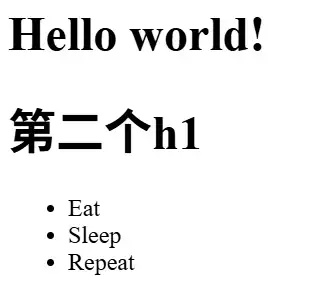
返回首个h1 element
Adding an image changer
功能:点击切换图片
实现:
const myImage = document.querySelector("img");

myImage.addEventListener("click", () => {
  const mySrc = myImage.getAttribute("src");
  if (mySrc === "images/Snipaste_2026-04-11_12-15-01.png") {
    myImage.setAttribute("src", "images/番茄钟.jpg");
  } else {
    myImage.setAttribute("src", "images/Snipaste_2026-04-11_12-15-01.png");
  }
});| 行号 | 功能 | 说明 |
|---|---|---|
| 1 | 获取img | |
| 3 | 为img注册clik事件处理函数 | |
| 4 | 获取img的src attribute | |
| 5-9 | 根据img的src,调整为另一张图片 | 修改attrbute的两种方式: 1. setAttribute(); 2. attribute = value; |
- 这里比较src的路径-字符串使用的是三个“=”
- 对比:
item.addEventListener("click", toggleDone);

myImage.addEventListener("click", () => { });
这里()=>{} 相当于Cpp 里的lambda ?
效果: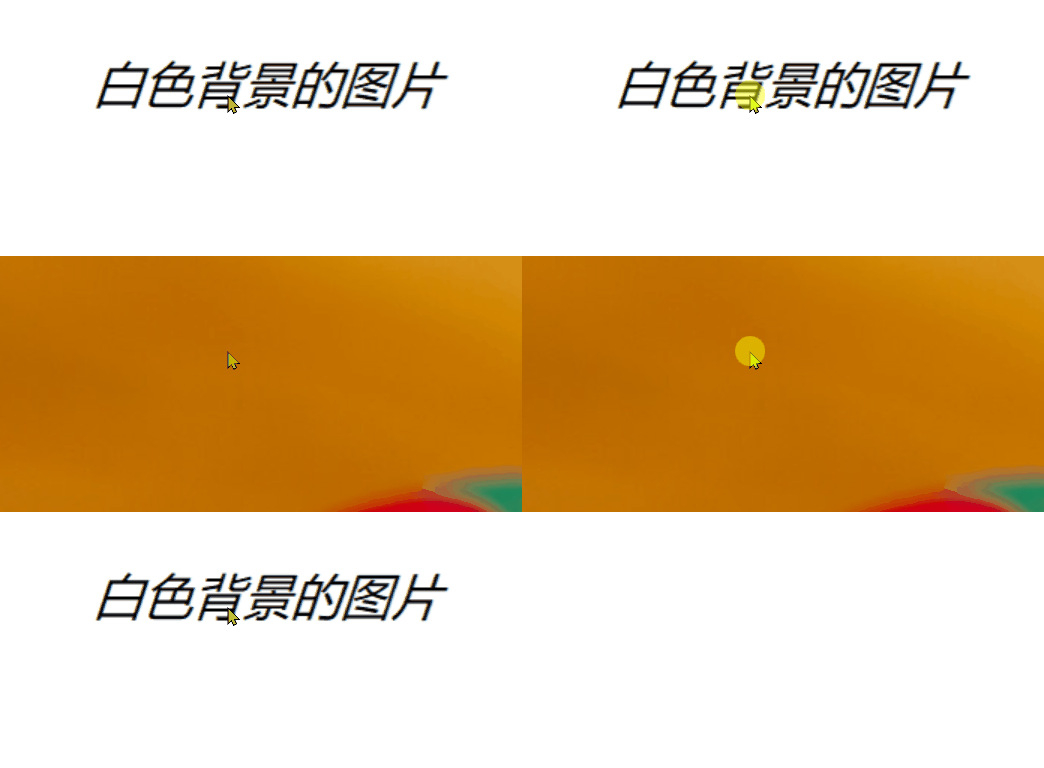
Adding a personalized welcome message
功能:
- 标题显示用户输入的名称
- 点击按钮能够重新输入用户名
html
<body>
	<h1>Hello </h1>
	<button>Change user</button>
</body>
js
实现:
let myButton = document.querySelector("button");
let myHeading = document.querySelector("h1");

myButton.addEventListener("click", () => {
  setUserName();
});

function setUserName() {
  const myName = prompt("Please enter your name.");
  localStorage.setItem("name", myName);
  myHeading.textContent = `hello, ${myName}`;
}| 行号 | 功能 | 说明 |
|---|---|---|
| 9 | 获取用户输入的用户名 | 问:之前定义 variables 时都是使用const,这里使用let,两者区别? |
| 10 | store data in the browser | 使用 Web Storage API 创建名为name的item,并将用户输入的myName存入其内 |
| 11 | 更新h1 | 设置名称时使用 ${myName} 来获取myName存储的变量值(字符串?) |
效果: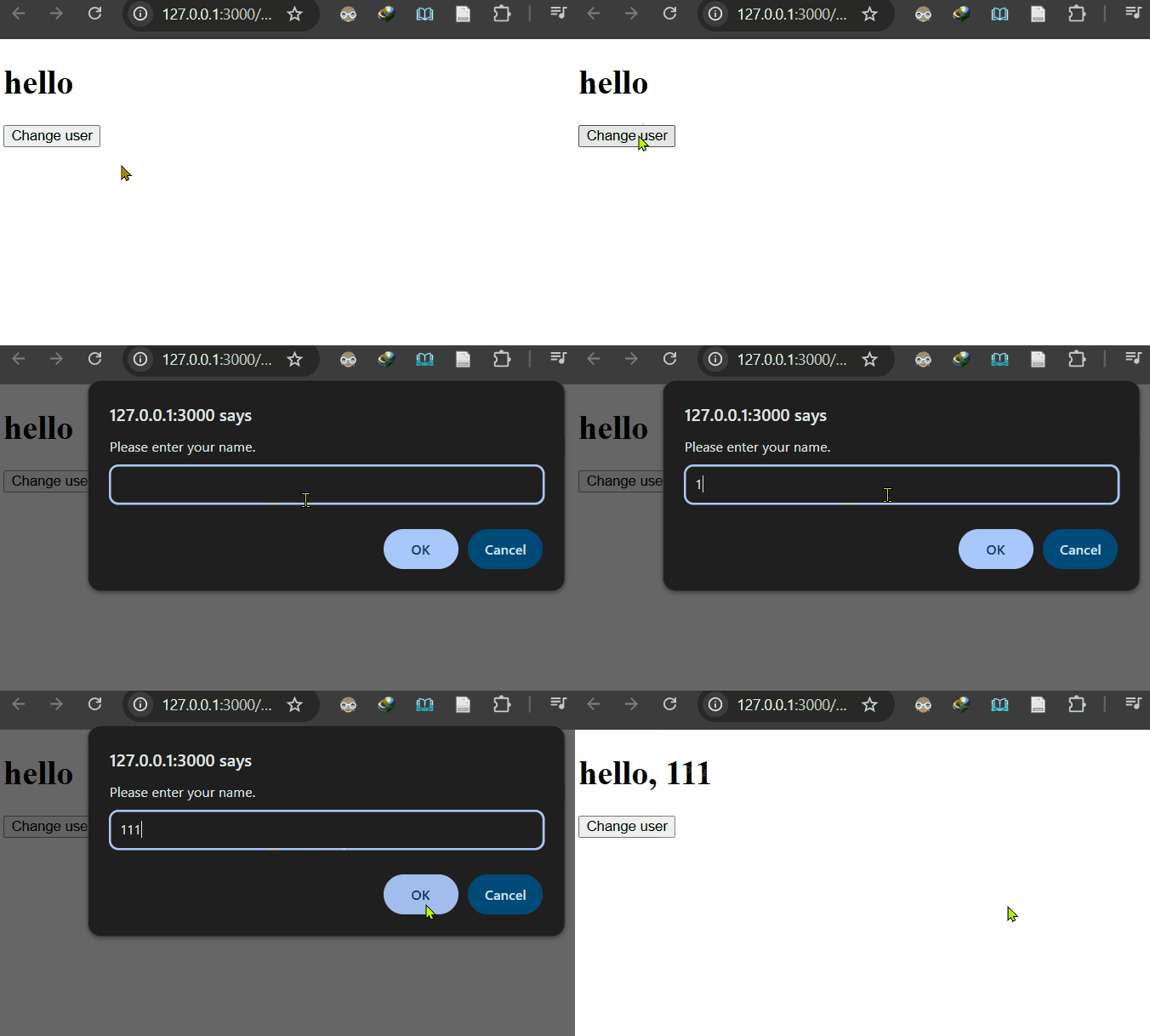
初始h1显示为hello,点击鼠标弹窗提示输入name.输入111后h1更新显示为 hello,111
Adding initialization code
虽然将用户输入的名称保存在了 localStorage 中,但是关闭页面后再次打开,初始显示的仍然为 hello, 而不是 hello, 用户名
如果要在进入页面的时候显示之前输入过的用户名,需要在加载页面前获取 localStorage 中存储的名称,并更新到h1
let myButton = ...;
//....
if (!localStorage.getItem("name")) {
  setUserName();
} else {
  const storedName = localStorage.getItem("name");
  myHeading.textContent = `hello, ${storedName}`;
}| 行号 | 功能 | 说明 |
|---|---|---|
| 3 | 判断用户之前是否输入过name(localStorage中是否存在名称为name的item) | |
| 4 | 不存在:提示用户输入名称 | |
| 5-8 | 存在:获取名称-》更新显示 |
这里代码不是定义在函数中
it runs when the page first loads to start the program off
start something <-> off: to begin doing something
在加载页面前执行该逻辑
效果:
输入名称后,重新打开页面会显示之前输入的name
A user name of null?
在name输入dialog中如果点击 cancel,显示内容如下
myName的值是 null
In Javascript, null is a special value that represents the absence of a value.
null 表示值不存在,这里的含义是没有输入
如果不输入name,点击ok,结果:
myName的值是 empty string
有输入,输入的内容为空
让用户输入名称
function setUserName() {
  const myName = prompt("Please enter your name.");
  if (!myName) {
    setUserName();
  } else {
    localStorage.setItem("name", myName);
    myHeading.textContent = `hello, ${myName}`;
  }
}
null 和 empty string 都是 no value, !myName 的结果都是 true。会再次弹窗,直到myName 不为空