Styling the content
2026/8/11大约 3 分钟
Styling the content
Applying CSS to your HTML
- 在styles 下新建 style.css 文件,编辑内容如下
p {
  color: red;
}- 修改index.html
<!doctype html>
<html lang="en-US">
	<head>
		...
	    <link href="styles/style.css" rel="stylesheet"> //[!code highlight]
	</head>
	<body>
	    <h1>番茄工作法</h1>
	    <p>简单易行的时间管理方法</p>
	</body>
</html>- 效果
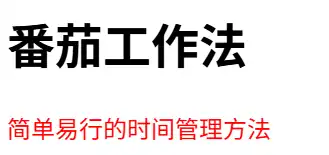
element p的content 颜色变为了red
- CSS 能设置文本的颜色
- 需要在html的head内通过link 引入(关联)CSS
- 如果同时引入多个CSS,且他们对同一个element 进行了不同的设置,结果如何?按照最后引入CSS的进行设置还是报错 或 其他?
What is CSS
相关信息
CSS (Cascading Style Sheets) is the code that styles web content.
- change the appearance of a plain-looking content
- controlling typography
- controlling scrolling behavior
- adding animations
- building entire web page layouts
CSS syntax basics
p,
.my-class,
#my-id {
	color: red,
	width: 500px;
	border: 1px solid black;
}- The whole structure is called a ruleset (often referred to as just rule)
- p: selector, selects the element(s) to style
- 这里p的范围是当前html内的所有 p
- {}: declaration, sets a value for a specific property
- selector 有多种类型,选择的element(s)范围不同
- 一条rule 可以包含多个selector
- 多个selector 之间使用“,” 间隔
- property 之间使用 “;”间隔
- 如果一个property 可以有多个值,使用 空格间隔不同的值
Improving the text
使用本地字体文件
- 新建fonts目录,将字体文件拷贝到该目录下
- 修改css
@font-face {
  font-family: "LXGW";
  src: url("../LXGWWenKaiMono-Regular.ttf");
}

h1 {
  font-size: 10px;
  font-family: "LXGW", sans-serif;
}
The @font-face specifies a custom font with which to display text
- @font-face:定义要使用字体
- font-family: Specifies a name that will be used as the font face value for font properties
- src: Specifies references to font resources including hints about the font format and technology. 指定字体文件的来源、格式/类型
- 效果

对比未设置字体时标题
Styling the body
实现:
body {
  width: 600px;
  margin: 0 auto;
  background-color: #ff9500;
  padding: 0 20px 20px 20px;
  border: 5px solid black;
}| 行号 | 功能 | 说明 |
|---|---|---|
| 2 | This forces the boy to always be 600 pixels wide. | 固定body的宽度 |
| 3 | 设置上下margin为0,左右margin 自动平均 | 这里有两个值,0 和 auto。第一个值用来设置上下边距,第二个用来设置左右边距 |
| 4 | ||
| 5 | 等价于 padding-top: 0; padding-right: 20px; padding-bottom: 20px; padding-left: 20px; |
效果: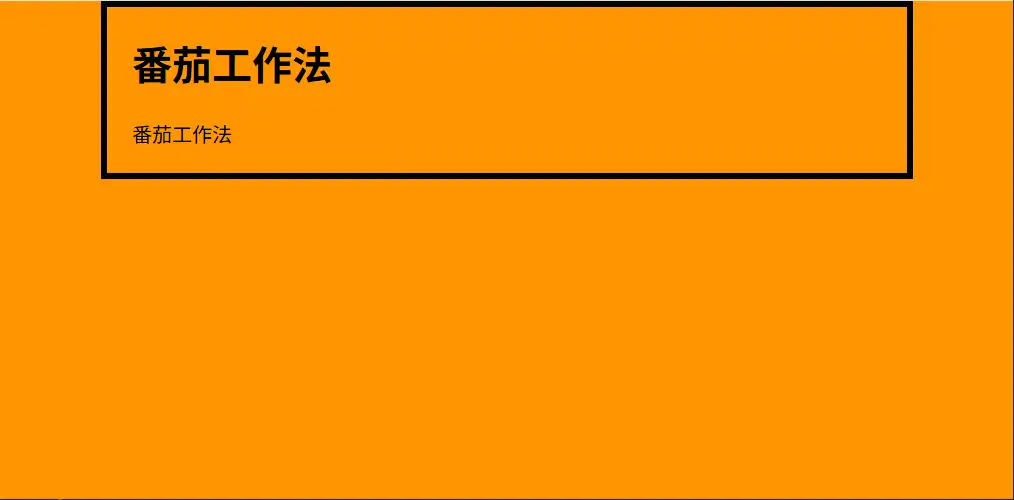
CSS is all about boxes
[info]
Everything in CSS has a box around it.
Most HTML elements on a page can be thought of an boxes that sit on top of (or alongside) other boxes.
在浏览器中按F12 或 点击菜单-》More tools-》Developer tools,进入开发工具界面
- 在Elements 中选择 body element
- 在Computed 选项卡中可以看到 body的 box model
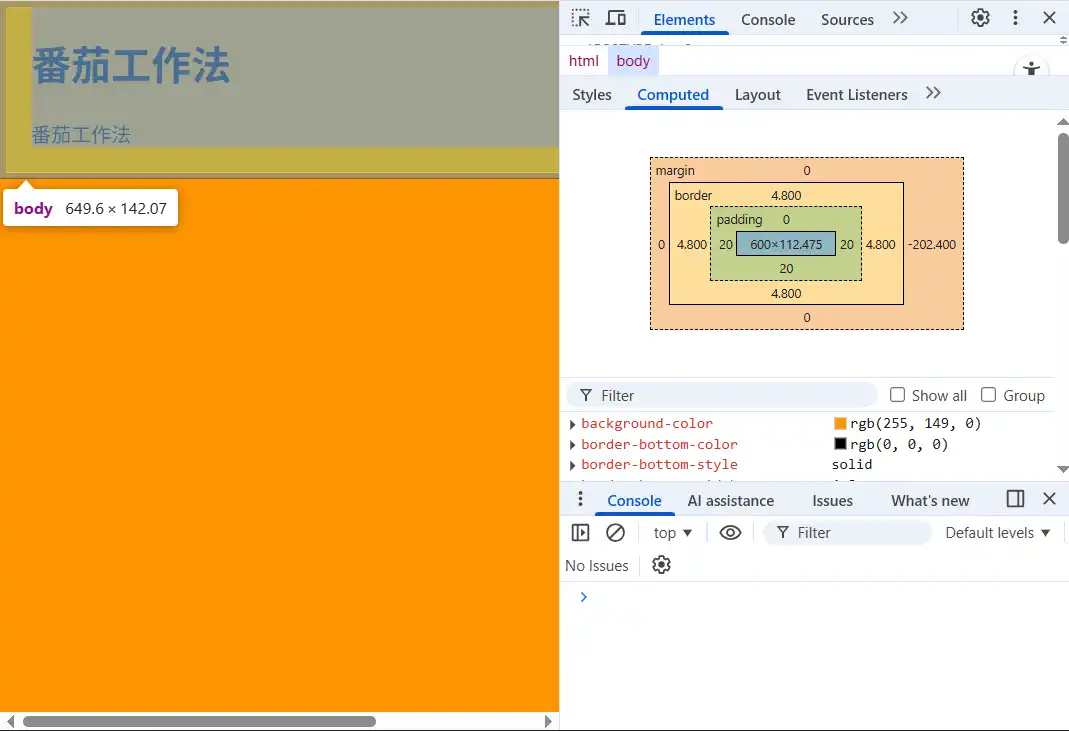
一个box由以下几个部分组成:
- content
- padding:内边距
- border:边框
- margin:外边距
整个body的大小为649.6*142.07
width:600px + 20 padding + (-202.4)被遮挡的宽度
- 虽然border设置的宽度为5px,但是这里显示的宽度为4.8
- 虽然只设置了body的 background-color 但是整个页面(html)显示都是红色
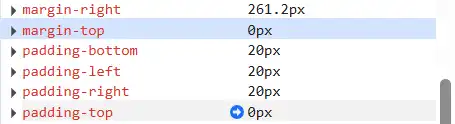
- 虽然 margin-top and padding-top 都是 0px,但是 “番茄工作法” 并没有贴到黑色的border上
其他设置
实现:
h1 {
  margin: 0;
  color: #00539f;
  text-shadow: 3px 3px 1px black;
}

img {
  display: block;
  margin: 0 auto;
  max-width: 100%;
}| 行号 | 功能 | 说明 |
|---|---|---|
| 4 | applies a shadow to the text content of the element | first value: horizontal offset; second value: vertical offset; third value: blur radius fourth value: the base color of the shadow |
| 8 | 修改img的模型类型 | img 是inline element,无法应用 auto-margin,为了能够应用该配置到img上,需要修改img的类型 |
| 9 | 设置图片居中显示 | |
| 10 | 限制图片最大宽度为所在容器的宽度,这里是body |
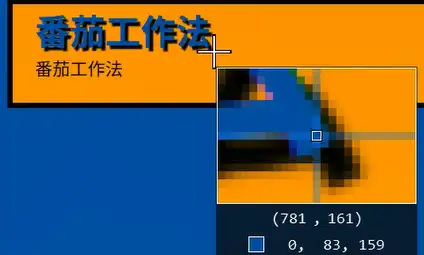
1px
10px
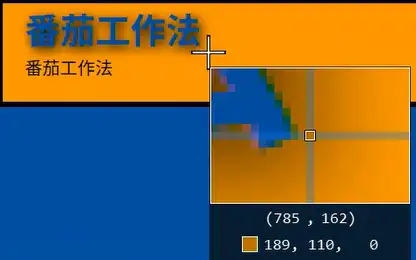
可以看到在blur radius 为10px时文本周围的颜色从黑色逐渐变淡,向着background-color过渡
设置max-width
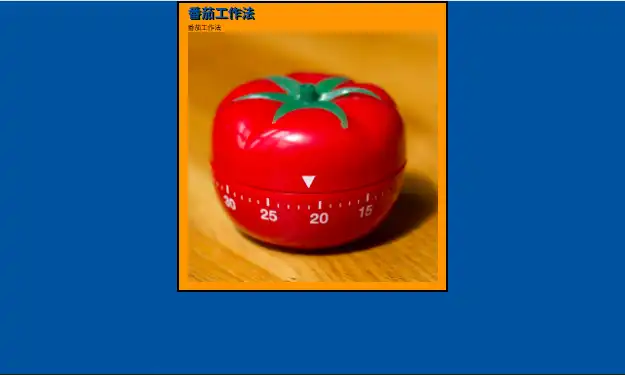
未设置max-width
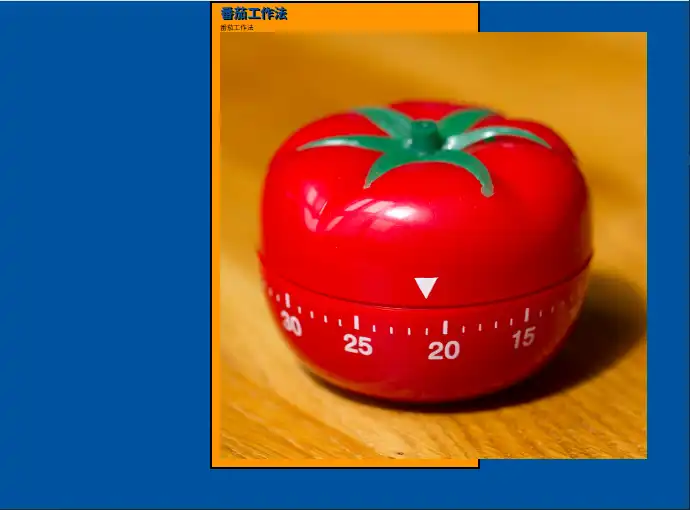
图片超出body的范围