Creating the content
Creating the content
What structure should a website have?
项目的结构
index.html: homepage content 主页
images: contain all the images
styles: contain CSS code used to style content
scripts: contain all the JavaScript code used to add interactive functionality to site
File names
文件名称包含两个部分:the name and the extension. the name 表示文件的内容/功能。the extension 确定文件的类型
文件名区分大小写
文件名中不包含空格:URL 中 空格会被替换为%20,保持本地文件名称 和 web address 一致
使用 - 区分单词,而不是用空格 或 _
Creating your first HTML document
在vscode 中安装并启用Live Preview extension
An extension that hosts a local server for you to preview your web projects on!
编辑index.html
<!doctype html>
<html lang="en-US">
  <head>
    <meta charset="utf-8" />
    <meta name="viewport" content="width=device-width" />
    <title>My test page</title>
  </head>
  <body>
    文本不会自动分行
        第一行
        第二行
        都显示在同一行内
    <p>Instructions for life:</p>
    <ul>
    <li>Eat</li>
    <li>Sleep</li>
    <li>Repeat</li>
    </ul>
  </body>
</html>
选中index.html文件,点击右上角的 Show Preview 工具按钮
效果: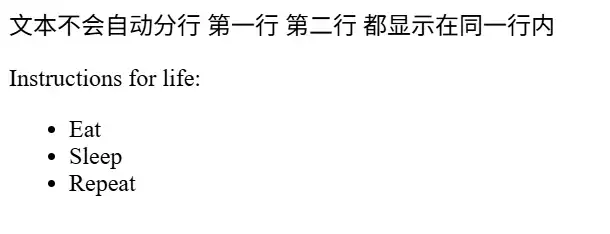
what is HTML?
HTML is a markup language consisting of a series of
elementsused to wrap (or enclose) text content to define its structure and cause it to behave in a certain way.
- elements
- text content
- structure
- to behave in a certain way
| 内容/element | attribute | text content | 说明 |
|---|---|---|---|
| <!doctype html> | 前置,没有额外作用,历史原因保留 | ||
| html | long: sets the primary language of the document | warps all the content on the entire page,页面中的所用内容都包含在html element 下 | |
| head | 网站相关配置,包含keywords, page description-用于搜索引擎搜索时相关内容, CSS-用于格式化显示内容, character set declarations... | ||
| meta | charset:文档字符编码 | ||
| meta | name | name 和 content 是配合在一起的吗?为什么不是 viewport="width=..." | |
| title | My test page | 浏览器中标签栏显示的文本内容以及收藏为书签时的内容 | |
| body | contains all the content that you want to show to web users | ||
| p | paragraph | ||
| ul | unordered list 无序列表 | ||
| li | represent an item in a list |
elements 有两种类型:
- <html> </html>:成对出现,可以包含其他elements
- <meta />:以/结尾,只有一个
以上:
- 不同的elements 具有不同的作用/功能,如li 可以用来定义列表项
- 要显示的文本包含在元素内
- 元素之间通过嵌套表示层级关系
- 元素可以带有属性
- 属性="属性值"
- 使用空格隔开属性
Embedding images
将之前准备的番茄钟图片拷贝到images 目录下
修改index.html
<body>
    <img src="images/番茄钟.jpg" alt="番茄钟" >
</body>
效果: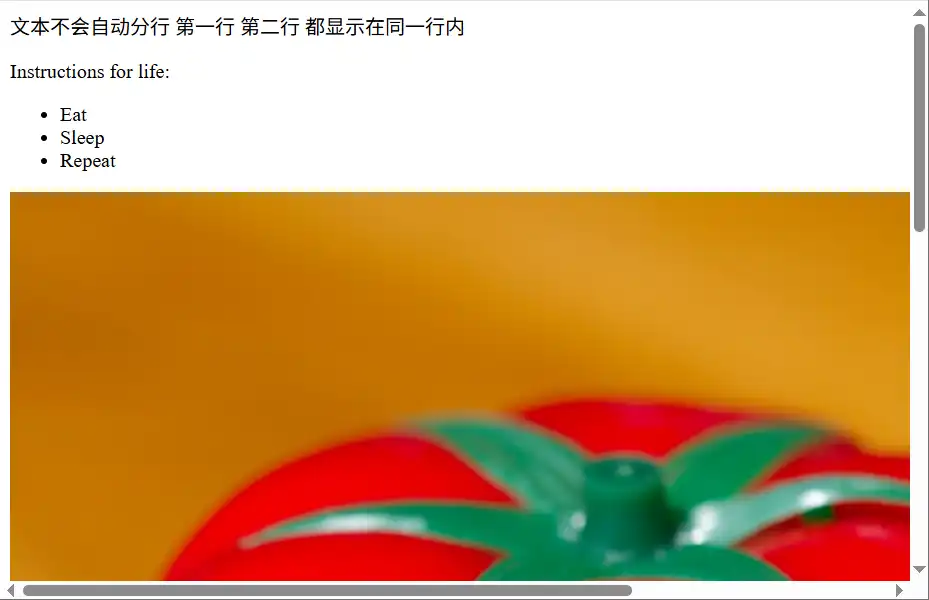
像img 元素不包含 content 也 没有 closing tag 的元素 被称为 empty (or void) elements。
其中 标签结尾的 / 是可选的(非强制要求)
src
holds the path to the image you want to embed.
指定图片的路径
路径是相对当前html的路径
alt
holds a textual replacement for the image
alternative
无法显示图片时会显示alt属性中的文本内容(正常情况只显示图片)
使用 screen readers 会阅读alt 中的内容(帮助视力受损人群 或 不在方便直接阅读情况下提供网站信息)
Marking up text
Headings
1级标题
2级标题
3级标题
4级标题
5级标题
6级标题
<body>
    普通文本
    <h1>1级标题</h1>
    <h2>2级标题</h2>
    <h3>3级标题</h3>
    <h4>4级标题</h4>
    <h5>5级标题</h5>
    <h6>6级标题</h6>
    <h7>7级标题</h7>
    最多只能有6级标题,7级标题会被当做普通文本处理
</body>
在markdown中直接使用 <h1>, <h2> 等elements需要将其放置在 <body> 内 否则不会按照标题格式显示
Paragraphs
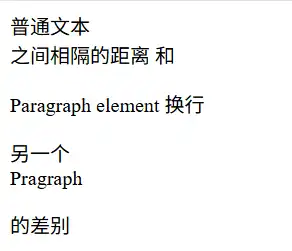
之间相隔的距离 和
Paragraph element 换行
另一个
Pragraph
普通文本
<br>
之间相隔的距离 和
<p>
	Paragraph element
	换行
</p>
<p>
另一个 <br/> Pragraph
</p>
的差别
一开始以为paragraph 的效果是会保留换行 - 保留content的格式。实际上不是的。
- paragraph 内换行仍要使用<br>
- 相比使用<br> 进行换行,两个 <p>之间相隔的距离较大
Lists
- technologists
- thinkers
- builders
- technologists
- thinkers
- builders
  <body>
    <ul>
      <li>technologists</li>
      <li>thinkers</li>
      <li>builders</li>
    </ul>
    <ol>
      <li>technologists</li>
      <li>thinkers</li>
      <li>builders</li>
    </ol>
    <li>没有容器包围的列表项,默认为无序列表</li>
  </body>
Creating links
- a: anchor
- content: 当前页面显示的链接的名称
- href:实际链接到的地址