Task Genius
Task Genius
Comprehensive task management that includes progress bars, task cycling, and advanced task tracking features.
版本:9.4.0
注
部分内容和官方文档有出入。
问题:
- 很多设置都要重启ob后才会生效,对于这样的设置是否可以提供快速重启当前仓库的选项?起码要对重启后生效的操作进行提示吧?
Task Status & cycling
标准markdown 中 任务只有两种状态:未完成 和 已完成。
- [ ] 这是一个未完成task
- [x] 这是一个已完成task
插件扩展了语法,task包含以下几种可以被progress tracking 的状态,每种状态均通过【】内符号进行标记
| 状态 | 标记符号 | 含义 |
|---|---|---|
| Completed | x、X | finished tasks |
| Planned | ? | planned but not started |
| In progress | > | currently being worked |
| Abandoned | - | not be completed |
| Not Started | yet to begin不包含标记符号的默认状态 |
设置状态显示
- [?] Planned
- [-] Abandoned
- [>] In progress
由于标准只支持两种状态,对于无法识别的标记符号(x、X外),checkBox 均显示为checked。
配置:
Community plugins-> DISPLAY & PROGRESS -> Checkbox Status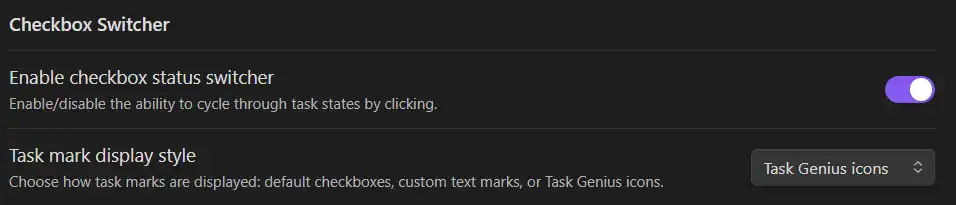
Enable checkbox status switcher, 选择 icons display style
效果:
Handing Other Statuses
If a task uses a marker not defined in the categories above, you can configure how Task Genius should count it.
对于其他marker可以将其归类到上面分类中的一种。
配置:
默认的归类是Not Started
Cycling
- [?] task0点击tast 的checkBox状态只在Completed 和 Not Started 之间切换。可以配置为在指定状态之间按顺序切换。
配置: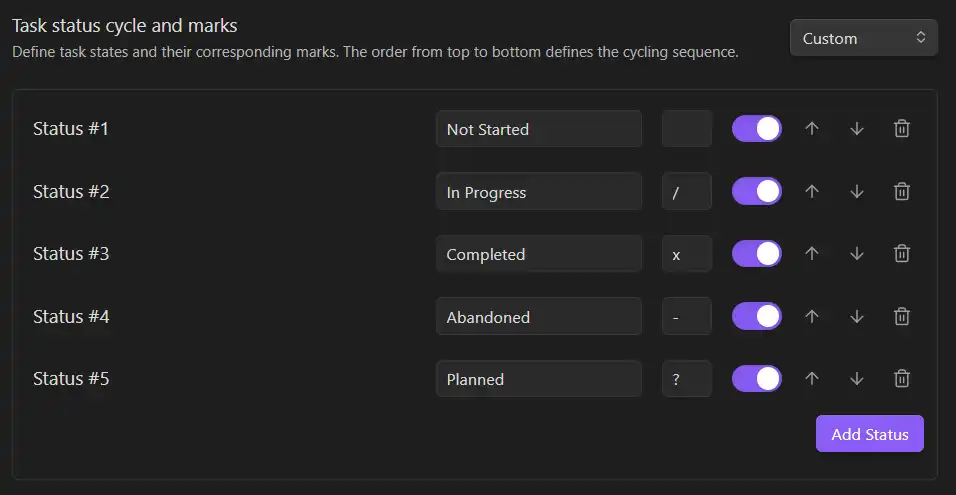
按照列表中的顺序从Status 1 向下切换状态,最后一个状态切换回第一个。
主要功能:
- 添加Status:在状态列表最后添加一个新的状态
- 每个Statu的属性:序号、名称、marker、使能(为使能的状态被忽略)
设置完毕后可能需要重启ob
Habits
habits 被关联到了daily note,在daily one 中编辑habits
入口:
habit types
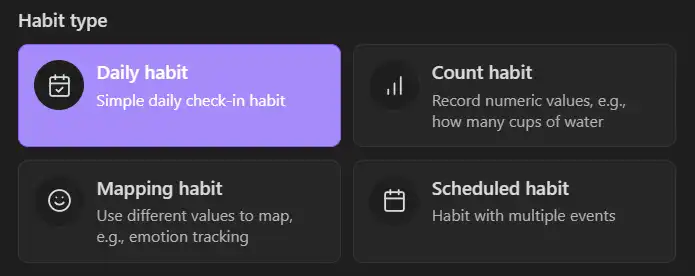
Daily habit
- create a daily habit
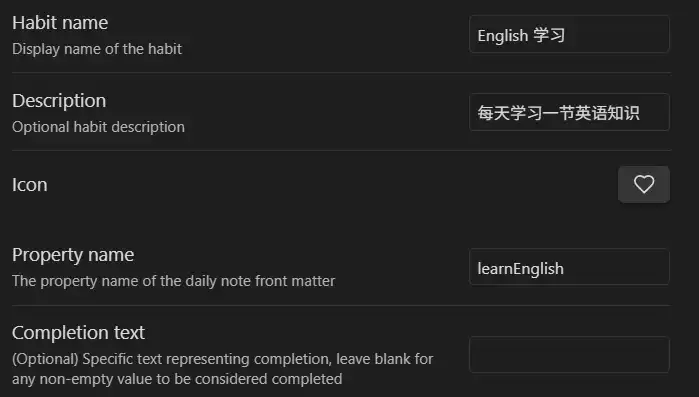
必须设置的内容:
- name;
- property name:当作是 habit 的id,必须唯一(区别其他habit),以小写字母开头
创建daily note:点击左侧工具栏中的按钮创建日志

在日志中编译frontmatter
---
	learnEnglish: 1
---问:ob会将大写字母开头的property自动替换为小写?
habit 的property name + 完成进度
- 效果:打开habit view

展示的内容:icon、name 、完成情况
右上角的按钮可以点击设置habit 的完成情况
Count Habit
Used for tracking goals that require reaching a certain quantity, such as drinking 8 glasses of water daily.
配置:
name: Drink Water
Icon: glass-water
property name: water_intake
maximum value: 5
frontmatter:
---
 number(类型) water_intake: 6
---
效果:
Mapping habit
Used to map a numerical value or state from your daily note to s specific habit label, such as recording mood
配置:
name: Mood Log
icon: smile
property name: mood
微软输入法:shift + m 可以输入表情
frontmatter:
---
	mood: 4
---
效果:
Scheduled Habit
Used for tracking habits that involve multiple sub-items or specific scheduled events, such as a multi-step morning routine.
由events 组成,所有events 完成后 habit 完成
配置:
name: Morning Routine
icon: sunrise
Sheduled events:
- eventname:Wake up;Event details:Wake up on time; Property name: wakeup
- eventname:Drink water 。。。
frontmatter:
---
Text wakeup: "7.50"
Text drinkWater: "two glass"
---
效果:
右侧的下拉列表可以选取event,然后设置完成情况
Task Gutter
在每条task 的右侧提供一个快捷编辑按钮。可以方便地设置priority、date、detail
配置:
TASK MANAGEMENT->Task Handler -> Enable task guter
效果:
Date and Priority management
priority
优先级从高到低,可配置的等级:
- 🔺 Highest
- ⏫ High
- 🔼 Medium
- 🔽 Low
- ⏬ Lowest
配置的方式:
- [ ] Highest  🔺 通过特定的图标
- [ ] Low [priority::low] // the `priority` dataview-style inline field 通过特定语法 priority::优先级
通过Task Gutter 提供的工具按钮
- [ ] Highest  🔺
- [ ] Low [priority::low]
没找到命令, 敲命令也很费劲,就当作没有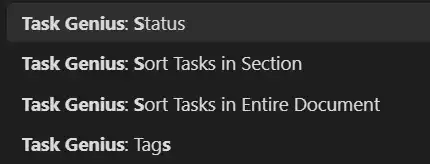
效果:
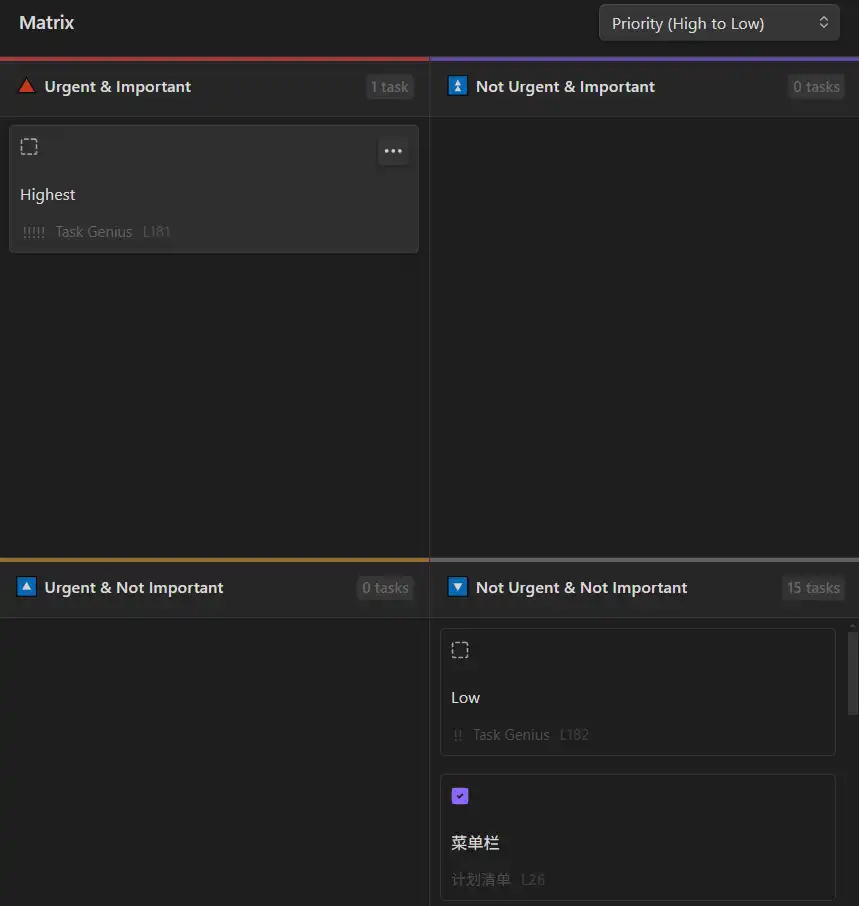
在Matrix View 中查看