hope的安装及部署
安装hope 主题 及 部署到github上
hope的安装及部署
链接:
安装hope
- 安装Node.js - 运行环境
- 使用下面的命令 在项目路径下安装 hope 模板
npm init vuepress-theme-hope@latest my-docsmy-docs是项目文件夹,需要为空。如果没有会自动创建。
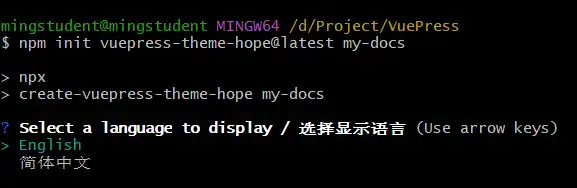
按提示进行选择,全部默认即可
3. 安装完成
项目路径下新增以下文件
node_modules/ package-lock.json package.json src/ tsconfig.json- 运行示例

部署到github
部署的文档路径配置:
export default hopeTheme({
docsDir: "src",
})
安装主题模板,默认文档路径即为src
- 在github 中新建repository
Repository name 填写:名称.github.io
我的站点的名称:https://guzhoutingxue.github.io/ - 下载安装github desktop
- 初始化本地仓库:在本地项目路径下运行
git init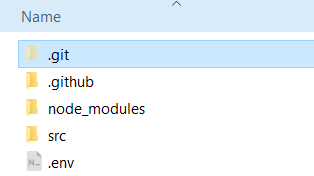
新增 .git
4. 添加remote
查看remote 地址: 新建项目-》CODE,使用HTTPS作为remote url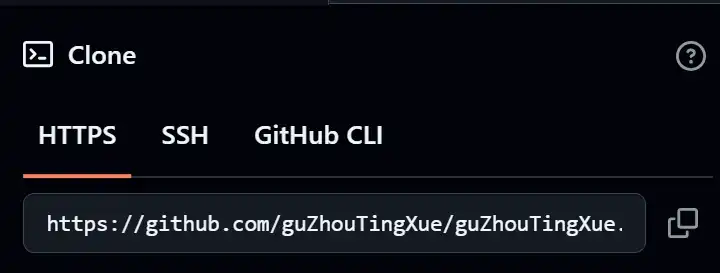
在项目根路径下(含.git)运行下面的命令添加remote
git remote add origin https://github.com...
//
git remote add <name> <url>
origin是remote的名称
- 提交一个版本
- 修改分支名称为main
git branch -M main- pull:拉取remote 同步到本地
git pull origin main新建的仓库,可以不用pull
8. push:
git push -u origin main使用 GitHub Desktop 进行 push,使用 git bash 可能出错
fatal: the remote end hung up unexpectedly初始仓库没有用于构建Page的内容: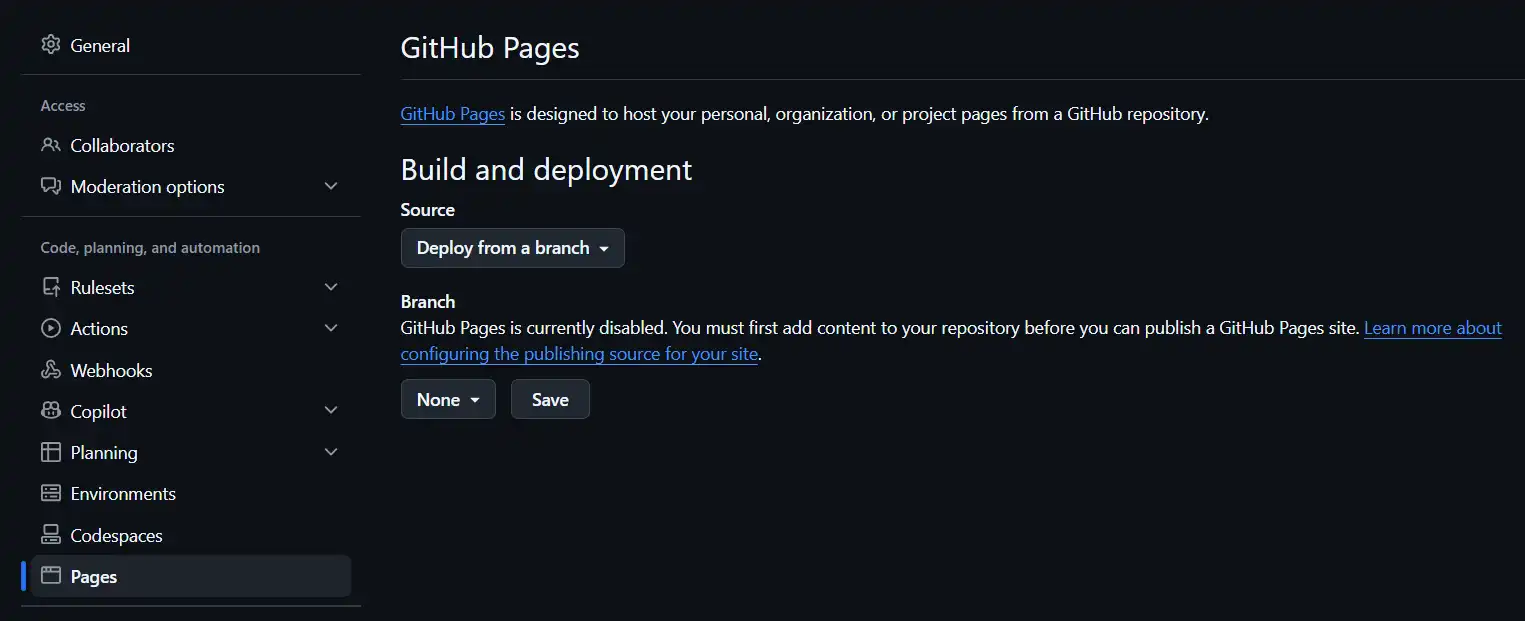
路径:Settings -> Pages
如果推送成功会新增一个gh-pages 分支,该分支是用于构建站点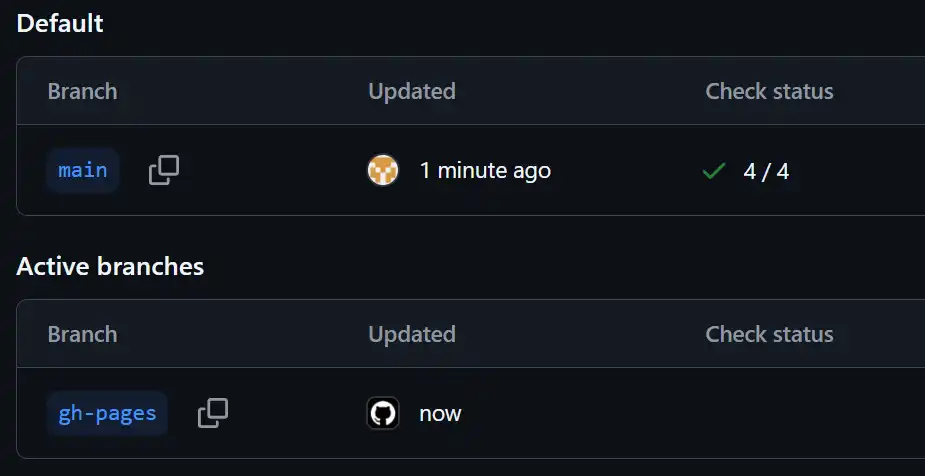
9. 设置Pages 使用的分支: 将main 修改为gh-pages
10. 查看站点
Actions 错误 及 解决
安装依赖
报错
Run corepack enable
npm error code EUSAGE
npm error
npm error `npm ci` can only install packages
when your package.json and package-lock.json or npm-shrinkwrap.json are in sync.
Please update your lock file with `npm install` before continuing.原因package-lock.json 和 package.json 不一致
解决
- 切换到lock路径,删除lock文件 以及
node_modules文件夹(所有已安装的module的存储路径)
rm package-lock.json
rm -rf node_modules
注意
如果仅清除lock文件,可能仍会报上面的错误
- 解析依赖,重新生成lock 然后 安装到
node_modules
npm install- 再次提交lock文件
设置 Node.js

Node 20 is being deprecated. This workflow is running with Node 24 by default.
github 执行 workflow 需要的node 版本是24
      - name: 设置 Node.js
        uses: actions/setup-node@v4
        with:
          node-version: 22
          cache: npm
这里配置的是22
实际上错误的地方是:
Error: Dependencies lock file is not found in /home/runner/work/guZhouTingXue.github.io/guZhouTingXue.github.io. Supported file patterns: package-lock.json,npm-shrinkwrap.json,yarn.lock使用pnpm安装的 node_moudules 对应的是 yarn.lock
但是配置中 cache 使用的是 npm
更新为:
cache: pnpm并且跟踪 yarn.lock
报错:Unable to locate executable file
Error: Unable to locate executable file: pnpm. Please verify either the file path exists or the file can be found within a directory specified by the PATH environment variable. Also check the file mode to verify the file is executable.在本地因为既安装了 npm 又安装了 pnpm 随便用哪个启动都可以,但是github 上就需要先安装对应的 package manager,然后再下载packages。
使用 pnpm 创建一个新的项目,对比使用pnpm 和 npm deploy-docs.yml 的差别
问:啥子情况,为什么 pnpm的deploy-docs.yml 中的路径符号和npm的是反过来的。。。
        run: |-
          pnpm run docs:build
> src/.vuepress/dist/.nojekyll run: |-
pnpm run docs:build
> src\.vuepress\dist\.nojekyll报错:No pnpm version is specified
  Error: Error: No pnpm version is specified.
  Please specify it by one of the following ways:
    - in the GitHub Action config with the key "version"
    - in the package.json with the key "packageManager"
    - in the package.json with the key "devEngines.packageManager"
制定version
      - name: Setup pnpm
        uses: pnpm/action-setup@v6
        with:
            version: 11.21.0
报错:Process completed with exit code 1
[ERR_PNPM_IGNORED_BUILDS] Ignored build scripts: @parcel/watcher@2.6.0

Run "pnpm approve-builds" to pick which dependencies should be allowed to run scripts.
Error: Process completed with exit code 1.- [ERR_PNPM_IGNORED_BUILDS]: @parcel/watcher这个 dependency 没有被 build
- 需要运行命令 pick 能够 run scripts 的 dependencies
问:为什么本地跑的时候没有要求执行这个命令pick dependencies?
参考AI,允许运行:
{
  "pnpm": {
	  "onlyBuiltDependencies":["@parcel/watcher"]
  },
}
。。。没有效果
approve-builds
在安装完pnpm 后执行该命令,将其添加到允许运行名单内
      - name: Approve dependencies
run: pnpm approve-builds @parcel/watcher问:dependencies 的名称是?带不带@
使用 --all 选项
先不执行 scripts,所有依赖安装完毕后再执行
      - name: 安装依赖
        run: |
          corepack enable
          pnpm ci --ignore-scripts
          pnpm approve-builds --all
          pnpm rebuild
依赖安装成功
报错:Build failed with 1 error
✖ Compiling with vite - failed in 10.04s
error Build failed with 1 error:

Error: [vite]: Rolldown failed to resolve import "attachments/pronunciation-i-long.gif" from "/home/runner/work/guZhouTingXue.github.io/guZhouTingXue.github.io/src/English/Pronunciation.md".
本地运行同样报错
[plugin:vite:import-analysis] Failed to resolve import "attachments/pronunciation-i-long.gif" from "src/English/Pronunciation.md". Does the file exist?这里报错找不到 gif
这里的链接格式是相对路径,在ob中正常显示
修改为显式的相对路径
网页正常显示
结论:更新后相对路径必须以 ./ 起始
。。。除了gif 图片路径要更新, svg 。。。 所有的相对路径😅
问:所以怎么找到所有没有以./ 开头的相对路径呢?
为什么会混杂着 attachments 和 ./attachments ?
是不是插件 Image Converter 的原因?
答:确实是插件的原因。如果开启 Image Converter, 粘贴的图片是以 ./ 开头。ob默认的相对路径是不带当前目录前缀的。。。好坑啊!