5.2.1 States
2026/8/11大约 2 分钟
5.2.1 States
A state defines a set of property changes and can be triggered by a certain condition.
定义State
State {
	name: "go"
	PropertyChanges { ... }
}- name: 状态名称
- PropertyChanges:和状态绑定的属性,从其他状态切换到当前状态时哪些属性发生变化,以及当前状态下这些属性的值
Item 具有默认状态,通过“” empty string 来访问默认状态。
切换状态
单个状态没有意义。
根据 a certain condition 切换状态。
- 定义多个状态
States: [
	State {
		name: "go"
		PropertyChanges {...}
	}
	State {
		name: "Stop"
		PropertyChanges {...}
	}
]
States用来放置State,类型为list<State>
- 切换
- 手动切换
state = "go"Item中有state 属性,直接设置该属性为要转变的状态的名称
2. 自动切换:在State 中设置触发条件,条件成立时自动转变为当前状态
	State {
		when: condition
	}
示例-交通信号灯
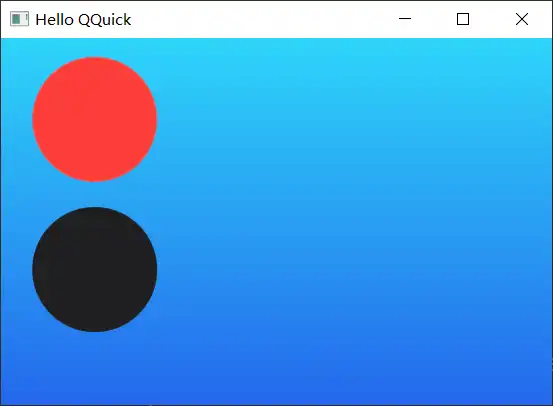
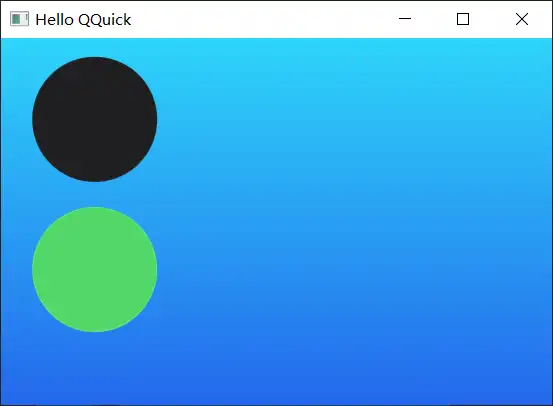
两个信号灯控制通行,同一时间只有一盏灯亮。红灯亮:禁止通行。绿灯亮:允许通行
状态机
颜色
       property color black: '#1f1f21'
        property color red: '#fc3d39'
        property color green: '#53d769'
信号灯
        Rectangle {
            id: light1
            x: 25; y:15;
            width: 100; height: width
            radius: width / 2
            color: root.black
            border.color: Qt.lighter(color, 1.1)
        }
将height 和 width 设置为相同大小,并设置radius 为 width /2 就能显示一个圆形了
状态
        state: "stop"
        states: [
            State {
                name: "stop"
                PropertyChanges { target: light1; color: root.red }
                PropertyChanges { target: light2; color: root.black }

            },
            State {
                name: "go"
                PropertyChanges { target: light1; color: root.black }
                PropertyChanges { target: light2; color: root.green }
            }
]| 行号 | 功能 | 说明 |
|---|---|---|
| 1 | 设置初始状态为stop | |
| 3-8 | 定义stop | |
| 9-13 | 定义go |
鼠标点击
        MouseArea {
            anchors.fill: parent
            onClicked: { parent.state = (parent.state == "stop"? "go" : "stop") }
        }
效果
初始
切换
其他
- 不定义stop(将stop 的状态作为初始状态)
上面的示例中light1 和 ligth2 初始设置的颜色都是blak,可以直接设置light1颜色为red,light2颜色为black 作为初始状态
	Rectangle {
		id: light1
		color: root.red
	}
	MouseArea {
		anchors.fill: parent
		onClicked: { parent.state = (parent.state == ""? "go" : "") }
}- 自动触发状态切换
	property bool stop: true
	State {
		name: "go"
		PropertyChanges { target: light1; color: root.black; }
		PropertyChanges { target: light2; color: root.green; }
		when: !root.stop
	}
	MouseArea {
		anchors.fill: parent
		onClicked: root.stop = !root.stop
	}