Geogebra
2026/8/11大约 1 分钟
Geogebra
相关信息
Teach and learn math in a smarter way
可视化的计算辅助工具
下载:
https://geogebra.github.io/docs/reference/en/GeoGebra_Installation/
windows 下载:
- GeoGebra Classic 6:新版,多个平台界面统一
- GeoGebra Classic 5 for Desktop: 经典版本,更稳定
classic 是多个计算工具合并到一个软件中
我使用的classic 5
界面
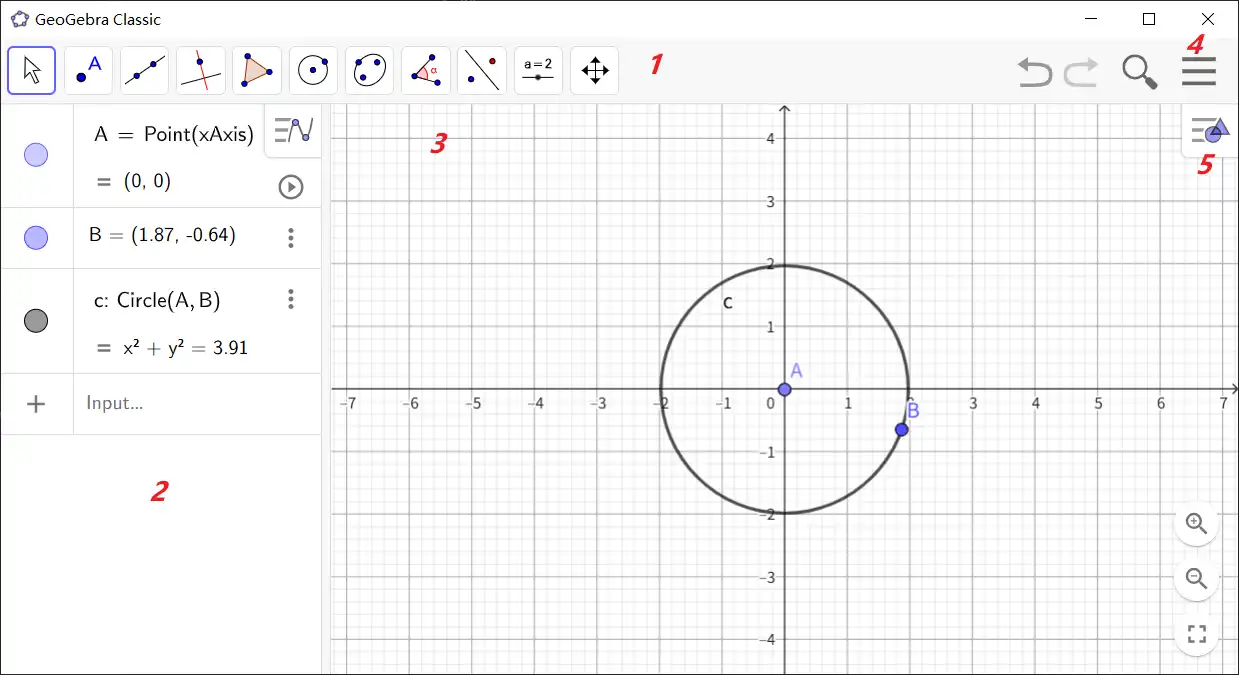
- Toolbar
- 对象列表?显示图形界面中的对象
- 图形界面
- Menu
- Style Bar
Vector
create
- 在菜单栏中点击Manual 进入到用户手册
- 在搜索栏中输入vector,查询vectore相关信息
- vector command
Vector( <Point> )
Returns the position vector of the given point.

Vector( <Start Point>, <End Point> )
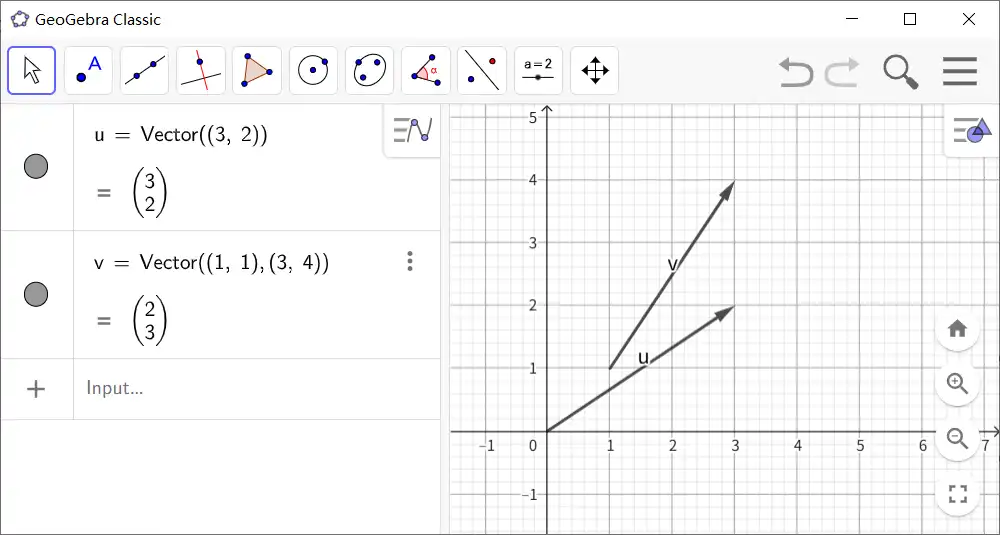
Creates a vector from Start Point to End Point.| 行号 | 功能 | 说明 |
|---|---|---|
| 1 | 创建一个起点为原点,终点为给定point的vector | 创建vector 的命令格式,下面是其说明以及示例。 |
| 2 | 通过给定起点以及终点创建vectore | 每个点使用()包围 |
- 示例
Dot product
Dot( <Vector>, <Vector> )

Returns the dot product (scalar product) of the two vectors.
Cross product
Cross( <Vector u> , <Vector v> )

Calculates the cross product of u and v. Instead of vectors you can also use lists.
Polygon
- 指定多边形的所有顶点
Polygon((1, 1), (3, 0), (3, 2), (0, 4))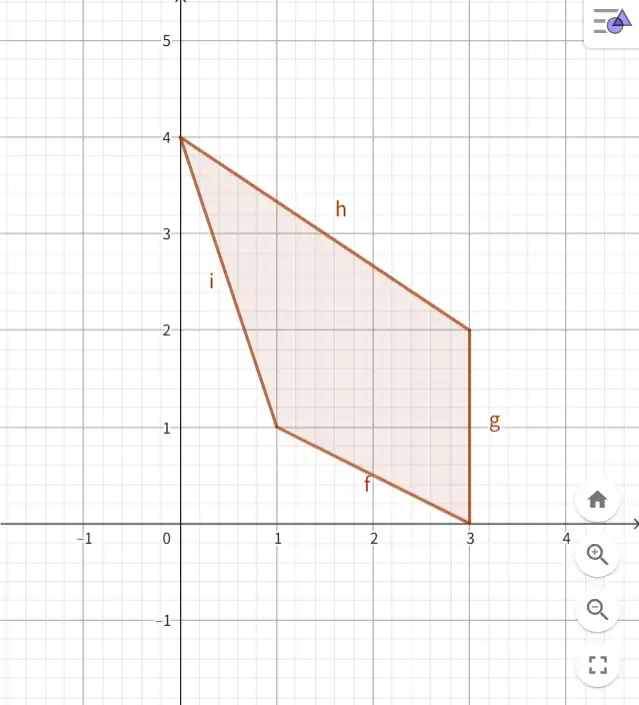
2. 通过list 指定顶点
q1=Polygon({(1,1),(3,0),(3,2),(0,4)})效果和前面的一样,list只不过是将点放到了{ }中
- 指定底边以及边数
Polygon((1, 1), (4, 1), 6)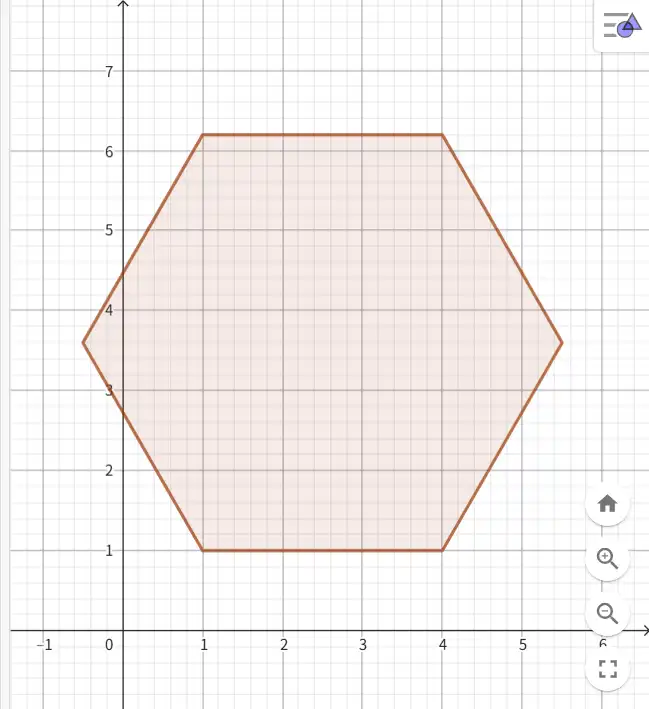
Slider
command
Slider( <Min>, <Max>, <Increment>, <Speed>, <Width>,<Is Angle>, <Horizontal>, <Animating>, <Boolean Random>)min、max 是 compulsory,其他参数均有默认值
示例:
Slider(1,3)效果:

tool

选择Slider 工具后需要在 Graphics(2)中选择放置的位置