工具列表
工具列表
| 类型 | 工具名称 | 简介 | 特点 | 官网/项目地址 | 使用平台 | 安装方式/下载 | 信息来源 | 图示 | 应用 |
|---|---|---|---|---|---|---|---|---|---|
| 画图 | for creating beautiful isometric diagrams.在平行等距网格线上绘制具有3D效果的流程图 | - it runs entirely in your browser with offline support. | stan-smith/FossFLOW: Make beautiful isometric infrastructure diagrams | 跨平台 | Docker、Local | 微信-韩数同学 | 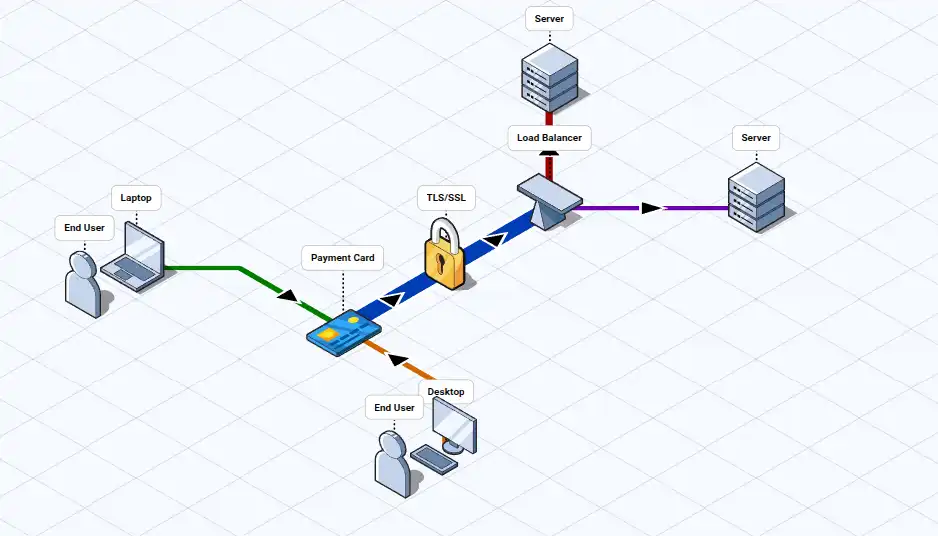 | 系统架构图 | |
| 按键可视化 | Free and open-source software for visualizing your keystrokes. | Powerful and easy to use configuration options. Filter hotkeys, adjust visualization position & linger duration, and choose from catchy animation presets. | Keyviz | windows | installer, potable | 哪些免费的砖-发现优质的免费商用资源 |  | ||
| 手机投屏 | Scrcpy | mirrors Android devices | Genymobile/scrcpy: Display and control your Android device | Linxu、windows and macOS | potable | chatgpt | |||
| 游戏、网盘加速 | 一款开源免费的游戏变速工具,让你的游戏突破帧率限制,提供更流畅丝滑的游戏加速体验。 | Speedy/docs/README_cn.md at master · game1024/Speedy | windows | 微信-开源先锋 | |||||
| js 动画库 | Anime.js | JavaScript Animation Engine | ||||||||
| json 可视化 | Visualize your JSON Upload:树状图显示json结构; your data:可以在图表区域编辑; Export to image: 导出为PNG、JPEG or SVG 格式图片 | JSON Crack | Online JSON Viewer - Transform your data into interactive graphs | VSCode Extension;online | 微信-开源先锋 | |||||
| 脚本语法检查 | ShellCheck is a GPLv3 tool that gives warnings and suggestions for bash/sh shell scripts: | ShellCheck – shell script analysis tool | windows、macos、linux | 微信-开源先锋 | |||||
| 十六进制编辑器,逆向工程,静态分析 | ImHex is a Hex Editor, a tool to display, decode and analyze binary data to reverse engineer their format, extract informations or patch values in them. | ImHex - Free and Open Source Hex Editor | 微信-开源先锋 | ||||||
| 跨平台的开源手写笔记应用 | Xournal++ - Xournal++ | MacOS, Windows, and Linux | Github银河系 | ||||||
| 开源跨平台文件共享 | LocalSend | 无需云端即可分享文件。 快速、私密、离线 | https://localsend.org/zh-CN | 所有主流平台 | |||||
| 带有加密功能的,和windows 原生文本编辑器类似的编辑器 | https://crypto-notepad.github.io/ | windows | chatgpt | ||||||
| WSL 图形管理工具 | WSL Distro Manager is a free and open source app that provides a user-friendly graphical interface for managing Windows Subsystem for Linux (WSL) distributions. | https://github.com/bostrot/wsl2-distro-manager | 介绍界面-》Install-》Direct download -》Release page | b站Reaper_6 | |||||
| windows系统激活工具 | This toolkit can activate your Windows 10 and Windows 11 use digital license. | https://github.com/TGSAN/CMWTAT_Digital_Edition | |||||||
| windows系统工具 | optimizer | an advanced configuration utility designed to enhance your privacy and security on Windows | https://github.com/hellzerg/optimizer | ||||||
| 截图 | PixPin | 截图、录屏、OCR - 一款快速灵活的工具 | - 文字识别功能:可以直接在图片上选中并复制文本。 - 长截图 | https://pixpin.cn/ | windows、macOS | Gemini | 之前要么照着图片上的文本手打,要么使用PowerToys中的OCR功能,但是中文还需要切换语言。总之有点麻烦。微信上的图片查看器就可以直接选中复制图片中的文本,很方便。 | ||
| IPA音标输入 | keyman | Helps you type in over 2500 language on just about any device. completely free and open source! | https://keyman.com/ | ||||||
| Markdown 文档编辑器 | marktext | A simple and elegant open-source markdown editor that focused on speed and usability. | Various editing modes: Typewriter mode, Focus mode.两者组合就是 禅模式 | https://github.com/marktext/marktext?tab=readme-ov-file | |||||
| 离线文档查看 | Zeal | Zeal is an offline documentation browser for software developers. | https://zealdocs.org/ | ||||||
| 加密 | Cryptomator | Cryptomator is simple tool for digital self-defense. It allows you to protect your cloud data by yourself and independently | https://docs.cryptomator.org/desktop/ | ||||||
| 记账 | HomeBank | Free, easy, personal accounting software for everyone | https://www.gethomebank.org/en/index.php | ||||||
| 词典 | GoldenDict-ng | https://github.com/xiaoyifang/goldendict-ng | |||||||
| 音频 | Audacity | the free, open source, cross-platform software for recording and editing sounds | https://www.audacityteam.org/ | ||||||
| 视频 | HandBrake | The open source video transcoder | https://handbrake.fr/downloads.php | ||||||
| windows 系统工具 | Sysinternals | 工具集合 | https://learn.microsoft.com/en-us/sysinternals/ | ||||||
| 绘图 | Veusz | Veusz is a scientific plotting and graphing program with a graphical user interface, designed to produce publication-ready 2D and 3D plots. | https://veusz.github.io/ | ||||||
| 绘图 | ioDraw | https://www.iodraw.com/en | |||||||
| 语音转文字 | handy | A free, open source, and extensible speech-to-text application that works completely offline. | https://github.com/cjpais/handy | ||||||
| 图片浏览 | voidImageViewer | A lightweight image viewer for windows with animated GIF/WEBP support. Open and displays BMP, ... images as fast as possible | https://github.com/voidtools/voidImageViewer | ||||||
| 记忆 | Anki | Remembering is easier with Anki | https://apps.ankiweb.net/ | ||||||
| 鼠标操作 工具箱 | Quicker | 你的指尖工具箱。操作更少收获更多 | https://getquicker.net/ | ||||||
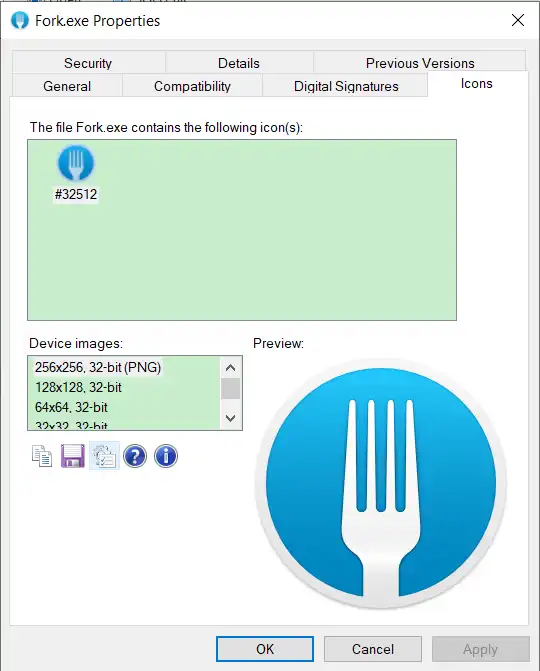
| 获取exe图标 | IconViewer | https://www.botproductions.com/iconview/download.html | |||||||
| 桌面标签笔记 | PaperTodo | https://github.com/snownico0722/PaperTodo |
注
一些软件需要以管理员身份运行程序 才有效果,否则功能受到限制,导致无法使用
说明:
- 有具体使用说明的工具点击链接查看对应文档;
- 未使用过的工具名称为黄色
- 已下载使用的工具名称为绿色
optimizer
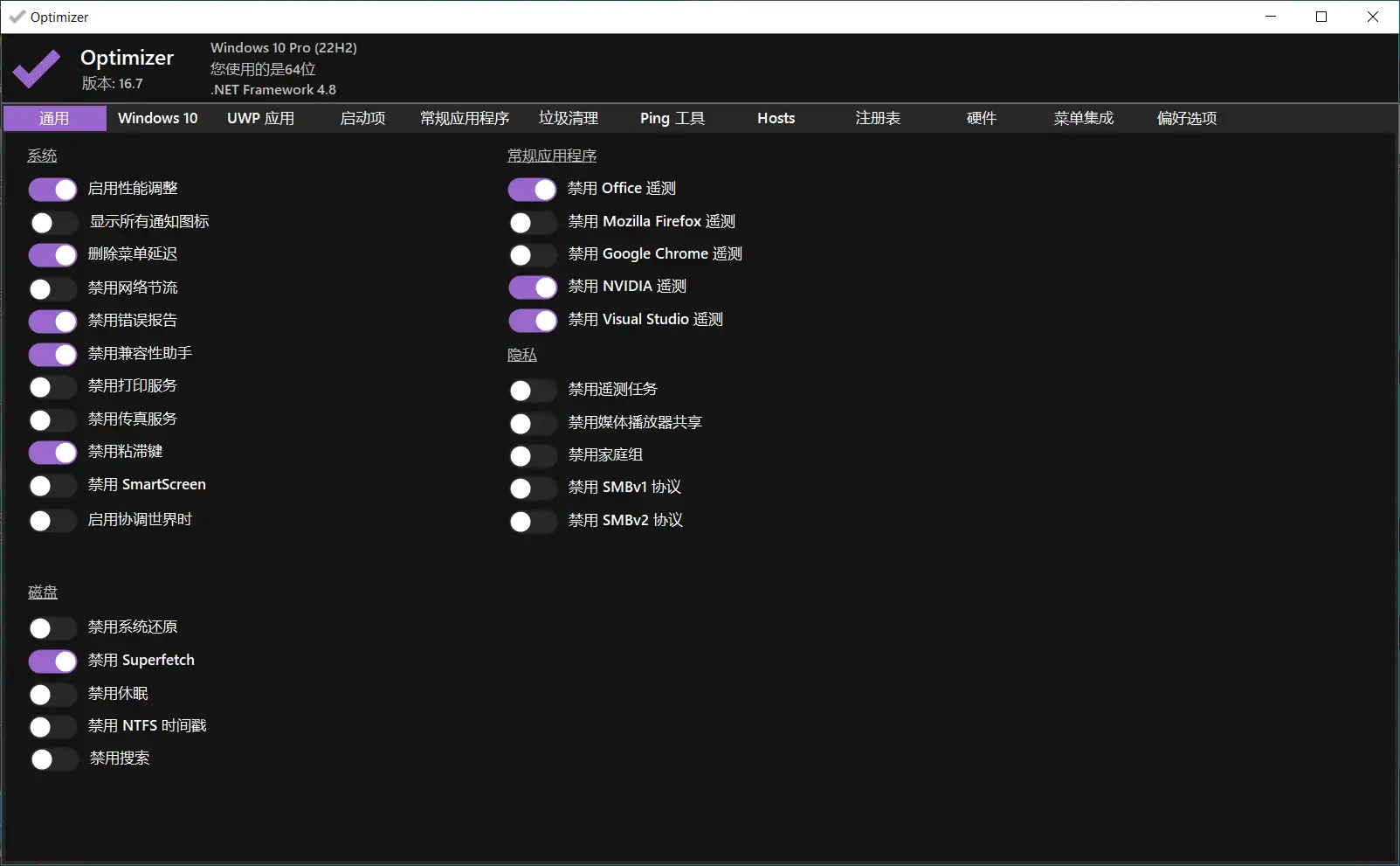
功能栏:
- 系统
- windows10:相同相关配置
- UWP应用:Universal Windows Platform,“UWP的核心API在所有windows设备上是相同的”。运行windows的设备有多种类型,比如台式电脑、Xbox、头戴显示设备。。。为了编写跨设备的应用,推出了UWP。使用UWP创建的应用
- (开机)启动项:删除前可以先进行备份以便恢复
- 常规应用:下载推荐的应用
- 垃圾清理
- Ping 工具
- Hosts
- 注册表
- 硬件:硬件信息检测
- 菜单集成:修改右键菜单、System Variables、字体
- 偏好设置:optimizer 配置
点击具体项目可以查看具体解释: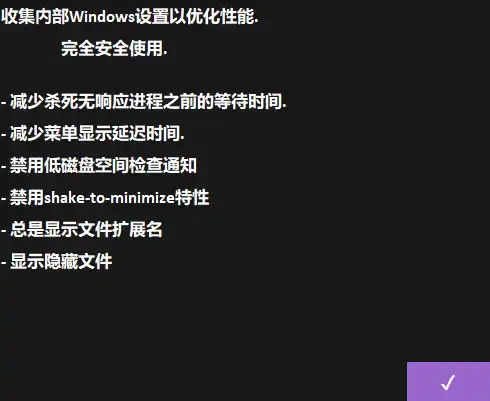
keyman
在主界面选择 IPA 语言,进入对应的下载页面,下载并安装程序
启动运行后, Input methods 中新增 IPA输入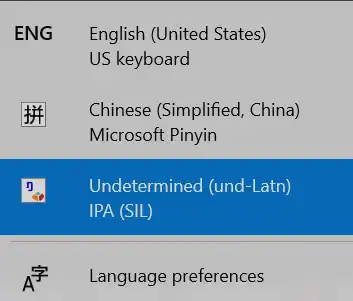
配置快捷键
配置-》快捷键-》常规快捷键
选中 “打开语言切换器”,按住shift + space,进入快捷键配置界面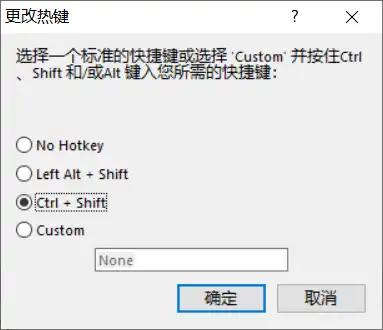
注
这里配置的快捷键最好和系统设置中的 Between Input Languages 一致,否则可能会导致系统配置失效,无法切换输入法
选项
- 随windows 启动:需要运行keyman 程序,IPA输入法才有效果
键盘布局
通过字符序列:基本字符 + 修饰符(<、>、=) 组合成一个IPA基本字符
如输入 "i" + "=" 结果是 "ɪ"
Vowels
| Font | Central | Back | ||||
| Unrounded | Rounded | Unrounded | Rounded | Unrounded | Rounded | |
| Close | i i | y y | ɨ | ʉ | ɯ | u u |
| Near-close | ɪ i= | ʏ y= | ʊ u< | |||
| Close-mid | e e | ø o> | ɘ E= | ɵ O= | ɤ O> | o o |
| Mid | ə e= | |||||
| Open-mid | ɛ e< | œ E< | ɜ e> | ɞ O< | ʌ u> | ɔ o< |
| Near-open | æ a< | ɐ a> | ||||
| Open | a a | ɶ E> | ɑ a= | ɒ o= |
Suprasegmental
| 输入 | 输出 | 含义 | 示例 | 中文名称 |
|---|---|---|---|---|
| } | ˈ | Primary stress | /ˈpraɪməri/ | 主重音 |
| }} | ˌ | Secondary stress | /ˌsuːprəsegˈmentl/ | 次重音 |
| : | ː | Long | /siː/ | 长 |
| :: | ˑ | Half long | 半长 | |
| .< | | | Minor(foot) group | 小(音步)段 | |
| .= | ‖ | Major(intonation) group | 大(语调)段 |
Consonants
| Bilabial | Labiodental | Dental | Alveolar | Post-alveolar | Retroflex | Palatal | Velar | Uvular | Pharyngeal | Glottal | |
|---|---|---|---|---|---|---|---|---|---|---|---|
| Plosive | p b | t d | k g | ||||||||
| Nasal | m | n | ŋ n> | ||||||||
| Trill | r | ||||||||||
| Tap or Flap | |||||||||||
| Fricative | f v | θ t= ð d= | s z | ʃ s= ʒ z= | h | ||||||
| Lateral Fricative | |||||||||||
| Appproximant | j | ||||||||||
| Lateral Approximant | l |
Other Consonants
| 输入 | 输出 | 含义 |
|---|---|---|
| w | w | Vd labial-velar approximant |
marktext
在复习文章 或 专注写作时,想要屏蔽干扰,或者说是减少不必要的信息输入,需要禅模式。ob 中虽然有 一个 Typewriter mode 插件,但是使用起来不尽人意。
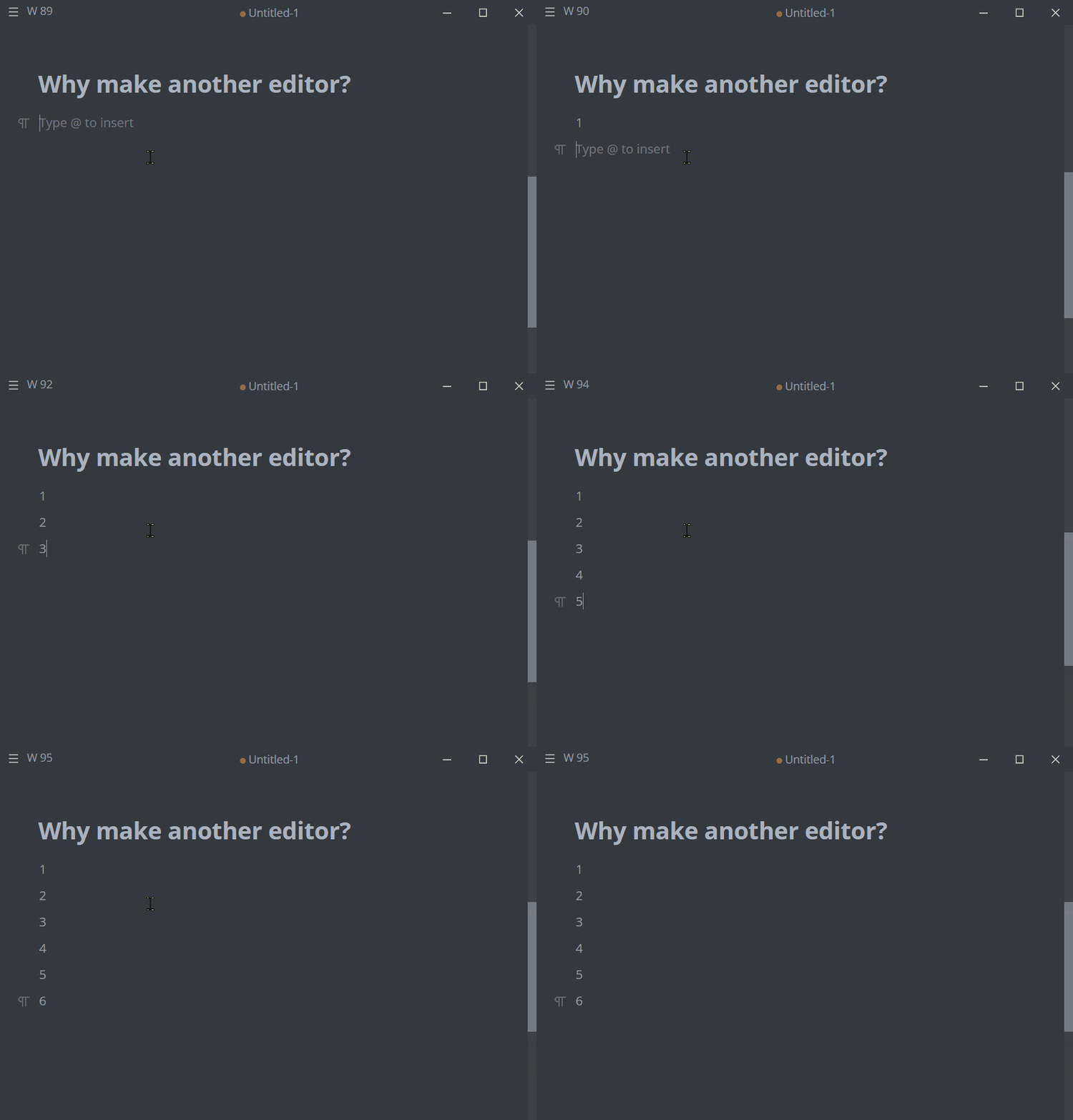
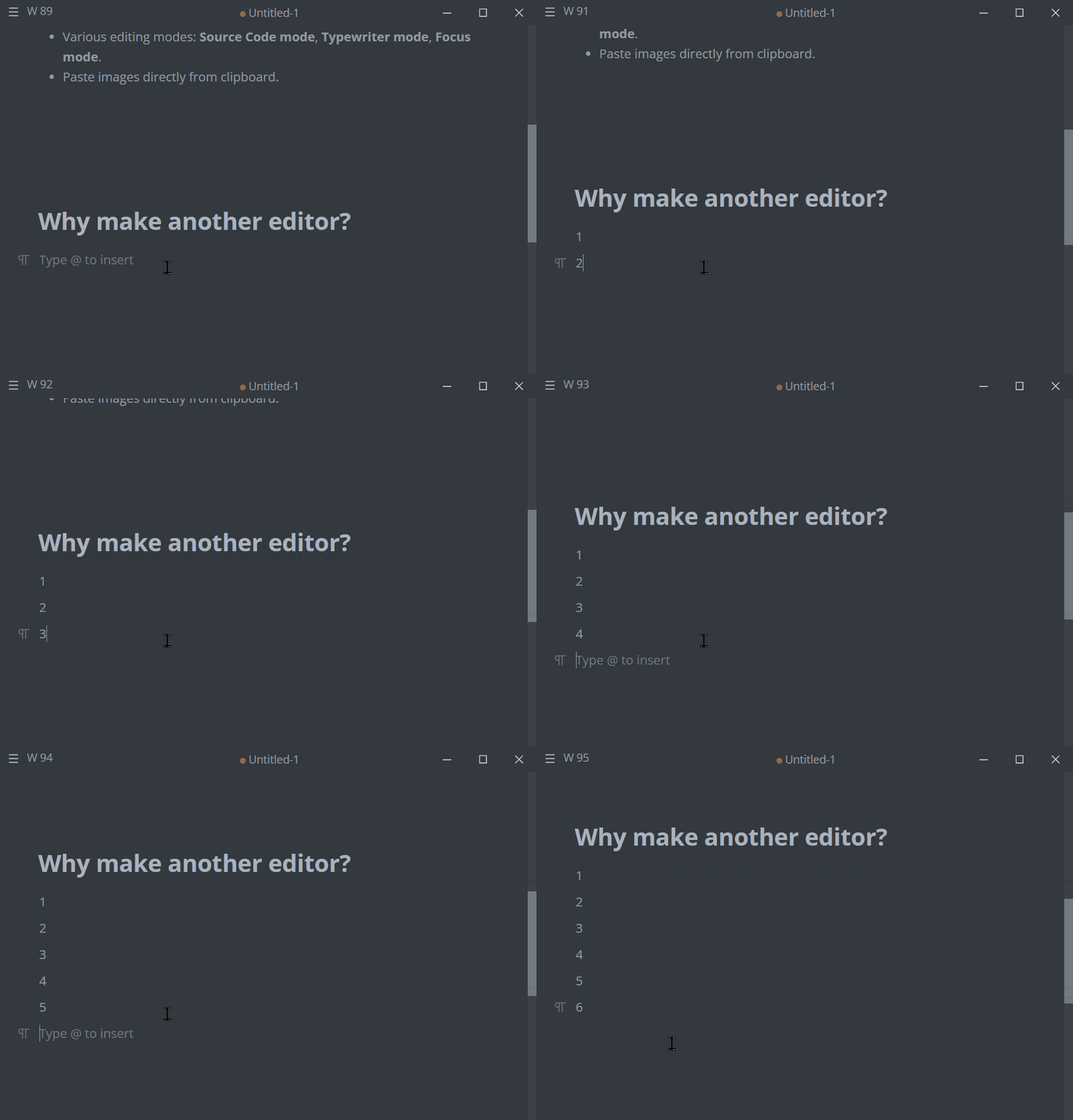
和普通模式的区别:
- 换行时界面会自动向上移动,使当前输入保持在相对中央的位置(即使界面能够显示全部内容)
- 切换/跳转 行时,界面也移动。
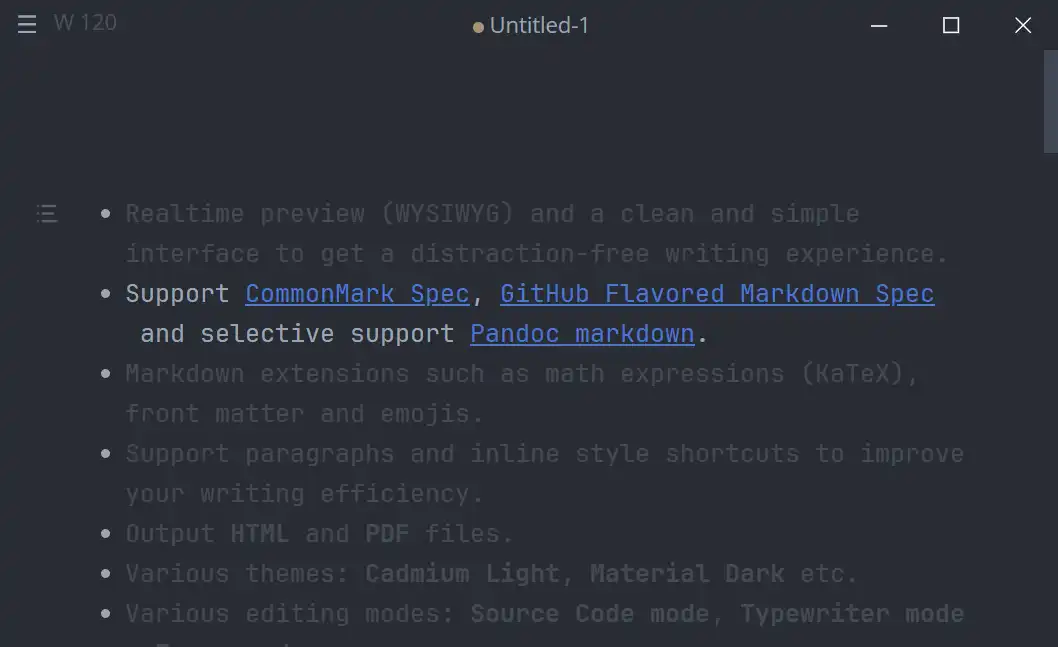
突出当前编辑内容,淡化其他内容。
问:对比不是很明显,是否可以设置突出内容的背景、字体等参数?
Typewrite mode 使用起来似乎有些问题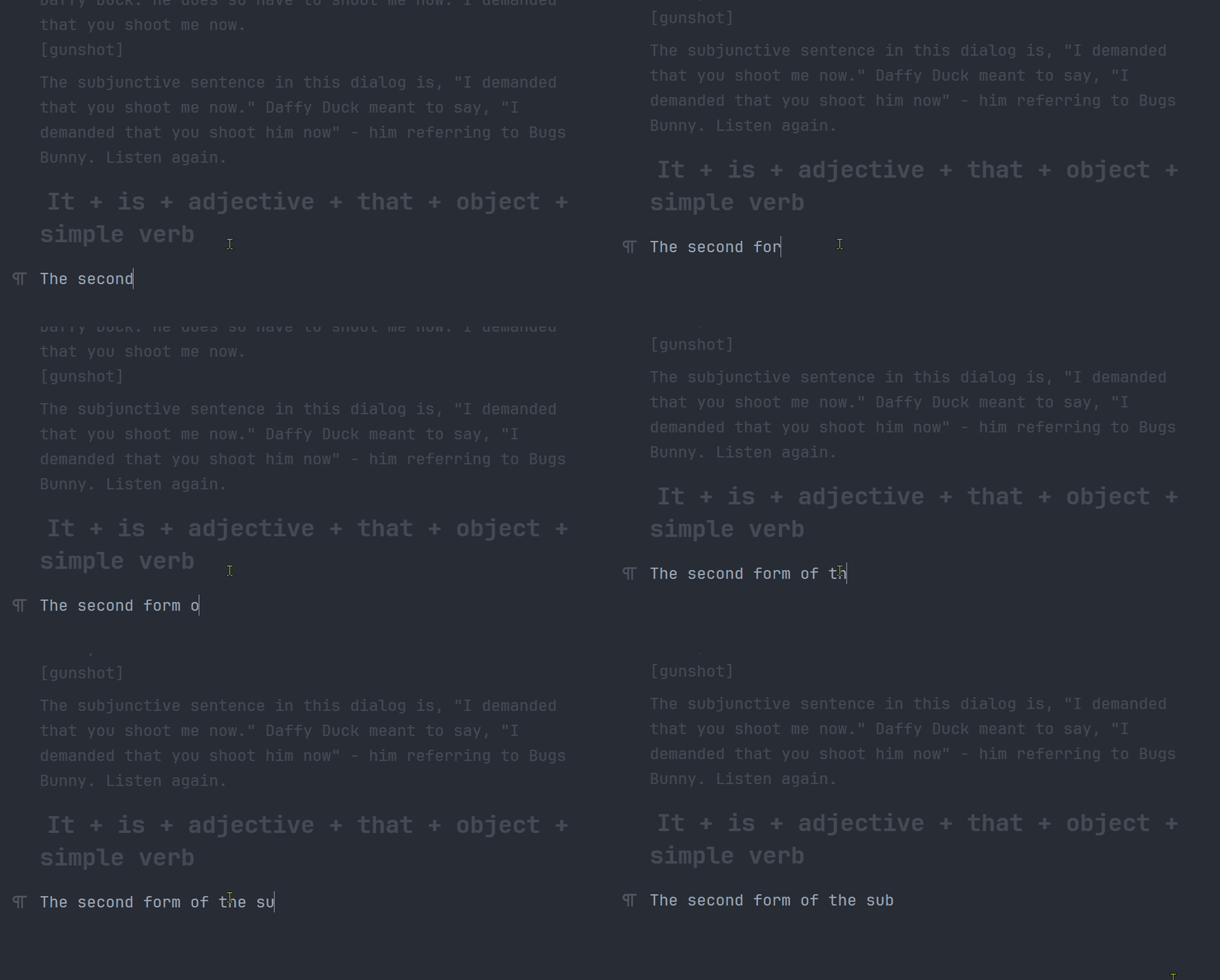
每输入一个字符界面就会跳动一下,人都要被晃晕了😵
只能在全屏模式下使用?
问:focus mode 中突出显示的范围是多大?是否能够设置为单行或段落?能不能设置为渐变,并且可以控制渐变的程度(距离当前行的距离 - x,设置弱化的程度 - y)?
Zeal
下载docset
配置路径:Tool -> Docsets...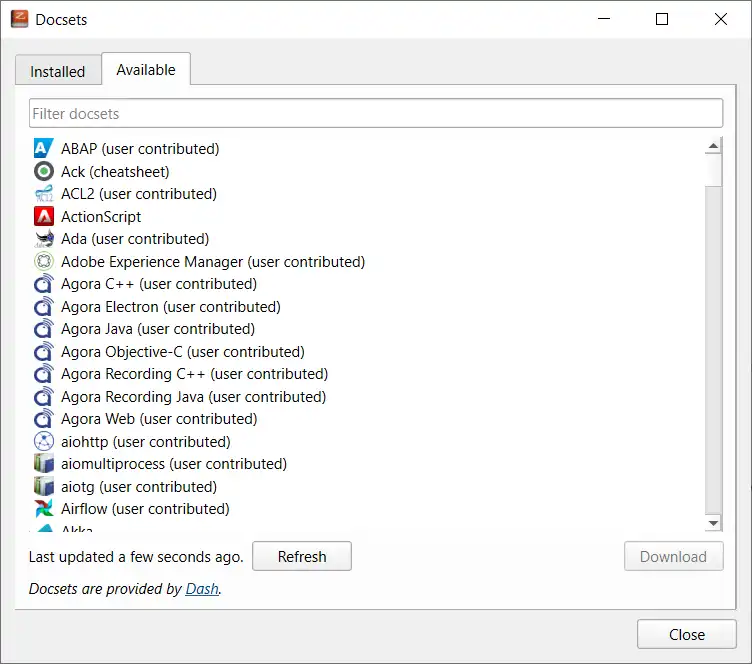
- 可能是网络的原因,前面几次打开时 Available 列表是空白的
- 先用ASCII Tables 测试能够正常下载

手动导入 docset
下载压缩包
进入docsets 存储目录
Edit -> Preferences -> General -> Docset storage -> Browse...
解压压缩包到该目录下
效果
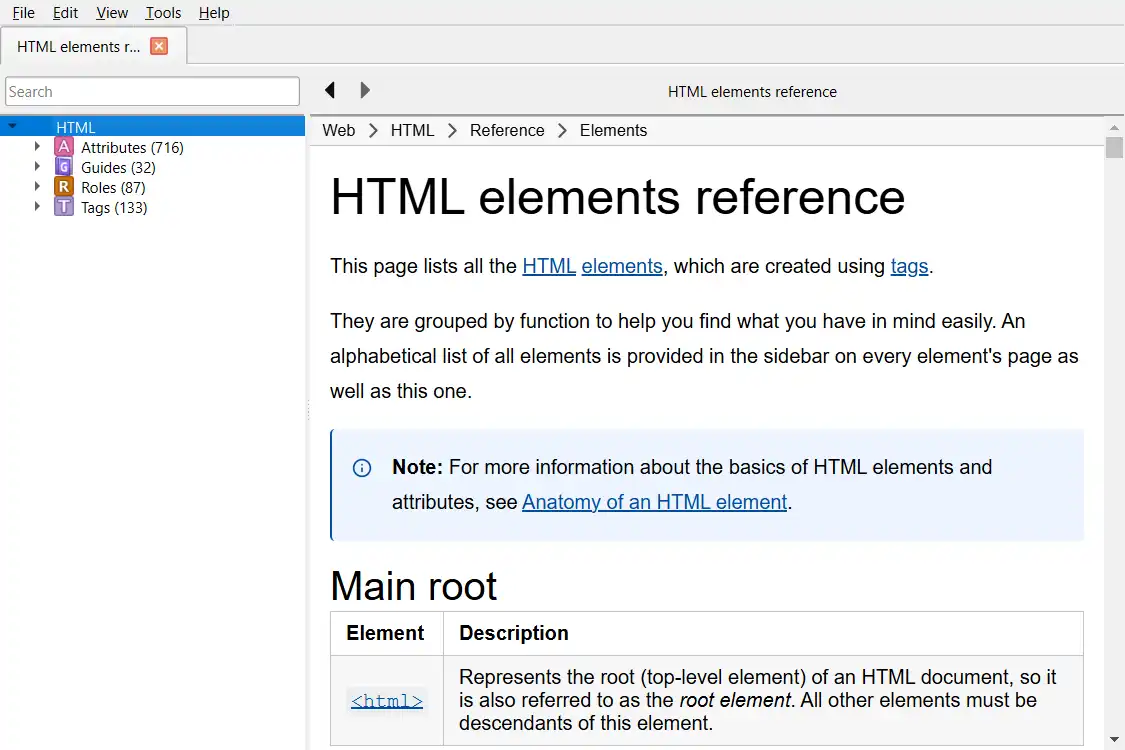
如果docsets 列表没有更新,先将 Docset storage设置为新安装的docset路径,然后再调整到上级目录。
Cryptomator
Create New Vault
点击主界面左下角 “+” 按钮,创建新的 vault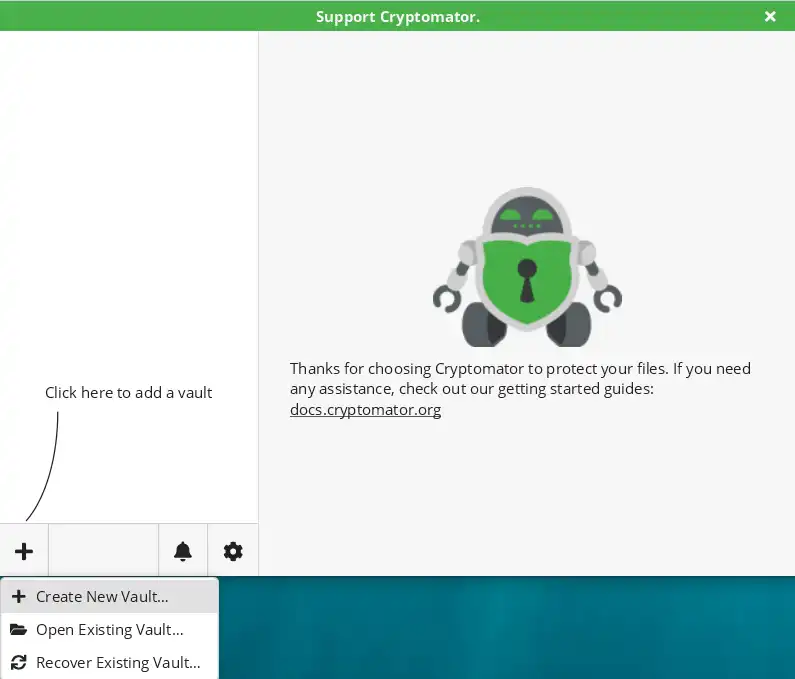
设置 vault 的名称(本地目录名称)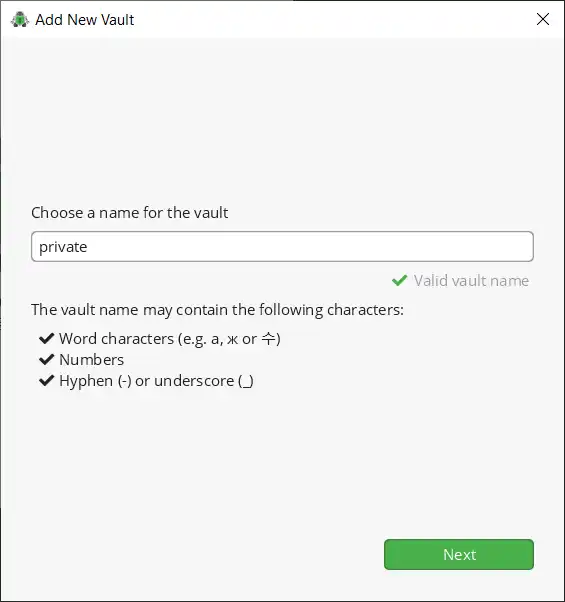
选择存储路径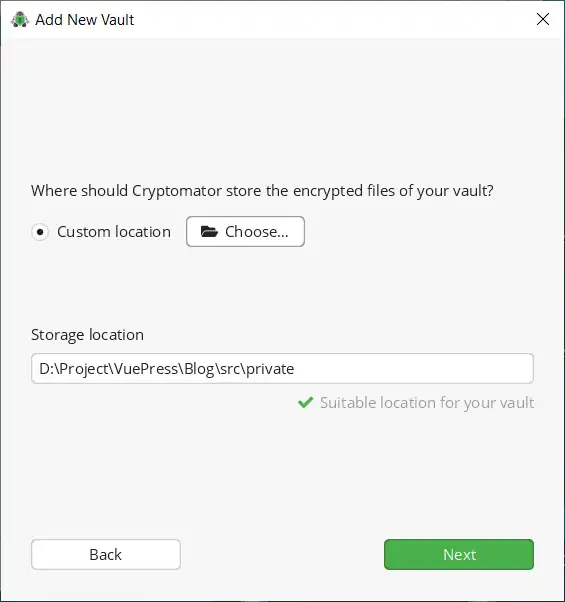
设置密码 & 是否创建 recovery key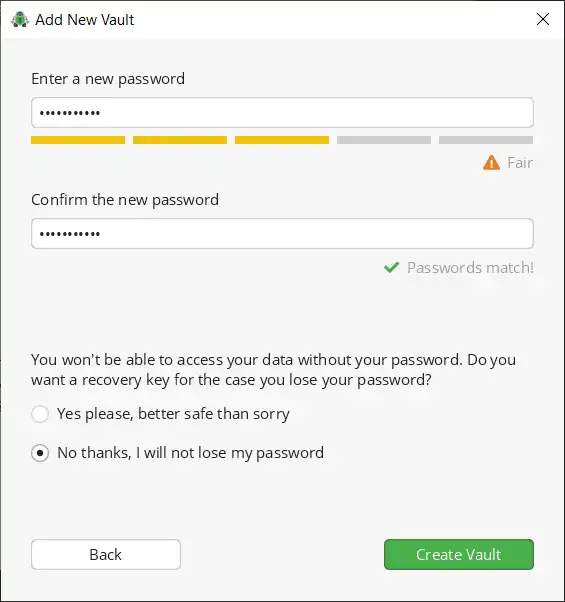
新建成功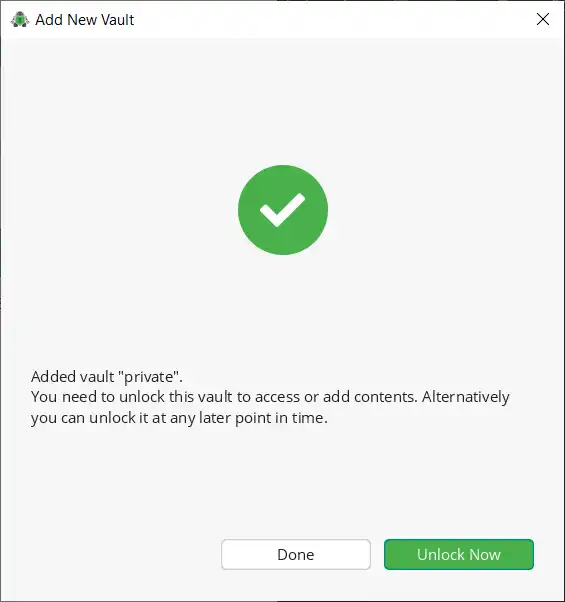
新建 vault 本地结构: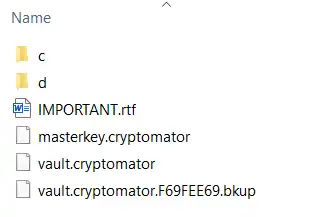
⚠️ VAULT FILES  ⚠️
This is your vault's storage location.

DO NOT
    • alter any files within this directory or
    • paste any files for encryption into this directory.

If you want to encrypt files and view the content of the vault, do the following:
    1.  Add this vault to Cryptomator.
    2.  Unlock the vault in Cryptomator.
    3.  Open the access location by clicking the "Reveal" button.

If you need help, visit the documentation: http://docs.cryptomator.org
向vault中添加要加密的文件的正确步骤:
Unlock the vault in Cryptomator
点击Unlock...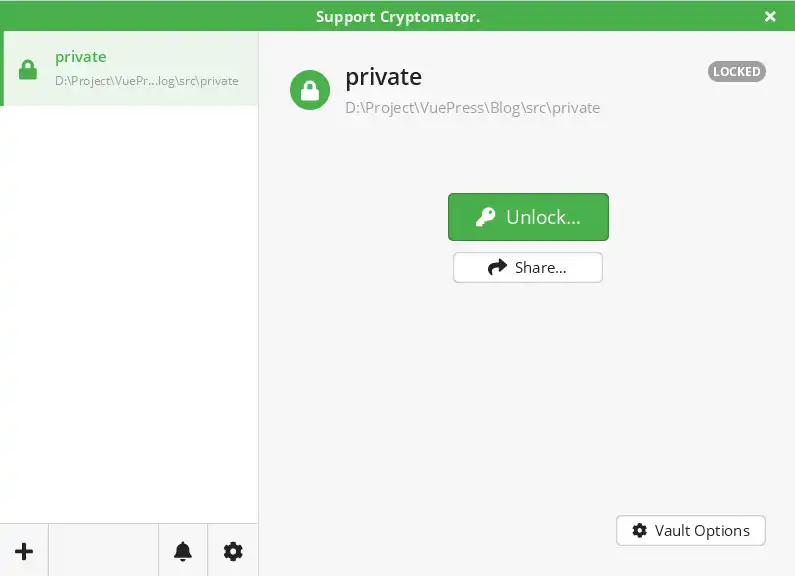
输入密码
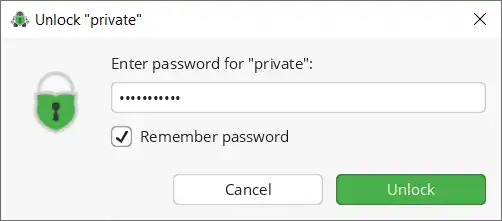
Reveal Drive
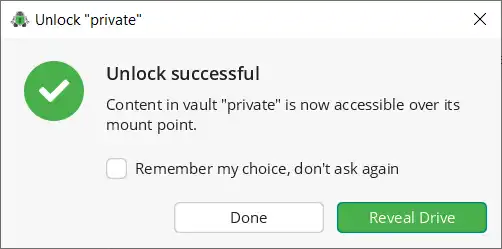
就能看到vault存储的文件了

Unlock 后 vault 映射为一个 虚拟磁盘
- 将要加密的文件添加到该磁盘内
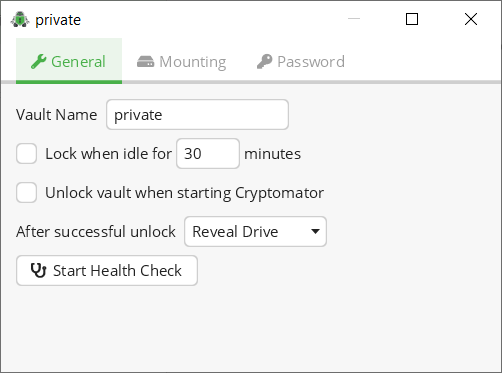
Vault Options
在 LOCKED 状态下点击右下角按钮
General
Mounting
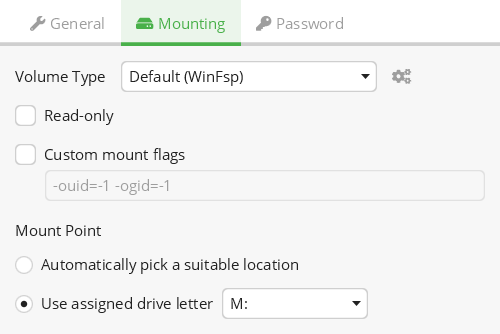
Mount Point
- Use assigned drive letter:
Encrypted File Names
The app offers two features to reveal the mapping between the cleartext (in your unlocked vault) and the encrypted files (in the vault storage location)
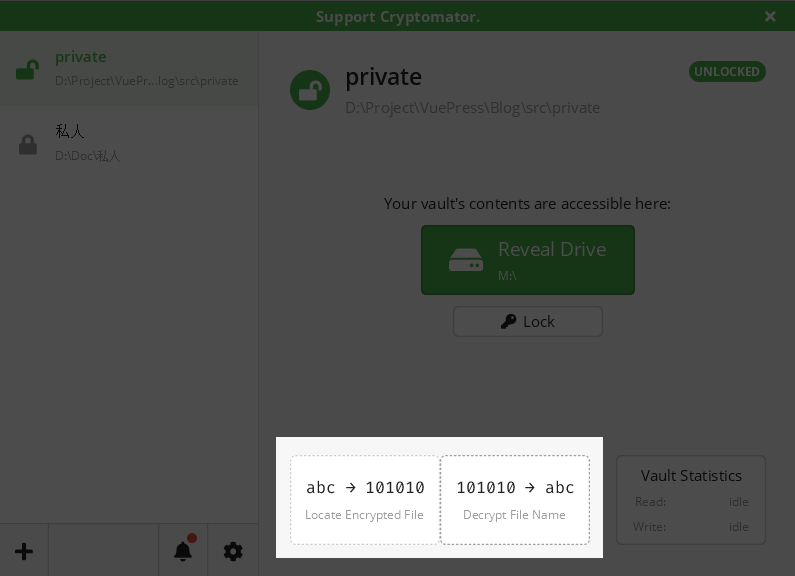
Locate Encrypted File
find the encrypted counterpart of a file from inside the vault.
找到和虚拟磁盘中对应的本地文件
Decrypt File Name
helps you resolve encrypted file names back to their original cleartext names.
解密本地文件的文件名
GoldenDict-ng
词典下载:
PixPin
长截图
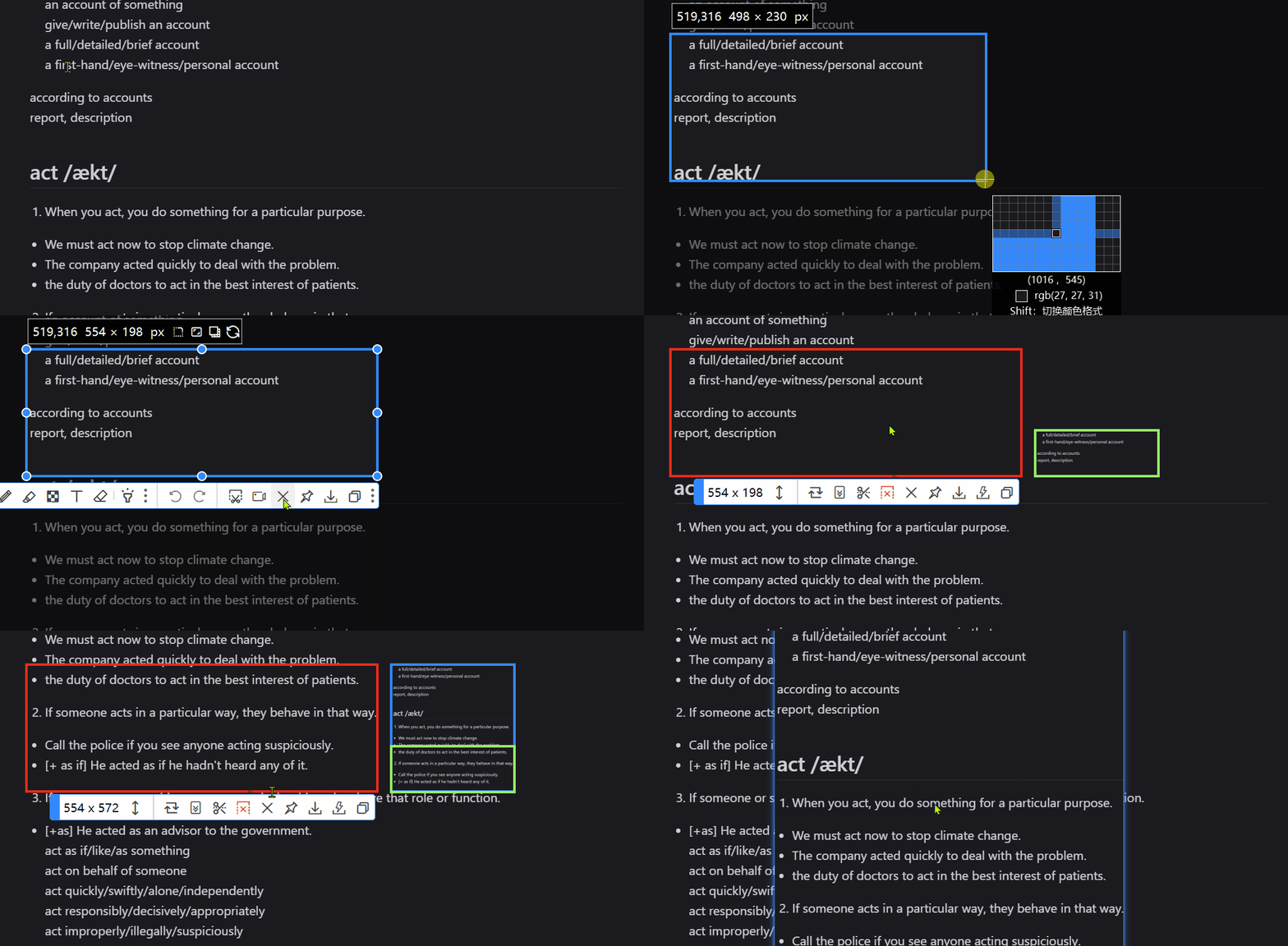
点击长截图按钮进入长截图模式
右侧显示当前长截图的缩略图,其中绿色区域为当前截取区域
长截图下的功能按钮:
- 长截图大小
- 区域移动按钮:
截图模式下(右侧有缩略图,按钮为↑↓箭头-和截取方向一致)可以通过该按钮移动截取区域。
滑轮滚动到底部后,底部内容不在截图区域内,需要通过按住该按钮调整截图区域位置
示例: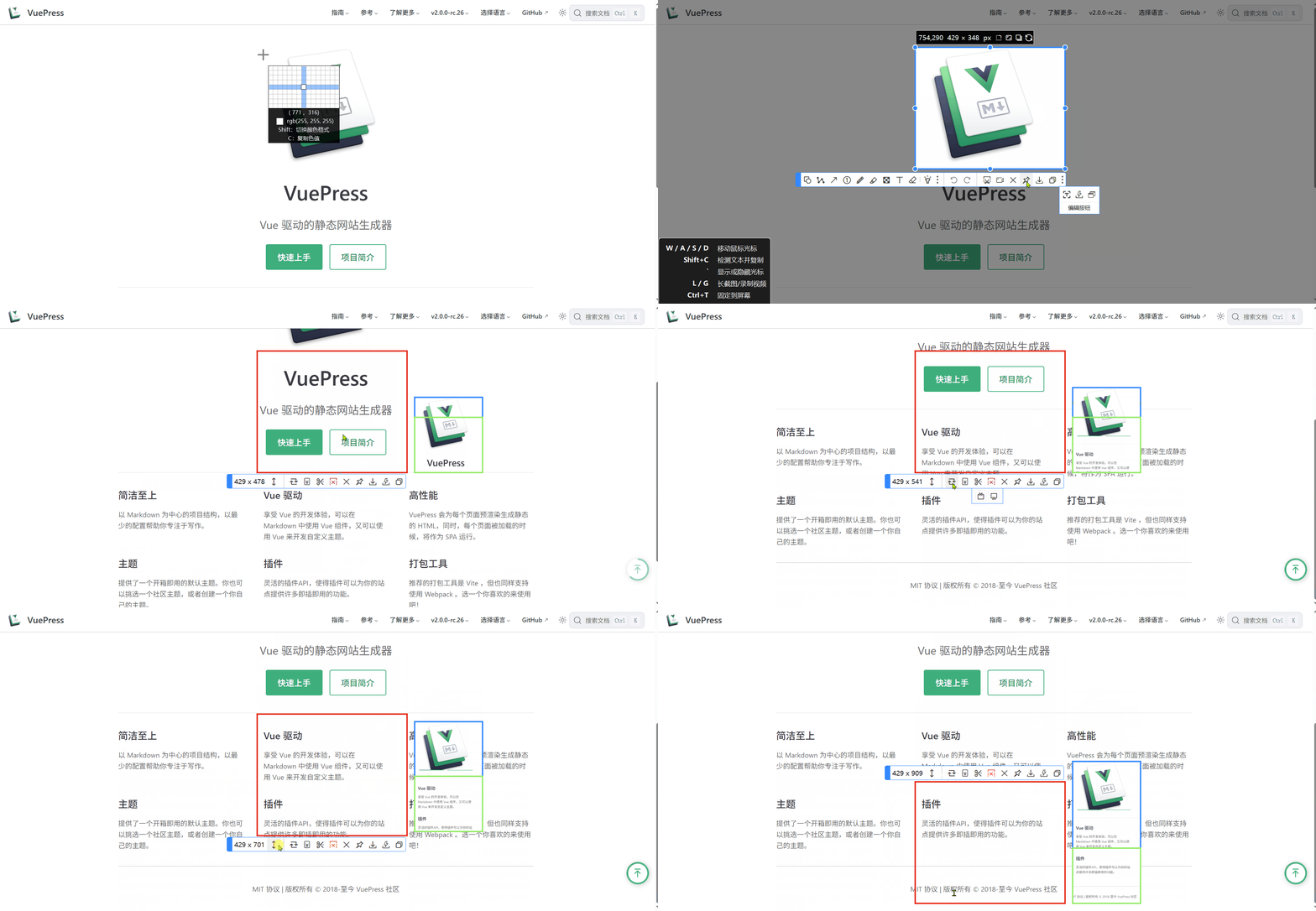
非截图模式下,可以拖动调整截图区域
3. 自动滚动截图:自动滚动,无需手动调整鼠标滑轮
4. 裁剪:裁剪最上/下方多余的截图(垂直方向截取时)
5. 进入/退出截图模式
6. 关闭:取消截图
7. 贴图:保存长截图并钉在界面上
Audacity
edition: 3.7.7
Transport Toolbar
三种状态



按钮:
- Pause:暂停/继续 播放 或 录制。
- Play(Space)/Play Once(Shift+Space): 从选定的起始位置(editing cursor)开始播放 或 播放选定区域 快捷键为 Space
在波形图中,红色箭头所指的竖线即为起始位置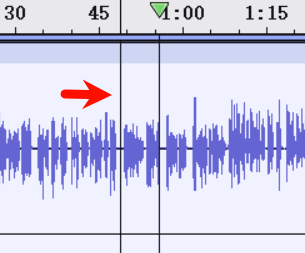
选定区域(深色部分),播放完毕后自动停止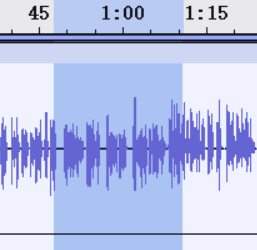
按住Ctrl 键 Play button 会切换图标:
此时Play 的功能为 Play Cut Preview,这里Cut 指的是不需要的播放的选中区域。预览Cut该区域后的效果,播放时会跳过该区域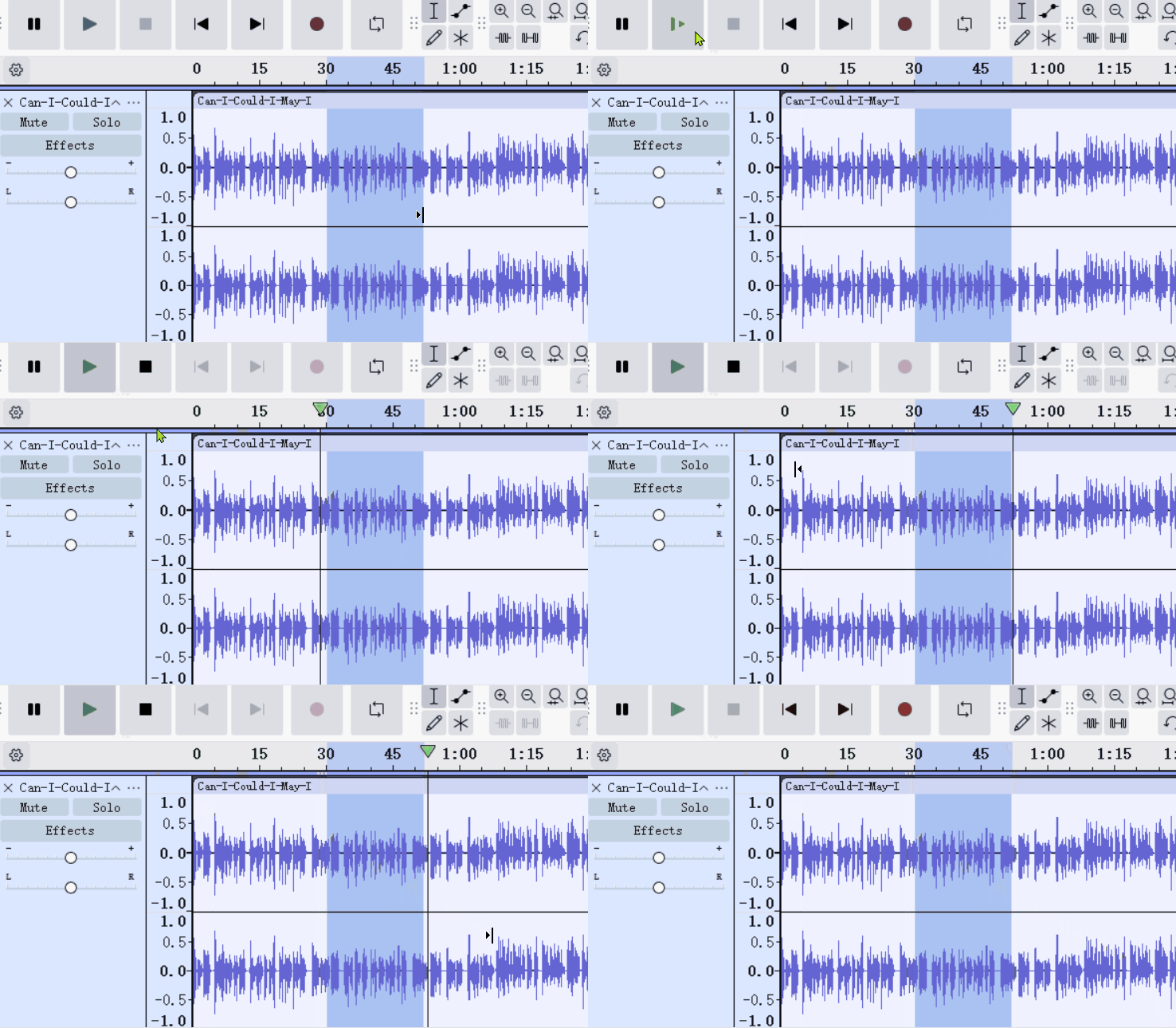
- Stop: 停止播放/录音
- Skip to Start:将播放位置移动到起始按住 shift后点击 会选中 the editing cursor 到 起始区域
在void 以及 暂停状态下该按钮可用,但是使用后会退回(切换)到void状态(播放过程中改变播放位置相当于重新播放,录音过程中不允许修改录音的起点)
- Skip to end
- Record:从当前 track(s) 的末尾开始录音
- Record new track(Shift):新的track起始位置为the editing cursor
- Loop:时间轴上深色区域即为循环播放区间,启动循环播放后会显示该区间。
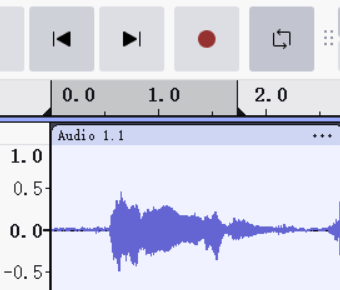
可以在时间轴上调整 looping region
Tools Toolbar

- Selection: select a start point, or a selection region。可以先选取region起点,然后按住 shift 键,再选取终点
- Envelope
Allows smooth volume changes to be made over the length of a track by means of embedded volume "control points"
控制音量随时间变化的程度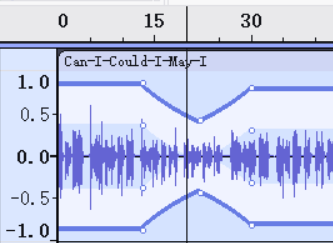
上图中白色的点即为 control points
- Draw Samples
调整单个采样点的音量
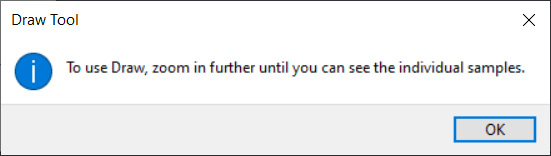
放大波形(Zoom in、Ctrl + wheel or Zoom Toggle)直到可以看到采样点(点击波形图不再出现上面的弹窗提示)
- Multi-Tool: Combines all the other tools in one. One tool is available at a time, according to the mouse position and modifier key chosen.
Menu Bar
File Menu
- Open: 选取文件并打开一个新的工程
Note carefully that this does not actually 'open' your audio files for editing, rather it copies them into Audacity in Audacity's internal project format where they can be worked on.
- import: 导入文件到当前的project中 作为一个新的 track
HandBrake
压缩前后视频文件大小:455M-》90M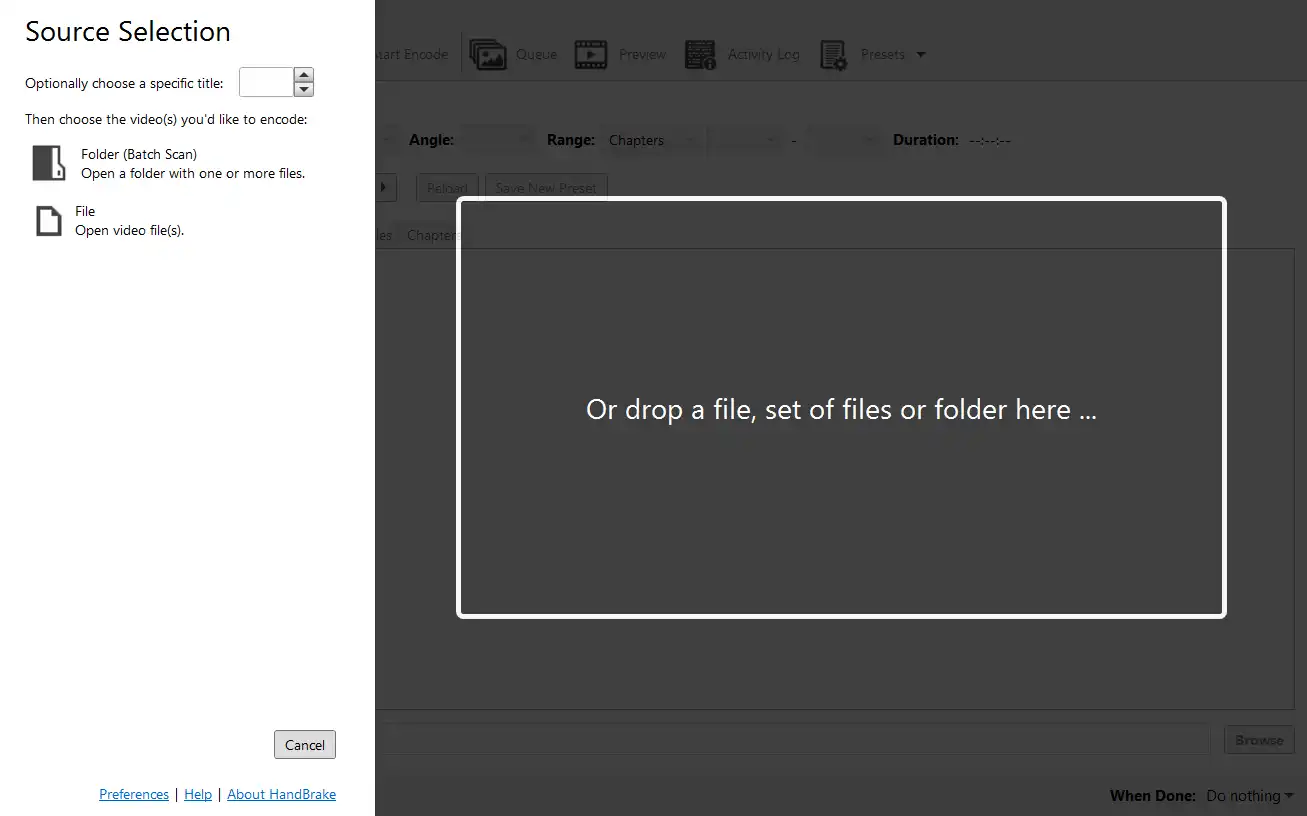
- 打开文件/文件夹
- 配置
- 选择输出位置
- 开始编码
ioDraw
Mind Map
优点:
- 切换布局样式(节点排布以及连线样式)时不会保留节点的位置
当前布局: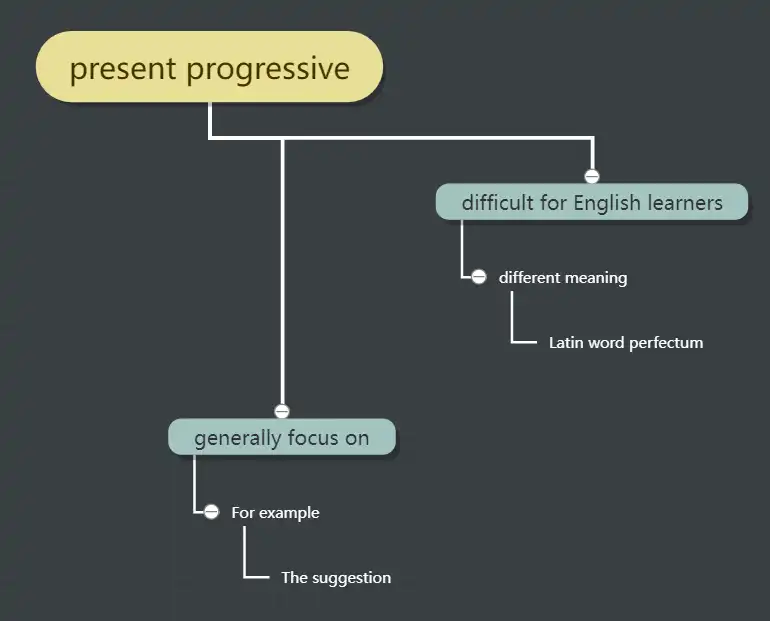
切换另一种布局: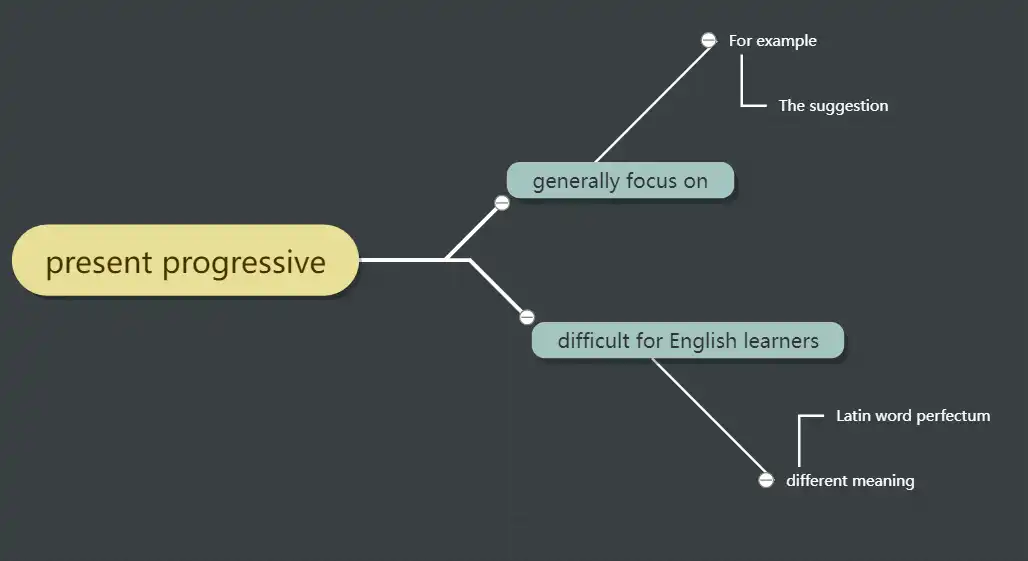
再切换回去节点位置相同
不足
因为没怎么用过思维导图工具,所以以下不足仅对个人使用情况而言。
使用起来的几个问题:
- 没办法范围选中多个节点,只能单个选中?需求:需要一次性删除多个节点
可以选中多个节点,被选中的节点背景颜色会变为黄色 - 不能通过鼠标中键移动画布,只能先选择左下角移动工具,然后再移动
按住鼠标右键拖动画布
handy
Model:
Parakeet TDT 0.6B v2 English only. The best model for English
size: 695 MB Q8_0 ?
General
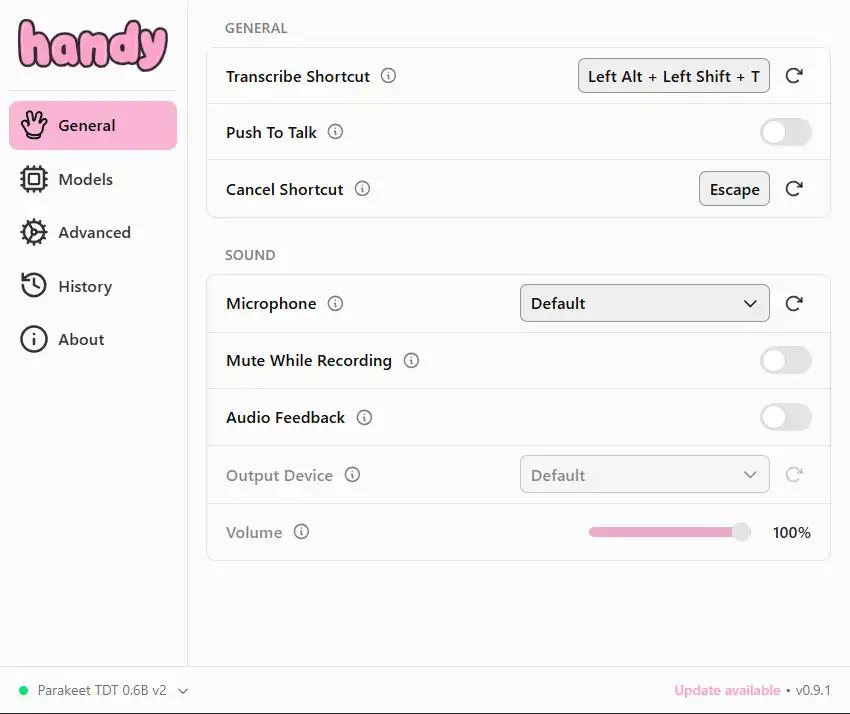
GENERAL
Transcribe shortcut
默认的和同英文切换 shortcut 冲突
Push to Talk
两种录制模式:
- Hold to record, release to stop:release 后直接转换
- 按键进入recording,再次按键结束recording。
通过cancel shortcut to cancel(取消/放弃) the current recording
背诵的时候记录整段的内容,按键不方便,自然是选择第二种
问:但是我感觉按键不太方便,能不能有个按钮控制?
类似于360 那种一键加速的悬浮球,可以拖动设置球的位置。将其绑定到recording 按键上
Quicker?
Advanced
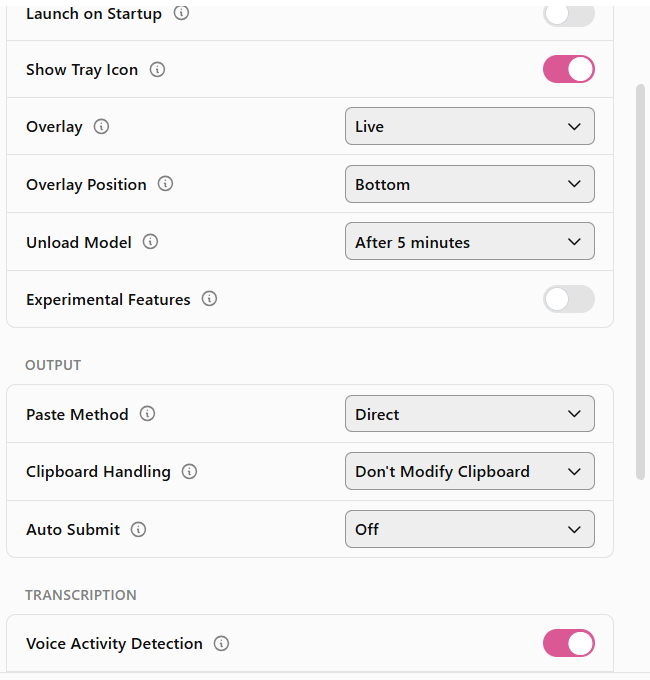
OUTPUT
Paste Method
how text is inserted
- Clipboard: paste and updates history/clipboard
- Direct: simulates typing via system input.
这里的typing指的是输入文本,并不是对应按键。语音:control plus a,不会全选
所以有没有语音能够控制软件本身的行为的软件:)语音-》文本-》ai - None: skips paste, only updates history/clipboard.
- Clipboard(Ctrl+Shift+V): paste, updates history/clipboard and 模拟()内的按键
IconViewer
默认安装
查看exe的properites