Obsidian Help
Obsidian Help
ob 软件本身的使用,不包含插件
Math
在obsidian 中插入公式,使用LaTeX 标记语法
- 行间
实现:
$$
\begin{vmatrix}a & b\\
c & d
\end{vmatrix}=ad-bc
$$
效果:
- inline
实现:
这是文本行内的公式$e^{2i\pi} = 1$效果:
这是文本行内的公式
行内 和 行间 显示的效果不一致,行间的公式显示中央,inline 公式显示在文本行内
Linking notes and files
Supported formats for internal links
[[Enlgish/ResouRelative Pronouns]][[Relative Pronouns.md]][Relative Pronouns](Relative%20Pronouns)[Relative Pronouns](Relative%20Pronouns.md)
以上4中链接都会链接到Relative Pronouns.md
1、2 是 Wikilink 格式,3、4是 Markdown 格式
可以看到wiki 格式只需要文件名称就能链接到对应的md文件,而Markdown 格式链接名 和 链接文件分开指定,同时链接文档路径需要 URL encode(用%20 替换文件名中的空格)
Link to a file
在编辑模式下输入[[ 就会弹出链接文件菜单,输入链接文件名称,根据提示进行选择
- 即使使用Markdown 格式的链接也能通过
[[输入链接,ob会自动转换链接的格式
Link to a heading in a note
相关信息
To link to a heading in another note, add a hash (#) at the end of the link destination, followed by the heading text.
如果是要链接到当前文档的内的heading,直接使用#
Link to a block in a note
- 什么是block?
A block is a unit of text in your note, such as a paragraph, block quote, or list item.
- 如何定义一个block?
将不同类型内容定义为block
- simple paragraphs: place a blank space followed by a caret ^ and the block identifier at the end of the line
示例:
这是一个simple paragraph 在段落的末尾,空一格,使用caret+block identifier 设置block ^37066d
这是一个simple paragraph 在段落的末尾,空一格,使用caret+block identifier 设置block ^37066d注
这里paragraph的范围,最好是前后都有空行
- structured blocks(lists, quotations, callouts, tables): the block identifier should be on a separate line, with a blank line before and after
block identifier单独一行 且 前后各空一行
示例:
下面是一个table,将他定义为一个blcok
| 序号 | 名称 |
|---|---|
| 1 | M |
^394800
| 序号  | 名称  |
| --- | --- |
| 1   | M   |

^394800- For specific lines within a list: can be placed directly on a bullet point
示例:
链接到一个列表中的某一项
下面是一个列表
- 第一项
- 第二项
	^37006f
- 第三项
- 第一项
- 第二项
^37006f
- 第三项注意
do not support links to specific parts of quotations, callouts and tables.
block identifier 可以包含Latinletters, numbers, and dashes
这是一个使用 human-readable block identifier 的paragraph ^human-readable-block-identifier
问: block identifier 除了 unique 以及组成的字符 还有其他要求吗?比如位数,首位字符等
对于unique,是不能定义两个同名identifier,还是定义后会出错?
- 如何link to a block?
You can link to a block by adding #^ at the end of your link destination, followed by a unique block identifier.
注
只能使用[[#block-identifier]]来进行链接(esc退出ob自动补全/修改链接格式)
For example:
链接到上面定义的simple paragraph block [[#^37066d]]
链接到上面定义的table block [[#^394800]]
链接到specific line block [[#^37006f]]
链接到human-readable identifier block [[#^human-readable-block-identifier]]
效果: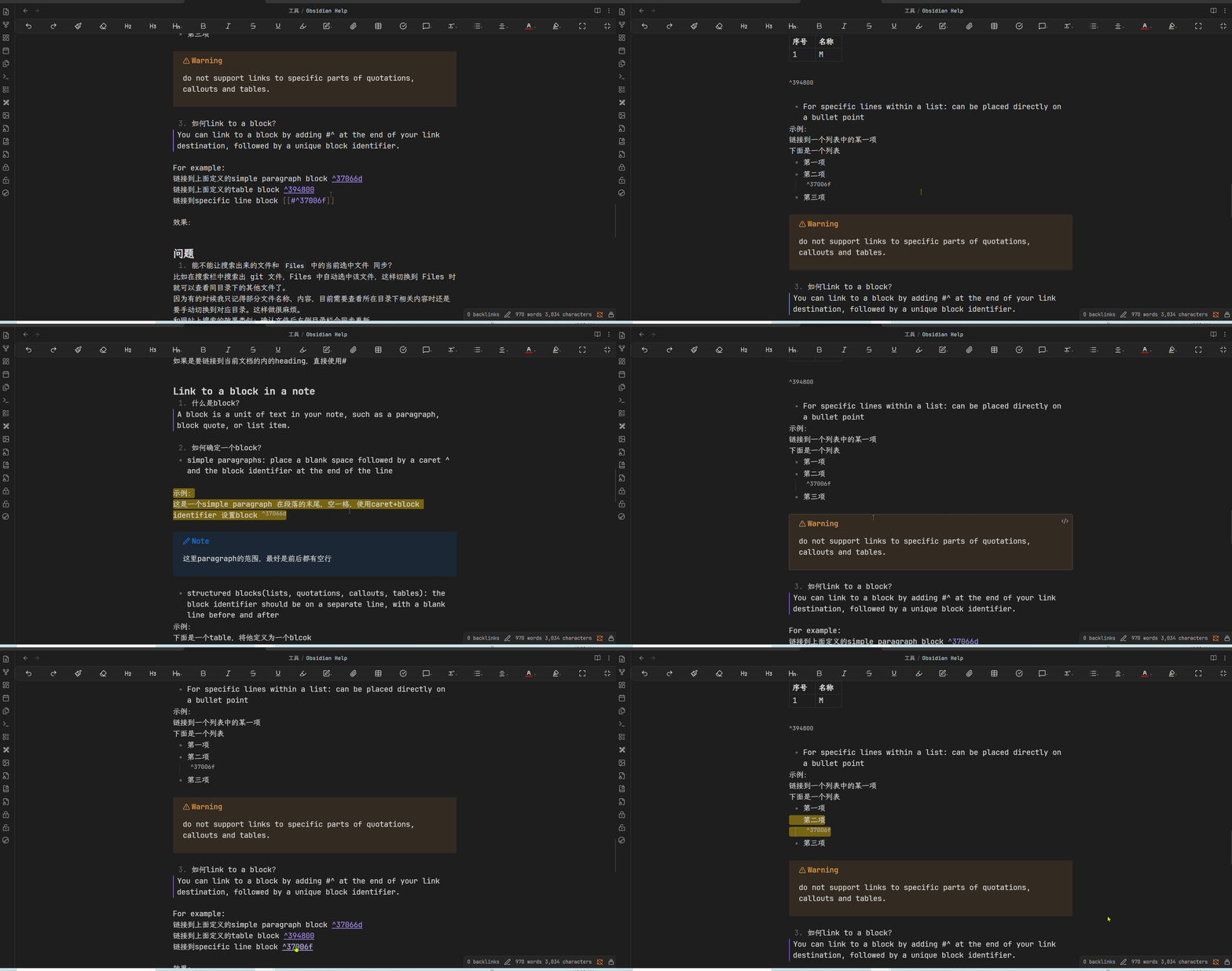
问:这里都是链接到当前文档内定义的blcok,如果要链接到其他文档中定义的block,需要通过 目标文档+#^ 来链接到block吗?
链接到test中的block
注意
Block references are specific to Obsidian and not part of the standard Markdown format.
只能在Obsidian 中使用blcok link,可惜
问题:这里链接不能够起别名?
Change the link display text
- [[Obsidian Help]]
- [[Obsidian Help.md#Change the link dispaly text]]
Wikilink format
Markdown format
格式:[Display text](Link URL)
本身显示的文本和链接的目标就是分离的
链接到仓库外的本地文件
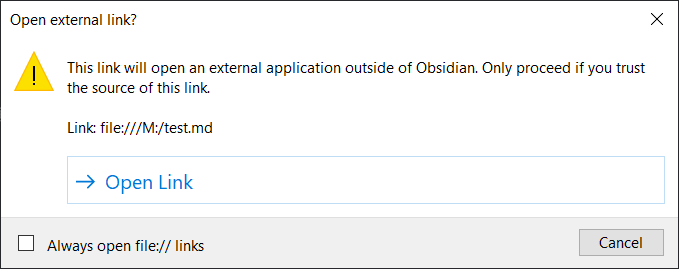
点击 Open Link 能够打开对应位置的文件
问:只能使用markdown 链接?使用[[ 不会进行提示
问题
- 能不能让搜索出来的文件和
Files中的当前选中文件 同步?
比如在搜索栏中搜索出 git 文件,Files 中自动选中该文件,这样切换到 Files 时就可以查看同目录下的其他文件了。
因为有的时候我只记得部分文件名称、内容,目前需要查看所在目录下相关内容时还是要手动切换到对应目录。这样做很麻烦。
和网站上搜索的效果类似:确认文件后左侧目录栏会同步更新
或者提供上一页/下一页功能,能够在同一目录下按文件排列顺序跳转。
Options
Appearance
Font
中文字体
安装字体:
- 下载字体文件(ttf后缀)
- 选中文件后鼠标右键,选择install

可以在系统 font 设置中查看当前已安装的字体: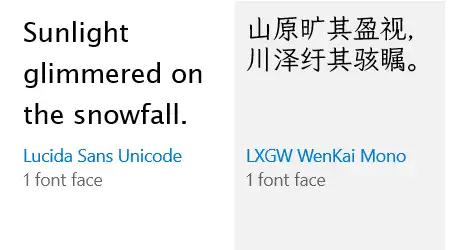
- 设置
| 选项 | 含义 | 说明 |
|---|---|---|
| Interface font | ||
| Text font | ||
| Monospace font |
输入字体名称,选择对应的字体。如果可选列表中没有新安装的字体,重新打开obsidian。
对比: