git Rewriting History
2026/8/11大约 2 分钟
git Rewriting History
修改历史版本中的文件内容
当前仓库main分支有3个版本:1、2 和 3。 版本2中包含文件2.txt,内容为:223
准备下个版本时发现错误,因为已经提交了版本3,amend 只能修改三个版本-3,无法修改上上个版本-2
目的
使用交互变基修改版本2的2.txt 的内容为 222
初始信息:
$ git log
commit da163daee355fb2c74ae324108975bc4028cb626 (HEAD -> main)
Author: guZhouTingXue <2422173022@qq.com>
Date:   Sun Sep 28 23:05:31 2025 +0800

    3

commit 898f5affa62341c23083a96f83997888cb943fc4
Author: guZhouTingXue <2422173022@qq.com>
Date:   Sun Sep 28 23:05:12 2025 +0800

    2

commit e0e6e8ddbc652bc704b1babe305aab0633d737bc
Author: guZhouTingXue <2422173022@qq.com>
Date:   Sun Sep 28 23:04:16 2025 +0800

    1
实现:
- 启动
git rebase -i e0e6ee0e6e 是版本1的id的前5位(能够分辨出版本号,取前面5位就行了)
对要修改的版本的上一个版本进行变基,覆盖历史提交
效果:
pick 898f5af # 2
pick da163da # 3

# Rebase e0e6e8d..da163da onto e0e6e8d (2 commands)
#
# Commands:
# p, pick <commit> = use commit
# ...- 通过终端修改版本2 前的pick 为 edit
如果用的是vim,输入i-》修改内容-》esc -》:wq。
保存并退出后终端提示:
Stopped at 898f5af...  # 2
You can amend the commit now, with

  git commit --amend

Once you are satisfied with your changes, run

  git rebase --continue
工作区会停留在(恢复为)版本2
使用sourcetree查看时显示为正在变基:
HEAD指向2
3. 修改文件:将2.txt 内容修正为222
4. 暂存后提交:
勾选修改最后一次提交以保留之前的提交信息 或 取消候选,重新编辑提交信息
5. 完成变基:进行amend后会弹出提示,点击继续变基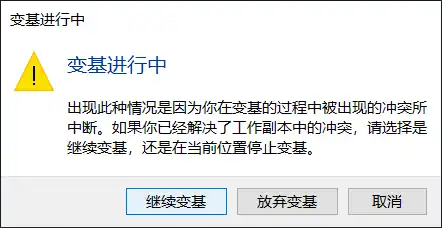
6. 结果:

文件内容和提交信息都更新完成