The box model
The box model
Inner and outer display types
- outer display types: affect how the box is laid out in relation to other boxes around it.
- inner display types: dictates how elements inside that box are laid out
包含的类型:
- outer: block, inline
- inner: flex, grid
如何设置outer/inner的类型?
display: block;根据具体设置的type来确定当前设置的是outer 还是 inner
block
一些默认使用 block 作为 outer display type的 elements: h1, p
特性:
- The box will break onto a new line.
    <p>I am a paragraph.</p>
    <p>I am another paragraph.</p>
效果: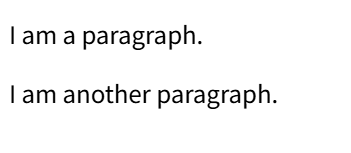
- The width and height properties are respected.
    <p id="p1">I am a paragraph.</p>
    <p id="p2">I am another paragraph.</p>
p {
border: 2px solid red;
}
#p1 {
width: 400px;
height: 100px;
}效果: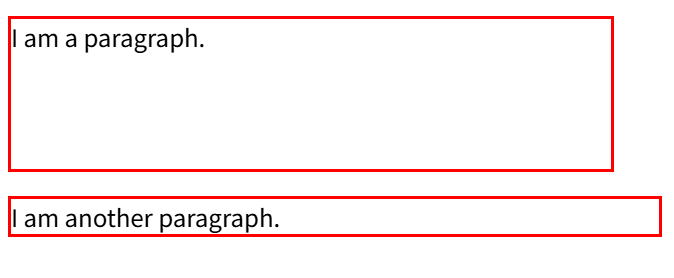
没有设置width、height的box,按照内容自动设置
有设置width、height的box,按照设定的值
- Padding, margin and border will cause other elements to be pushed away from the box
	/* ... */
      #p1 {
        padding: 10px 20px 30px 40px;
      }
效果: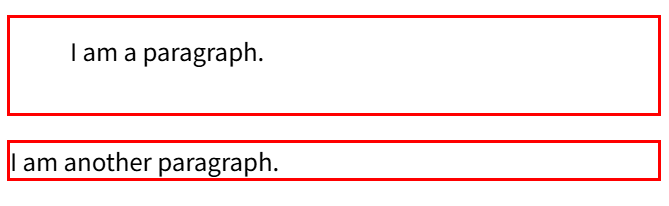
padding 同样会影响box的大小
- If width is not specified, the box will extend in the inline direction to fill the space available in its container. In most cases, the box will become as wide as its container, filling up 100% of the space available.


inline
a, span, em, strong
- The box will not break onto a new line
    <strong>This is a strong.</strong>
    <em>This is a em.</em>
	<p>This is a paragraph.</p>
body {
border: 2px solid green;
}
strong,
em {
border: 2px solid red;
}
p {
border: 2px solid blue;
}效果: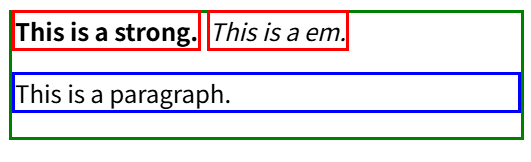
- The width, height, and top and bottom margins will have no effect.
设置后box大小无变化 - Top and bottom padding and borders will change the size of the box without affecting the position of surrounding content, which can cause overlappling
标签含义:
p:element
top-5px:property name-value
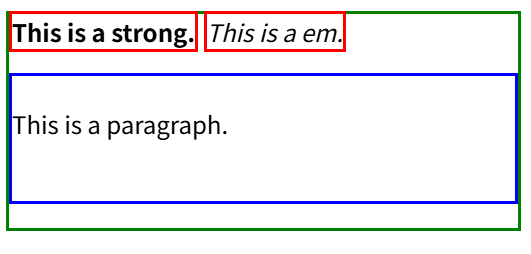
p element的box向下扩展了40px 向上扩展了20px-文本向下移动了20px
在p扩展的同时,它的container-body-绿色框框 也在扩展
如果strong、em是在p的下面,那么他们的位置会更新
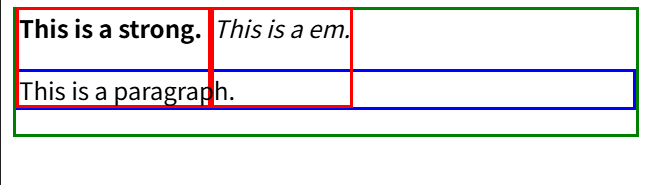
strong、em 的box 的size 会变化,但是body 没有变化,p也不会变。也就是 surrounding content-对p的位置没有影响。
strong、em 的box 和 p的box有重叠,内容可能会盖住。
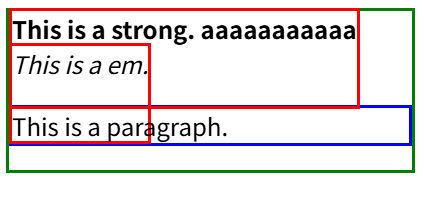
尝试增加strong的内容,em被挤到了下面 p的位置往下挪动了一行(和em下移的距离相同),这么看单纯的文本是不可能盖住p了
为strong、em设置背景颜色
background-color: gray;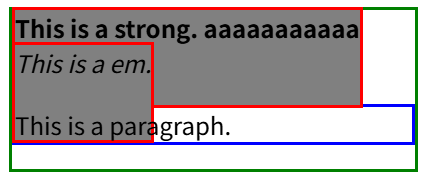
这样就明显看出来盖住了p
- Left and right padding, margins, and borders will affect the position of surrounding inline content.
What is the CSS box model
The CSS box model as a whole applies to block boxes and defines how the different parts of a box - margin, border, padding, and content - work together to create a box that you can see on a page.
定义了box的构成
- applies to block boxes: 不管outer 还是 inner 这些类型影响的是 boxes之间的layout,和box本身结构无关
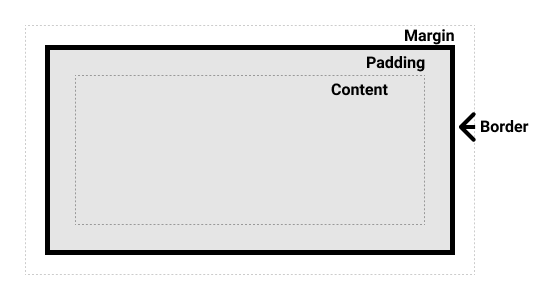
The standard CSS box model and the alternative CSS box model
<div class="box">I use the standard box model.</div>
<div class="box alternate">I use the alternate box model.</div>
.box {
border: 5px solid rebeccapurple;
background-color: lightgray;
padding: 40px;
margin: 40px;
width: 300px;
height: 150px;
}
.alternate { box-sizing: border-box; }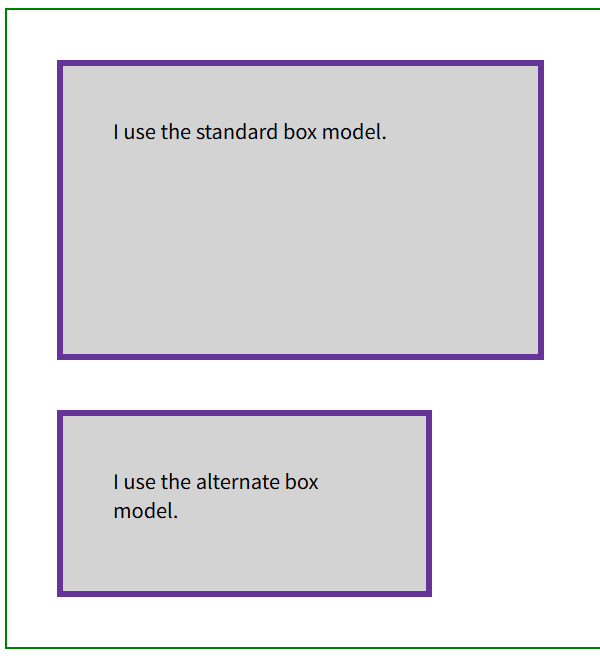
第二个 div是 alternative CSS box model,其它参数相同
查看两个div的model
第一个: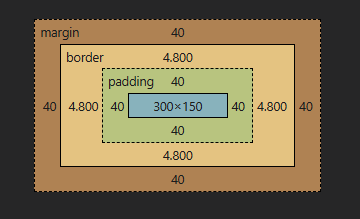
content的大小为 300x150 对应 width 和 height
注
The margin is not counted towards the actual size of the box. ... The box's area stops at the border - it does not extend into the margin.

box的大小不包含margin: 4.8x2 + 40x2 + 300 = 389.6
第二个: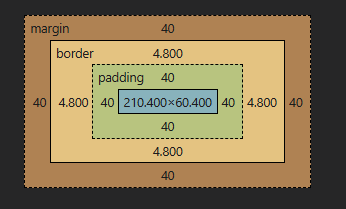
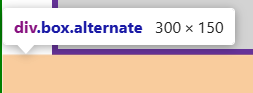
content的大小为:210.400x60.400
40 + 4.8 + 40 + 210.4 = 295.2
全部加起来的大小接近 width的300
In the alternative box model, any width is the width of the visible box on the page.
width的值是可见box的width,包含了 border, padding, content, 那么实际content的width就需要width - padding - content