Templater Plugin for Obsidian
Templater Plugin for Obsidian
Templateris a template language that lets you insert variables and functions results into your notes. It will also let you execute JavaScript code manipulating those variables and functions. WithTemplater, you will be able to create powerful templates to automate manual tasks.
背景描述:使用ob自带的template插入英文资源模板文件时需要手动替换template中的的 路径 及 文件名称,由于资源过多 且 需要替换的地方也有很多,手动替换费力
需求:设置 路径 和 文件名称 两个变量,插入模板时可以根据实际情况设置这两个变量的值
Terminology
- template: a file that contains commands.
- commands: a text snippet that starts with an opening tag <%, ends with a closing tag %>
- function: an object that we can invoke inside a command and that returns a value
Commands
<% tp.file.title %>
<%* tp.file.title %>- Interpolation command: output the result of the expression that's inside.
- JavaScript execution command: execute the JavaScript that's inside. It does not output anything by default.
expression: 在command中包含了variables 和 functions,它们组成expression。根据实际情况替换variables,计算expression得到最终结果
问:因为Interpolation command 内无法执行js,所以需要 Js execution command 来执行js?does not output: 上面两中类型的command的内容完全相同,但是insert 后只有一行(一个)文件标题,即js execution command的结果(expression)不会被输出(insert)
Js execution command 可以访问的内容:
- Js execution command can still access all the internal variables / functions
- Js execution command let you access global namespace variables: app, moment
How to output a value from a Js Execution Command?
Js Execution Command 默认不会输出内容
- command的结果被存储在一个名为
tR的variable中; tRis a replacement string- Js execution command 可以访问
tR - 问:Js execution command 的
tR默认是空?答:不是,Interpolation command 的结果会被添加到tR中,但是Js command默认不会,需要显式添加到tR中
=>如果要输入一个值就 append到 tR
示例:
<% tp.file.title %>
<%* tR += "输出js execution command中的内容" %>
效果:
Test
输出js execution command中的内容tR计算的是截止到当前command的所有内容,包含command外- 可以重置
tR
<% tp.file.title %>
<%* tR = "" %>
效果:
Example
<%* if (tp.file.title.startsWith("Hello")) { %>
This is a hello file !
<%* } else { %>
This is a normal file !
<%* } %>

<%*
function log(msg) {
    console.log(msg);
}
%>
<%* log("Title: " + tp.file.title) %>
console打印的内容可以在Develop Tools中查看(shift + ctrl + i)
有点没看懂
- 第一个command 只包含了if,对于后面的 This is a hello file! 有什么用?条件为真就会执行
- 为什么if的 }在第二个command内?
应用
英语资源模板
<%* let path = ""%>
<%* let name = ""%>
<%* tR=""; tR+=path + "/" + name; %>| 行号 | 功能 | 说明 |
|---|---|---|
| 1,2 | 定义路径,文件名称 变量 | |
| 3 | 拼接完整路径并存储 |
问题:
- 链接、音频中使用templater后格式显示不正确
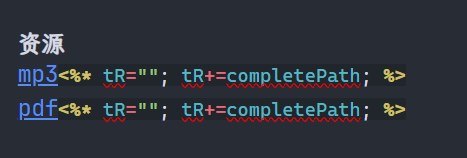

答:虽然template中链接显示有问题,但是使用没有问题
如果实在看不下去,可以把链接字符放到command中。如:
<%* tR+="[mp3](resources/...)"; tR+=completePath; ... %>逐段拼接
- insert 后内容不正确

create a new note
tR不只包含了command 中expression的结果,command外的内容也在tR中。
将 tR设置为空,前面所有内容都将被清除。
将 tR清空的情景:template 文件本身有一些 frontmatter,和要insert的内容无关,无需这些frontmatter,那么在正文内容开始前可以把 tR 清空
- path及name的赋值
- path:根据提示框路径选择。获取并列举English下的所有文件夹名称,并在前面标上序号,根据序号选择路径。如果路径下仍包含文件夹,则继续列举。输入enter表示确认选择。esc表示返回上一级,如果在最上级,则esc表示退出?-》path设置为空
- name:将文件名称中的空格替换为-
关于嵌套的路径,两种方法显示:
- 全部显示在一个列表中
- 相同层级的显示在一起
- 按照嵌套的结构显示,如:
6_Pronouns
7_Verbs
Voice
Phrasal verb
...
8-Adjectives- 再弹出一个提示框进行选择:增加一个选项用来返回上级目录
先搞个最简单的,把所有的路径存到数组里,而不是查找路径下的文件夹
指定路径后需要查找路径下的所有文件(指定文件类型mp3),再指定具体文件
-》如何查找指定路径下的所有文件?
- getFolderByPath(): TFloder
- TFolder.children: TAbstractFile[]
- name:
现在卡在 getFolderByPath(),返回的对象是null。路径是否正确?
结构:
Folder 1
	Folder 2
Templaters
查看
app.vault.getAllFolders();返回的结果:
path 是不带 “/” 的
不能查看以 . 作为文件名起始的隐藏文件夹
那ob提供的api 访问不到文件列表,其它方法呢?vue?
注意事项/问题
- 使用自定义的数组时,注意 逗号
- 不知道什么原因,insert template 后 资源的链接显示的是源代码文本样式,而不是链接样式

Syntax
Function documentation syntax
tp.<my_function>(arg1_name: type, arg2_name?: type, arg3_name: type = <default_value>, arg4_name: type1|type2, ...)| argument | 说明 |
|---|---|
| arg2_name?:type | 参数是可选的 |
| arg3_name: type = <default_value> | 带有默认值 |
| arg4_name: type1|type2 | 参数值可以是多个类型 |
问:这里可选参数、带有默认值得参数的顺序没有要求?cpp中带默认值得必须全部在不带默认值的后面
type
- string: the value must be placed within single or double quotes ('value' or "value")
- number: the value must be an integer (15, -5, ...)
- boolean: the value must be either
trueorfalse(completely lower case)
invocation
Internal Functions
2.8 tp.system
prompt()
Spawns a prompt modal and returns the user's input
| 序号 | 原型 | 说明 |
|---|---|---|
| 0 | prompt_text?: string | Text placed above the input field |
| 1 | default_value?: string | a default value for the input field |
| 2 | throw_on_cancel: boolean = false | false: return a null value if the prompt is canceled true: Throws an error |
| 3 | multiline?: boolean = false | |
| 4 | select_default_value? boolean = false | true: default value is selected, typing replaces it. |
所有参数均optional or has a default value
代码:
<% await tp.system.prompt() %>注意
Asynchronous functions
Some internal functions are asynchronous. When calling such functions inside a JavaScript execution command, don't forget to use the await keyword if necessary.
await 的作用:等待其它 asynchronous functions 执行完之后再执行当前function
效果: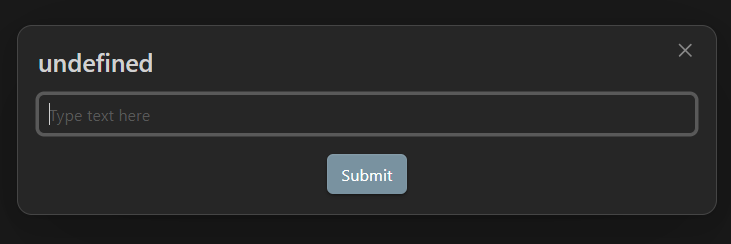
<% await tp.system.prompt("Please enter a value") %>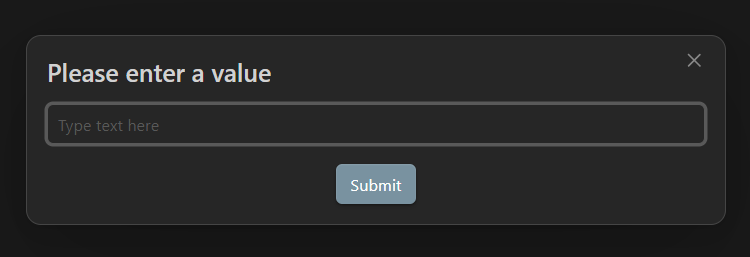
<% await tp.system.prompt("What is your mood today?", "happy") %>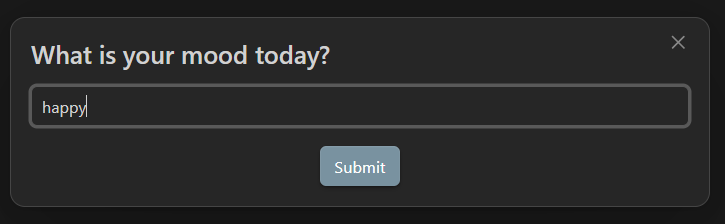
注意这里happy 未被选中且光标是停留再 happy - default value 的后面
上个例子中如果点击submit,结果是happy。
点击右上角的❌ 或 按下 Esc 表示cancel,默认情况下会结果是null,如果设置throw_on_cancel
cancel后:
右上角显式错误提示,不会插入内容
<% await tp.system.prompt("What is your mood today?", null, false, true) %>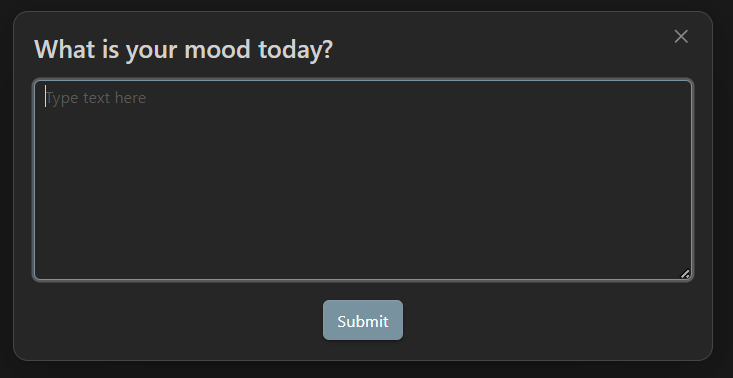
<% await tp.system.prompt("What is your mood today?", "Input a mood...", false, false, true) %>好像没有效果???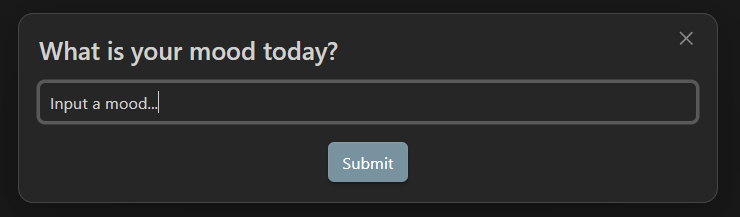
Reuse output from prompt
<%*
let value = await tp.system.prompt("Please enter a value");
%>
selected value: <% value %>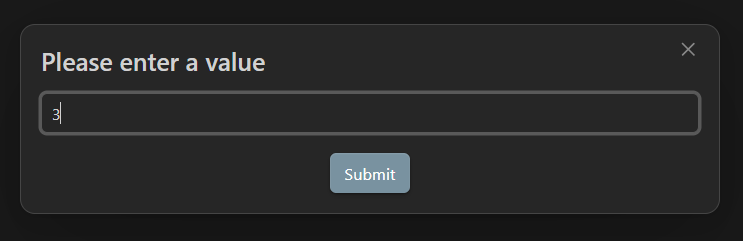

suggester
Spawns a suggester prompt and returns the user's chosen
| 序号 | 原型 | 说明 |
|---|---|---|
| 0 | text_items: string[] | ((item: T) => string) | Array of strings representing the text that will be display for each item in the suggester prompt. This can also be a function that maps an item to its text representation. |
| 1 | items: T[] | Array containing the values of each item in the correct order. |
| 2 | throw_on_cancel: boolean = false | |
| 3 | placeholder: string = "" | Placeholder string of the prompt |
| 4 | limit?: number = undefined | Limit the number of items rendered at once |
| 5 | default_value?: T = undefined | Default value to initialize the suggester with |
<% await tp.system.suggester(["Happy", "Sad", "Confused"], ["Happy", "Sad", "Confused"]) %>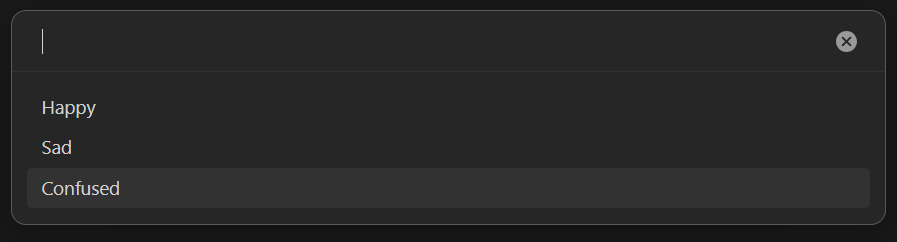
<% await tp.system.suggester((item) => item, ["Happy", "Sad", "Confused"]) %>效果和 Suggester 相同
这里item 和 第一个参数items中的item对应
<% (await tp.system.suggester((item) => item.basename, tp.app.vault.getMarkdownFiles())).basename %>效果: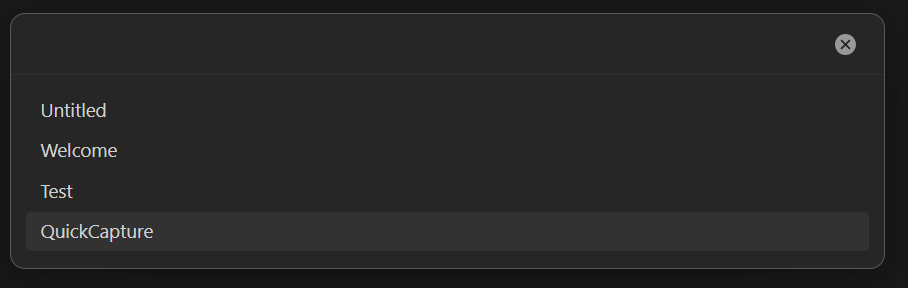
getMarkdownFiles(): TFile[];
这里似乎有点问题,问:能够对一个TFile[]使用 成员属性访问符吗?
正确的应该是:
<% (await tp.system.suggester((item) => item.basename, tp.app.vault.getMarkdownFiles())) %>效果是一样的
file.basename string The name of this file without the file extension.
<% await tp.system.suggester(["Happy", "Sad", "Confused"], ["Happy", "Sad", "Confused"], false, "What is your mood today?") %>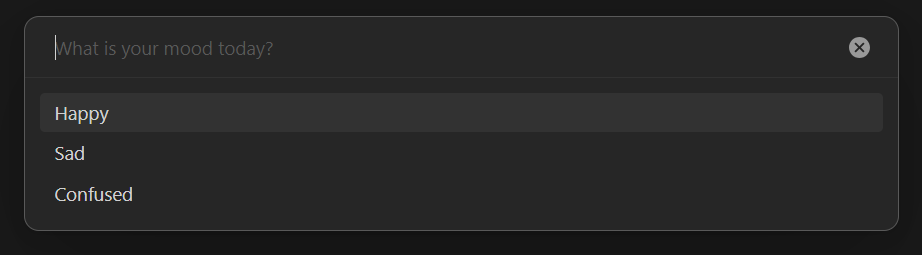
<% await tp.system.suggester(["Happy", "Sad", "Confused"], ["Happy", "Sad", "Confused"], false, "", 2) %>
<% await tp.system.suggester(["Happy", "Sad", "Confused"], ["Happy", "Sad", "Confused"], false, "", 2, "Happy") %>
<% await tp.system.suggester(["Happy", "Sad", "Confused"], [1, 2, 3]) %>效果:
选择Sad 后insert的内容是 2
4.8 Whitespace command
By default, commands in Templater are not removing any newlines. Commands are replaced with their values and that's it.
对于一下command
<%* if (tp.file.title == "MyFile" ) { %>
This is my file!
<%* } else { %>
This isn't my file!
<%* } %>
Some content ...
This isn't my file!

Some content ...
This is my file!

Some content ...- insert 后有5行,光标停留在第五行起始
- are not moving any newlines: 没看懂,是说不管command是否跨行,它都只占据一行?这里command指的是由<%* %> 构成?
测试:
<%* if (tp.file.title == "MyFile" )
{ %>
This is my file!
...
结果:
This is my file!

Some content ...
结果和前面的一致,仍然是5行
- replaced with their value:
对于MyFile templater等价于
<%* if (tp.file.title == "MyFile" )
{ %>
This is my file!
<%* } %>
Some content ...
对于非MyFile tempplater等价于
<%* if (tp.file.title == "MyFile" ) { %>
<%* } else { %>
This isn't my file!
<%* } %>
Some content ...
相当于if为true时执行的分支内容为空
但是这里有两条commands!
问:是因为第一条command 的 value是true,所以它占据行,第二条command没有value,所以不占据行,所以两条commands占据1行?那这样 This is.. 和 Some content之间应该没有空行啊,还是说多个command连在一起的时候会被合并为一条command?
<%* { %>
1
<%* } %>
2
<%* {} %>
<%* {} %>
3
结果:
1

2


3
这我就搞不懂了。。。
这里没有判断逻辑,所有 command都占据1行
对于if(){} 是不是只会找匹配的{},其它的部分({}以外的/不好在{}内的)全部丢弃?对于if-else,条件为false时,else之前的全部丢弃,else本身作为一条command,所以if(false){}else 只占据1行?
Syntax for whitespace control
问题
- 如何查看 Js Execution Command 中定义的变量?
在 developer tools 的console 中是无法查看的(template 替换完之后所有变量就不存在了?
可以在templater 的 js command 中执行console() 打印变量
<%* let number = 777 %>
<%* console.log(number) %>
number = <% number %>
效果: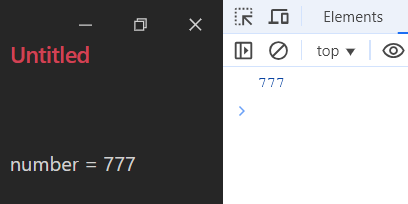
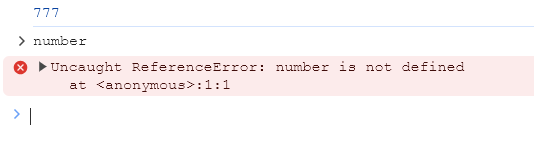
- js execution command 中处理 ob的 API 可以访问,node.js 的functions 能不能用?