Embedding technology
Embedding technology
a long time ago
![[attachments/Embedding technology .excalidraw]]
it was popular to use frames to create websites - small parts of a website stored in individual HTML page. These were embedded in a master document called a frameset, which allowed you to specify the area on the screen that each frame filled, rather like sizing the columns and rows of a table.
问:这里是说 在master document中嵌入的所有 frams的集合是frameset 还是说 master document 也叫做frameset?每个frame 对应一个 html, master document 指定fram 的位置 + 大小,然后把html的内容填充满fram?
Playing with classic embedding uses
在blbl视频下点击 分享-》嵌入代码
复制的结果:
<iframe src="//player.bilibili.com/player.html?isOutside=true&aid=6731067&bvid=BV1ys411472E&cid=10959711&p=1" scrolling="no" border="0" frameborder="no" framespacing="0" allowfullscreen="true"></iframe>效果:
iframes in detail
<iframe> elements are designed to allow you to embed other web documents into the current document.
几个属性值
- src: contains a path to the URL of the document to be embedded.
- border: iframe 是否带有边框
- allowfullscreen
问:为什么设置border="1" 后没有看到这个边框?并且也没看到全屏按钮?
- sandbox: 安全相关配置
Security concerns
通过 iframe 嵌入 MDN中的页面
    <iframe
      src="https://developer.mozilla.org/en-US/docs/Glossary"
      width="100%"
      height="500"
      frameborder="0"
      allowfullscreen
      sandbox
    >
    </iframe>
效果: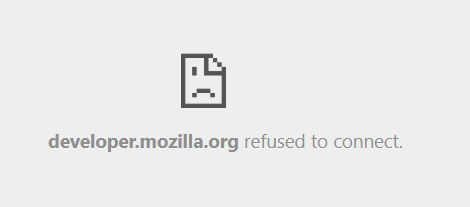
使用 iframe的隐患:
Clickjacking is one kind of common iframe attack where hackers embed an invisible iframe into your document
(or embed your document into their own malicious website) and use it to capture users' interactions.
此外,如果有过多的链接也会给服务器增加带宽压力
是不是可以嵌入整个页面伪装成正版页面然后获取隐私数据(鼠标点击、键盘输入-账号、密码)
Only embed when necessary
- security
- intellectual property issues
Use HTTPS
- HTTPS reduces the chance that remote content has been tampered with in transit.
- prevents embedded content from accessing content in your parent document, and ice versa.
- parent document: 嵌套关系,在页面A中使用iframe 嵌入了B,那么A就是B的parent document。或者是在A中弹出新窗口B。通过链接跳转不具备任何关系?
**Always use the sandbox attributesandbox
Controls the restrictions applied to the content embedded in the <iframe>. The value of the attribute can either be empty to apply all restrictions, or space-separated tokens to lift particular restrictions
- allow-scripts: allows the page to run scripts(but not create pop-up windows)
- allow-same-origin: if this token is not used, the resource is treated as being from a special origin that always fails the same-origin policy (potentially preventing access to data storage/cookies and some Js APIs)
same-origin policy: 额,不清楚具体内容,暂时理解为 来源相同的网页之间可以共享数据,互相操作
如果 allow-scripts 和 allow-same-origin 同时被设置,那么嵌入的内容可以使用JS关闭 sandbox,这样设置的限制完全失效。
通常sandbox保持默认值,给予嵌入的内容最小的权限
Configure CSP - content security policy directives
CSP provides a set of HTTP headers (metadata sent along with your web pages when they are served from a web server) designed to improve the security of your HTML document.
web server在web pages 的metadata中带有是否允许iframe 嵌入等信息,然后浏览器进行解析并处理。
对于禁止嵌入的页面:
- server仍然会发送页面数据,浏览器只是拒绝渲染。
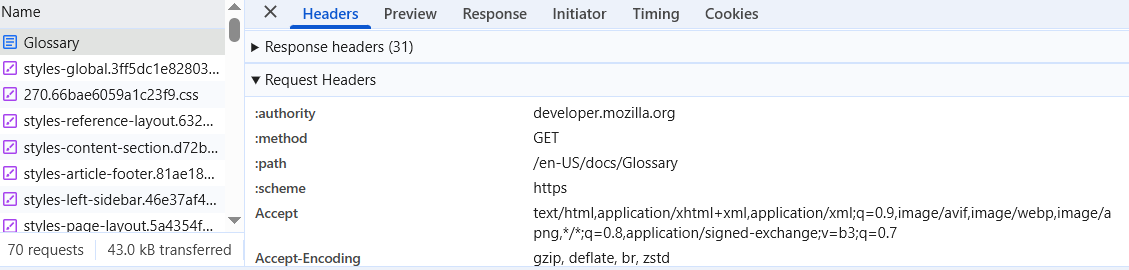
问:实际上浏览器通过iframe 请求嵌入的页面 和 直接访问嵌入的页面的请求也是不一样的吧?
Request Headers
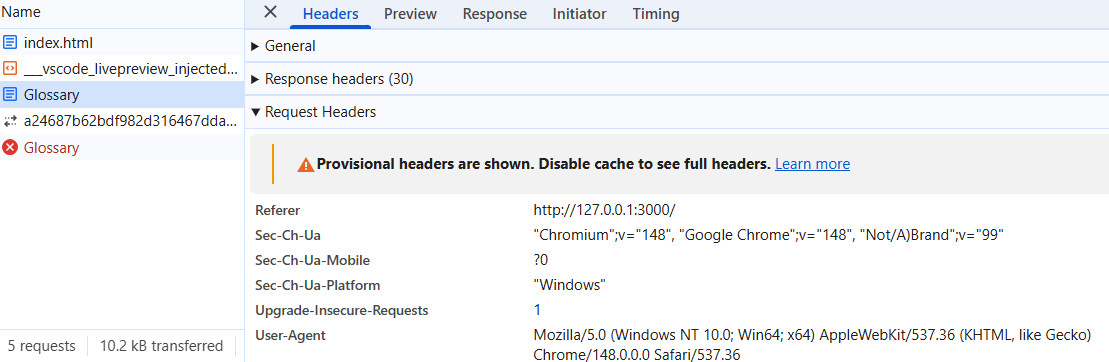
两者的Response headers
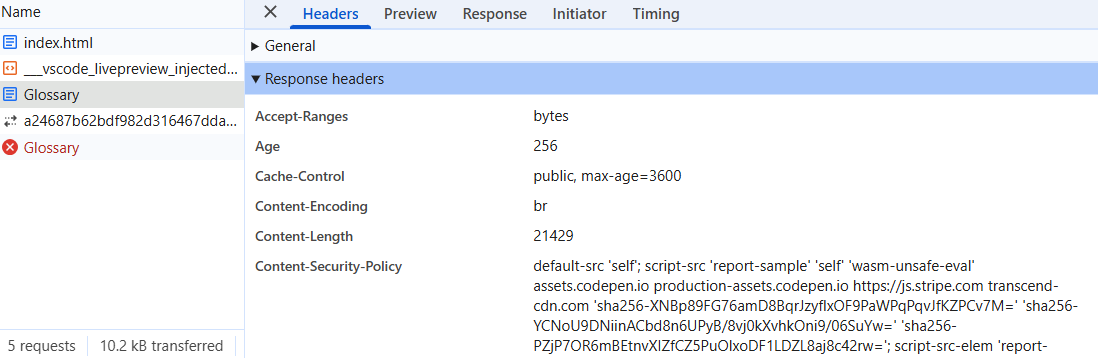
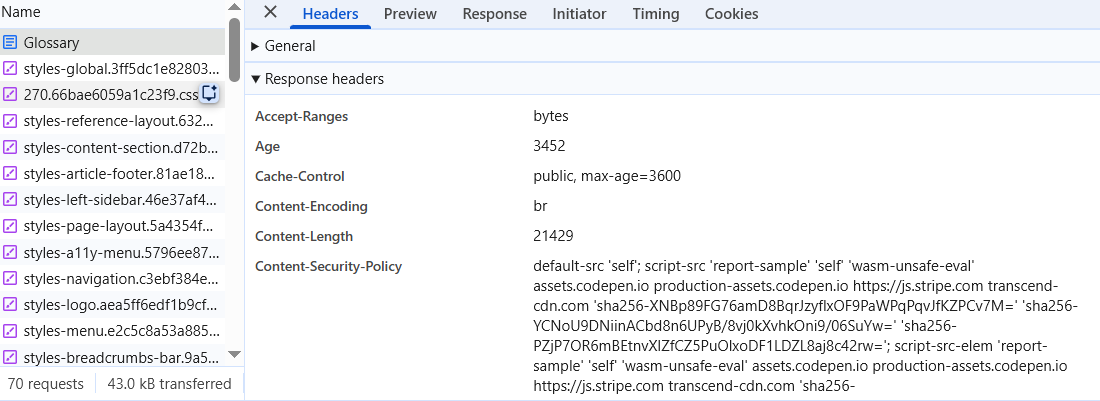
Content-Length的大小相同
The <embed> and <object> elements
These elements are general purpose embedding tools for embedding external content, such as PDFs.
实现:
    <object data="/RJ45.pdf" type="application/pdf" width="800" height="1200">
      <p>
        You don't have a PDF plugin, but you can
        <a href="/RJ45.pdf">download the PDF file. </a>
      </p>
</object>- data: URL of the embedded content
- type: Accurate media type of the embedded content
- content: 无法嵌入external content时,提供的 fallback
<embed> 是void element,不提供fallback
效果: