Web page metadata
2026/8/11大约 3 分钟
Web browsers use information contained in the head to render the HTML document correctly.
Web page metadata
查看网页的head,截取部分源代码如下:
<!doctype html>
<html lang="en-US" data-theme="light dark" data-renderer="Doc" data-current-area="learn">
<head>
<meta charset="UTF-8"/>
<meta name="viewport" content="width=device-width, initial-scale=1.0"/>
<title>What 's in the head? Web page metadata - Learn web development | MDN</title>
<script>
try {
document.documentElement.dataset.theme = localStorage.getItem("theme") || "light dark";
} catch (error) {
console.warn("Unable to set theme", error);
}
...
</script>
<link rel="stylesheet" href="/static/client/styles-global.7c0c1f4d1d968c6a.css" fetchpriority="high"/>
<link rel="preload" href="/static/client/jetbrains-mono-latin.119994ed445212c7.woff2" as="font" type="font/woff2" crossorigin="anonymous" fetchpriority="low"/>
<script src="/static/client/runtime.6fc1c18d004afd1a.js" type="module"></script>
<link rel="icon" sizes="32x32" href="https://developer.mozilla.org/favicon.ico"/>
<link rel="icon" type="image/svg+xml" href="https://developer.mozilla.org/favicon.svg"/>
<meta name="description" content="The head of an HTML document is the part that is not displayed in the web browser ..."/>
<meta name="og:url" content="https://developer.mozilla.org/en-US/docs/..."/>
<meta name="og:title" content="What's in the head? Web page metadata - Learn web development | MDN"/>
<meta name="og:locale" content="en_US"/>
<meta name="og:description" content="The head of an HTML document is the part that is not displayed in the web browser ..."/>
<meta name="og:image" content="https://developer....png"/>
<meta name="og:image:type" content="image/png"/>
<meta name="og:image:height" content="1024"/>
<meta name="og:image:width" content="1024"/>
<meta name="og:image:alt" content="The MDN logo"/>
<meta name="og:site_name" content="MDN Web Docs"/>
</head>ob Web Clipper 提取到的 metadata: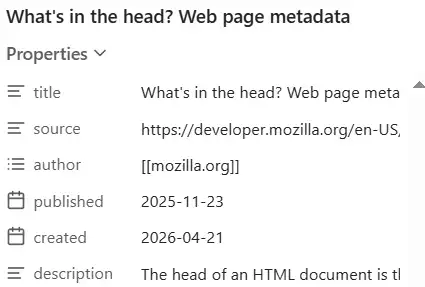
title
<title>What 's in the head? Web page metadata - Learn web development | MDN</title>注意这里 What' 使用' 表示'
问:之前的Character Reference中使用&apos 表示 ' ,为什么这里使用的不一样?而且在content内使用' 需要用到Character Reference吗?之前使用p element的时候 I'm not inside a comment 时不是可以直接用吗
- 将网页添加到收藏中时,使用title 作为网页的name
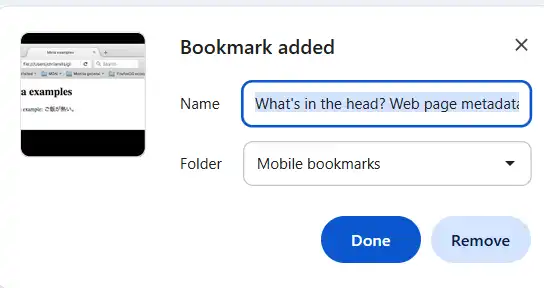
Metadata: the <meta> element
<meta charset="UTF-8"/>

<meta name="viewport" content="width=device-width, initial-scale=1.0"/>
<meta name="og:image" content="https://developer....png"/>
<meta name="og:image:type" content="image/png"/>
两种类型的meta:
- 直接对具体属性赋值的
- 使用name + content赋值的
name: specifies the type of meta element it is; what type of information it contains.content: specifies the actual meta content
实际上head里的element都可以看作是meta,只不过一些比较常用,所以默认定义了对应的attribute。
<meta charset="UTF-8"/>
<!-- 相当于 -->
<meta name="charset" content="UTF-8" />
在Fackbook 发布新帖时粘贴mdn网页链接: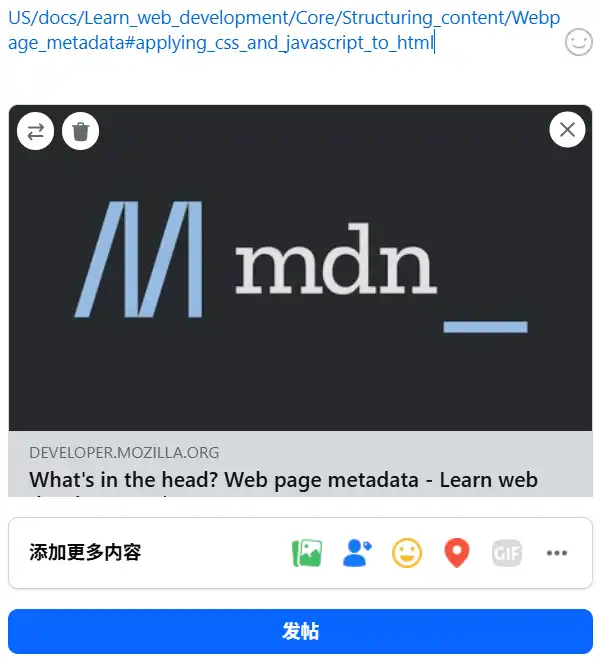
会根据网页配置的 og:image等attribute添加图片以及描述信息
icon
tab、bookmark 显示用的图标
        <link rel="icon" sizes="32x32" href="https://developer.mozilla.org/favicon.ico"/>
        <link rel="icon" type="image/svg+xml" href="https://developer.mozilla.org/favicon.svg"/>
favicon - favorites icon
提供了两种文件格式的图标,浏览器可以直主选择
meta 和 link 的区别
meta 定义的是文档自身的“元数据”(描述性信息),而link用于“建立连接”(将文档与外部资源联系起来
- 外部:自身没有包含的都属于外部
Applying CSS and JavaScript to HTML
       <script>
            try {
			...
        </script>
		<script src="/static/client/runtime.6fc1c18d004afd1a.js" type="module"></script>

        <link rel="stylesheet" href="/static/client/styles-global.7c0c1f4d1d968c6a.css" fetchpriority="high"/>
script 有两种类型:
- 定义在script内:在content中定义js
- 引用外部js:在src中指定引用的js
注
The <script> element is not a void element, and needs a closing tag
Setting the primary language of the document
<html lang="en-US" ...>在html element中指定 lang属性,设置页面使用的语言
为什么需要设置语言?
- 搜索结果:用英文搜索显示英文界面
- 听力:根据配置的语言进行发音。
如:
Japanese example: ご飯が熱い。.
Demo
<p>Japanese example: <span lang="ja">ご飯が熱い。</span>.</p>日语部分使用日语发音