1.7.1 In practice
2026/8/11大约 3 分钟
1.7.1 In practice
GLM
使用GLM 对向量进行变换
#include <glm/glm.hpp>
#include <glm/gtc/matrix_transform.hpp>
#include <glm/gtc/type_ptr.hpp>

int main()
{
    glm::vec4 vec(1.0f, 0.0f, 0.0f, 1.0f);
    glm::mat4 trans = glm::mat4(1.0f);
    trans = glm::translate(trans, glm::vec3(1.0f, 1.0f, 0.0f));
    vec = trans * vec;
    std::cout << vec.x << vec.y << vec.z << std::endl;
    return 0;
}| 行号 | 功能 | 说明 |
|---|---|---|
| 1-3 | 需要用到的头文件 | |
| 7 | 要进行变换的vector | |
| 8 | 创建一个 identity matrix | GLM 0.9.9及以上版本需要显示初始化为单位矩阵,否则矩阵内元素全部为0 |
| 9 | 创建最终的trans 矩阵 | 第二个参数为要进行的trans vector |
| 10 | 应用变换 |
输出:
210x、y的值按照translate中的参数增加
在OpenGL中使用
- 创建变换矩阵
glm::mat4 trans = glm::mat4(1.0f);
trans = glm::rotate(trans, glm::radians(90.0f), glm::vec3(0.0, 0.0, 1.0));
trans = glm::scale(trans, glm::vec3(0.5, 0.5, 0.5));| 行号 | 功能 | 说明 |
|---|---|---|
| 2 | 绕z轴逆时针旋转90° | "the axis that we rotate around should be a unit vector":旋转轴向量需要是单位向量 "GLM expects its angles in radians":需要将角度转化为弧度 |
| 3 | 缩小为原来的一半 |
相关信息
First we scale the container by 0.5 on each axis and then rotate the container 90 degrees around the Z-axis.
问:原文描述为先scale 后rotate,但是代码中先调用的rotate,后调用的scale,所以变换函数是将第一个参数右乘上第二个参数构成的矩阵?所以复合多个变换时需要按照从左到右的顺序调用变换函数。
- 在vs中应用变换
#version 330 core
layout (location = 0) in vec3 aPos;
layout (location = 1) in vec2 aTexCoord;

out vec2 TexCoord;

uniform mat4 transform;

void main()
{
    gl_Position = transform * vec4(aPos, 1.0f);
    TexCoord = aTexCoord;
}| 行号 | 功能 | 说明 |
|---|---|---|
| 7 | 声明要使用的矩阵变量 | |
| 11 | 应用 |
- 传递矩阵参数
unsigned int transformLoc = glGetUniformLocation(shader.ID, "transform");
glUniformMatrix4fv(transformLoc, 1, GL_FALSE, glm::value_ptr(trans));| 行号 | 功能 | 说明 |
|---|---|---|
| 1 | 获取uniform变量地址 | |
| 2 | 传递矩阵值 |
void glUniformMatrix4fv(	GLint location,
 	GLsizei count,
 	GLboolean transpose,
const GLfloat *value);| 参数 | 值 | 用途 | 说明 |
|---|---|---|---|
| transpose | GL_FALSE/GL_TRUE | For the matrix commands, specifies whether to transpose the matrix as the values are loaded into the uniform variable. | 和矩阵元素在内存中的的存储顺序有关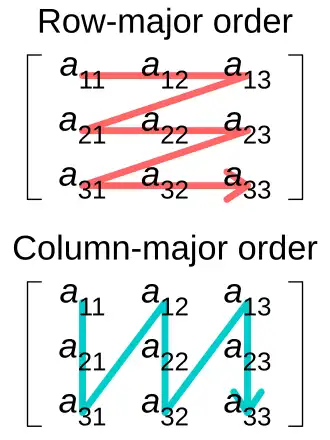 图片来源:Row- and column-major order - Wikipedia 图片来源:Row- and column-major order - WikipediaOpenGL使用Column-major order,GLM默认也是该顺序,所以将GLM构造的矩阵传递给shader时不需要 transpose可能的原理:行主序存储的矩阵,转置之后原来a12 变成了a21,还是按照行主序进行存储。传递给shader时传递的元素值为a11、a21、a31 和 列主序传递的元素值相同 |
| value | For the vector and matrix commands, specifies a pointer to an array of count values that will be used to update the specified uniform variable | GLM stores their matrices' data in a way that doesn't always match OpenGL's expectations 需要用glm::value_ptr转换为符合OpenGL要求的数据 |
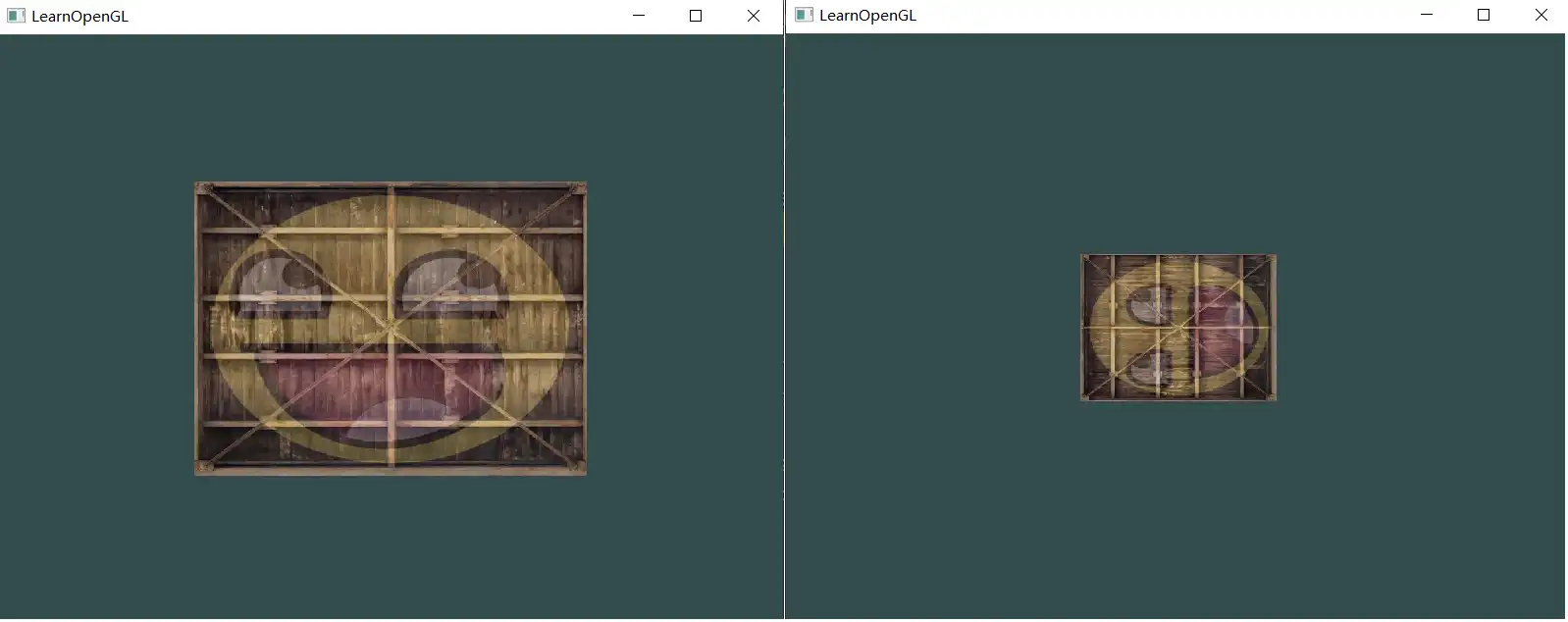
- 效果
动态变换
让笑脸旋转
    while (!glfwWindowShouldClose(window))
    {
		//...
        // create transformations
        glm::mat4 transform = glm::mat4(1.0f); // make sure to initialize matrix to identity matrix first
        transform = glm::translate(transform, glm::vec3(0.5f, -0.5f, 0.0f));
        transform = glm::rotate(transform, (float)glfwGetTime(), glm::vec3(0.0f, 0.0f, 1.0f));
        // get matrix's uniform location and set matrix
	}
在render loop 中更新旋转的角度
先绕z轴旋转,然后再进行移动
glfwGetTime() 返回的是距离GLFW初始化完成,到调用时的时间间隔。
打印的初始值:0.240378(随机值) ,也就是说初始旋转了0.24弧度。
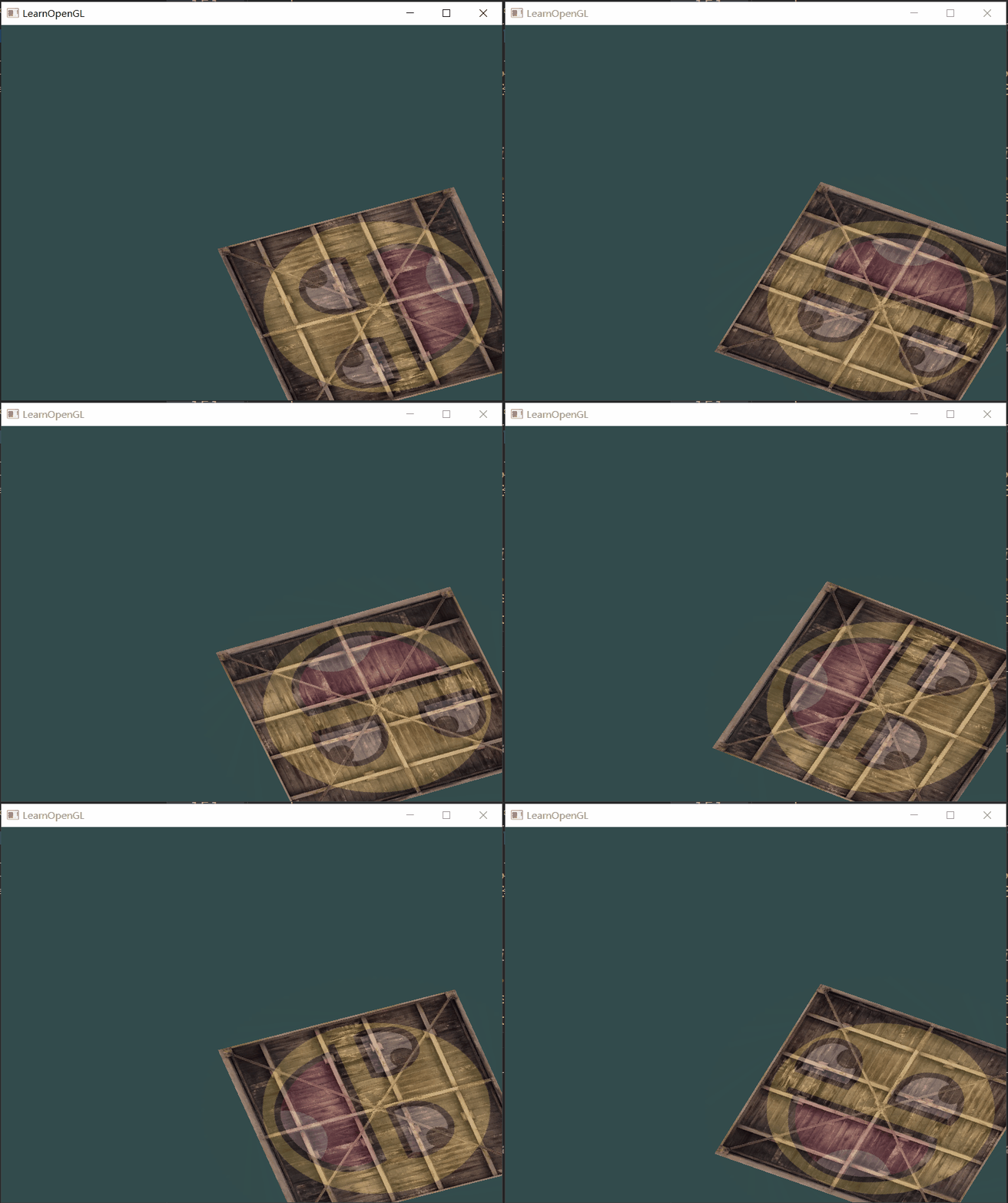
效果: