1.9.1 Exercises
1.9.1 Exercises
1
See if you can transform the camera class in such a way that it becomes a true fps camera where you cannot fly; you can only look around while staying on the xz plane
现在FPS游戏可以侧头射击(roll)
2
Try to create your own LookAt function where you manually create a view matrix as discussed at the start of this chapter. Replace glm's LookAt function with your own implementation and see if it still acts the same
1
目前45°仰望天空,按w 会 朝着斜45°方向前进。要求y轴方向不能进行移动,x、z方向仍能移动。
void ProcessKeyboard(Camera_Movement direction, float deltaTime)
{
    float velocity = MovementSpeed * deltaTime;
    if (direction == FORWARD)
        Position += Front * velocity;
    if (direction == BACKWARD)
        Position -= Front * velocity;
    if (direction == LEFT)
        Position -= Right * velocity;
    if (direction == RIGHT)
        Position += Right * velocity;
    // make sure the user stays at the ground level
    Position.y = 0.0f; // <-- this one-liner keeps the user at the ground level (xz plane)
}
额,参考的实现:还是先按照camera 的front、right 方向移动,然后再把y置为0,相当于取移动后camera的位置在xz平面上的投影。
试了一下,效果一样
要获取方向向量在xz 平面上的投影,然后在这个投影方向上移动camera
- 获取投影
    glm::vec3 cameraFrontxz;
    cameraFrontxz.x = cameraFront.x;
    cameraFrontxz.z = cameraFront.z;
    cameraFrontxz.y = 0;
	cameraFrontxz = glm::normalize(cameraFrontxz);
直接把cameraFront 的 y值设置为0,获取投影
- 更新
    if (glfwGetKey(window, GLFW_KEY_W) == GLFW_PRESS)
        cameraPos += cameraSpeed * cameraFrontxz;
    if (glfwGetKey(window, GLFW_KEY_S) == GLFW_PRESS)
        cameraPos -= cameraSpeed * cameraFrontxz;
    if (glfwGetKey(window, GLFW_KEY_A) == GLFW_PRESS)
        cameraPos -= glm::normalize(glm::cross(cameraFrontxz, glm::vec3(0,1,0))) * cameraSpeed;
    if (glfwGetKey(window, GLFW_KEY_D) == GLFW_PRESS)
cameraPos += glm::normalize(glm::cross(cameraFrontxz, glm::vec3(0,1,0))) * cameraSpeed;| 行号 | 功能 | 说明 |
|---|---|---|
| 5、6 | 向左移动 | 投影和y轴方向的单位向量作cross,获取xz平面上垂直于投影的向量 |
- 效果
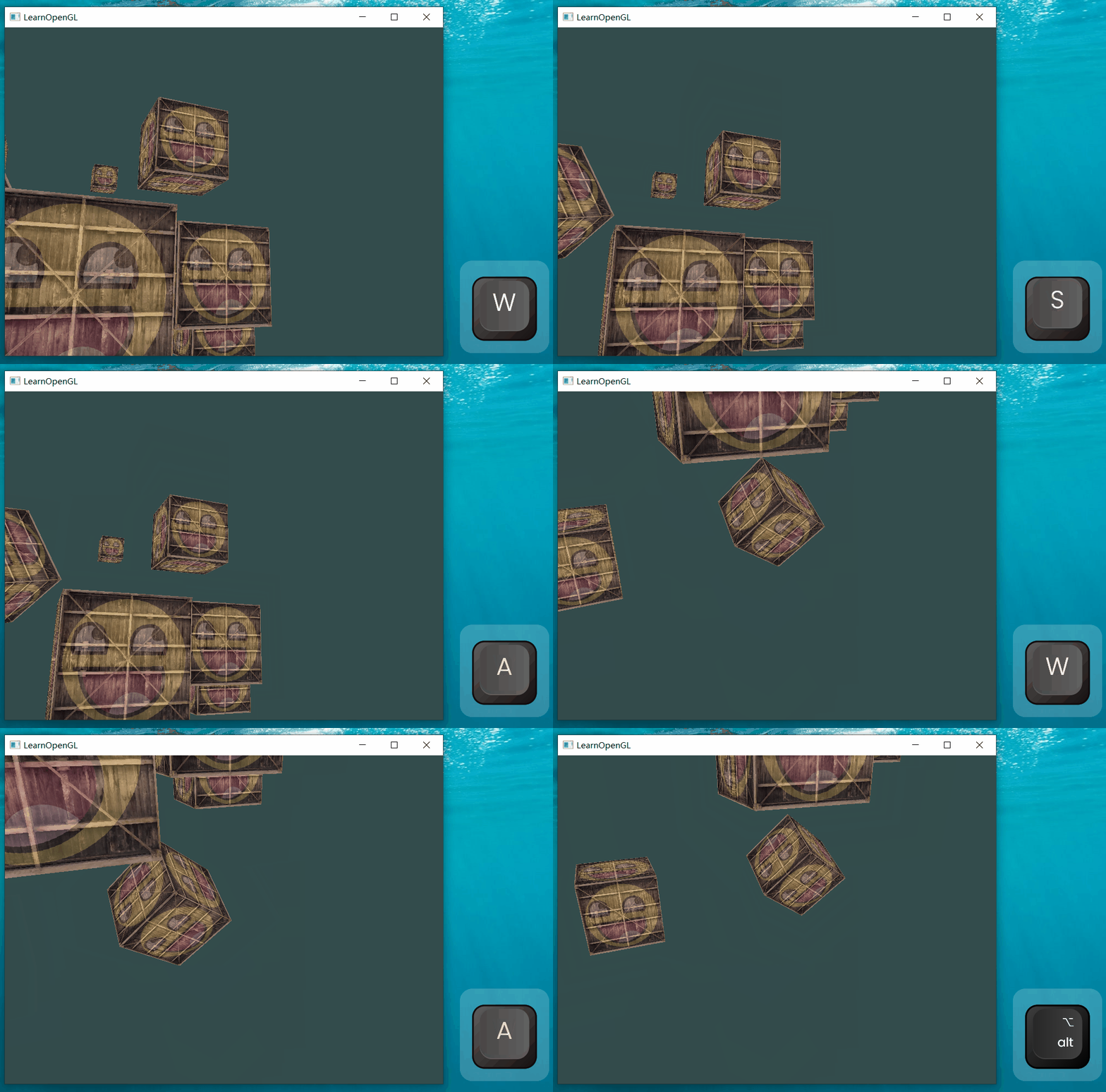
2
lookat 函数声明:
glm::mat4 glm::lookAt(glm::vec3 const& eye, glm::vec3 const& center, glm::vec3 const& up);// Custom implementation of the LookAt function
glm::mat4 calculate_lookAt_matrix(glm::vec3 position, glm::vec3 target, glm::vec3 worldUp)
{
// 1. Position = known
// 2. Calculate cameraDirection
glm::vec3 zaxis = glm::normalize(position - target);
// 3. Get positive right axis vector
glm::vec3 xaxis = glm::normalize(glm::cross(glm::normalize(worldUp), zaxis));
// 4. Calculate camera up vector
glm::vec3 yaxis = glm::cross(zaxis, xaxis);
// Create translation and rotation matrix
// In glm we access elements as mat[col][row] due to column-major layout
glm::mat4 translation = glm::mat4(1.0f); // Identity matrix by default
translation[3][0] = -position.x; // Fourth column, first row
translation[3][1] = -position.y;
translation[3][2] = -position.z;
glm::mat4 rotation = glm::mat4(1.0f);
rotation[0][0] = xaxis.x; // First column, first row
rotation[1][0] = xaxis.y;
rotation[2][0] = xaxis.z;
rotation[0][1] = yaxis.x; // First column, second row
rotation[1][1] = yaxis.y;
rotation[2][1] = yaxis.z;
rotation[0][2] = zaxis.x; // First column, third row
rotation[1][2] = zaxis.y;
rotation[2][2] = zaxis.z;
// Return lookAt matrix as combination of translation and rotation matrix
return rotation * translation; // Remember to read from right to left (first translation then rotation)
}
// Don't forget to replace glm::lookAt with your own version
// view = glm::lookAt(glm::vec3(camX, 0.0f, camZ), glm::vec3(0.0f, 0.0f, 0.0f), glm::vec3(0.0f, 1.0f, 0.0f));
view = calculate_lookAt_matrix(glm::vec3(camX, 0.0f, camZ), glm::vec3(0.0f, 0.0f, 0.0f), glm::vec3(0.0f, 1.0f, 0.0f));不是很懂啊
是这个意思吗?
glm::mat4 lookAt(glm::vec3 const& eye, glm::vec3 const& center, glm::vec3 const& up)
{
    glm::vec3 cright, cup, cdirection;
    cdirection = glm::normalize(eye - center);
    cright = glm::normalize(glm::cross(cdirection, up));
    cup = glm::normalize(glm::cross(cdirection, cright));

    glm::mat4 t(1.0), t2(1.0);
    t[0][3] = -eye.x;
    t[1][3] = -eye.y;
    t[2][3] = -eye.z;

    t2[0][0] = cright.x;
    t2[0][1] = cright.y;
    t2[0][2] = cright.z;
    t2[1][0] = cup.x;
    t2[1][1] = cup.y;
    t2[1][2] = cup.z;
    t2[2][0] = cdirection.x;
    t2[2][1] = cdirection.y;
    t2[2][2] = cdirection.z;

	return t2 * t;
}
“大哥,这味不对啊!”
初始的lookat:
从 [0][0] 遍历到 [3][3] 打印
rotation
-1 0 0 0
0 -1 0 0
0 0 1 0
0 0 0 1
translation
1 0 0 -0
0 1 0 -0
0 0 1 -3
0 0 0 1
而行为正确的矩阵打印值是:
rotation
1 0 0 0
0 1 0 0
0 0 1 0
0 0 0 1
translation
1 0 0 0
0 1 0 0
0 0 1 0
-0 -0 -3 1...额,这是什么意思。问:不是要transposed、negated的吗?我是按照给定的LookAt 矩阵设置的啊,为什么实际的没有做tansposed 和 negated?
和矩阵在内存中的存储顺序有关,在1.7.1 In practice glUniformMatrix4fv 的参数介绍中有提及。
两种存储顺序:Row-major order 和 Column-major order
使用下面的代码对一个矩阵进行赋值:
    glm::mat4 test;
    for(int i=0; i<4; i++)
    {
        for(int j=0; j<4; j++)
        {
             test[i][j] = i *4 + j;
        }
        std::cout << std::endl;
    }
在调试模式下查看内存中存储的数据:
00 00 00 00 00 00 80 3f 00 00 00 40 00 00 40 40
00 00 80 40 00 00 a0 40 00 00 c0 40 00 00 e0 40
00 00 00 41 00 00 10 41 00 00 20 41 00 00 30 41
00 00 40 41 00 00 50 41 00 00 60 41 00 00 70 41
对应的值:
0 1 2 3
4 5 6 7
8 9 10 11
12 13 14 15
由于glm是按照Column-major order 的顺序存储,所以实际对应的矩阵是:
所以[0][1]访问的是第0列,第1行,而不是第0行,第1列
这才对味