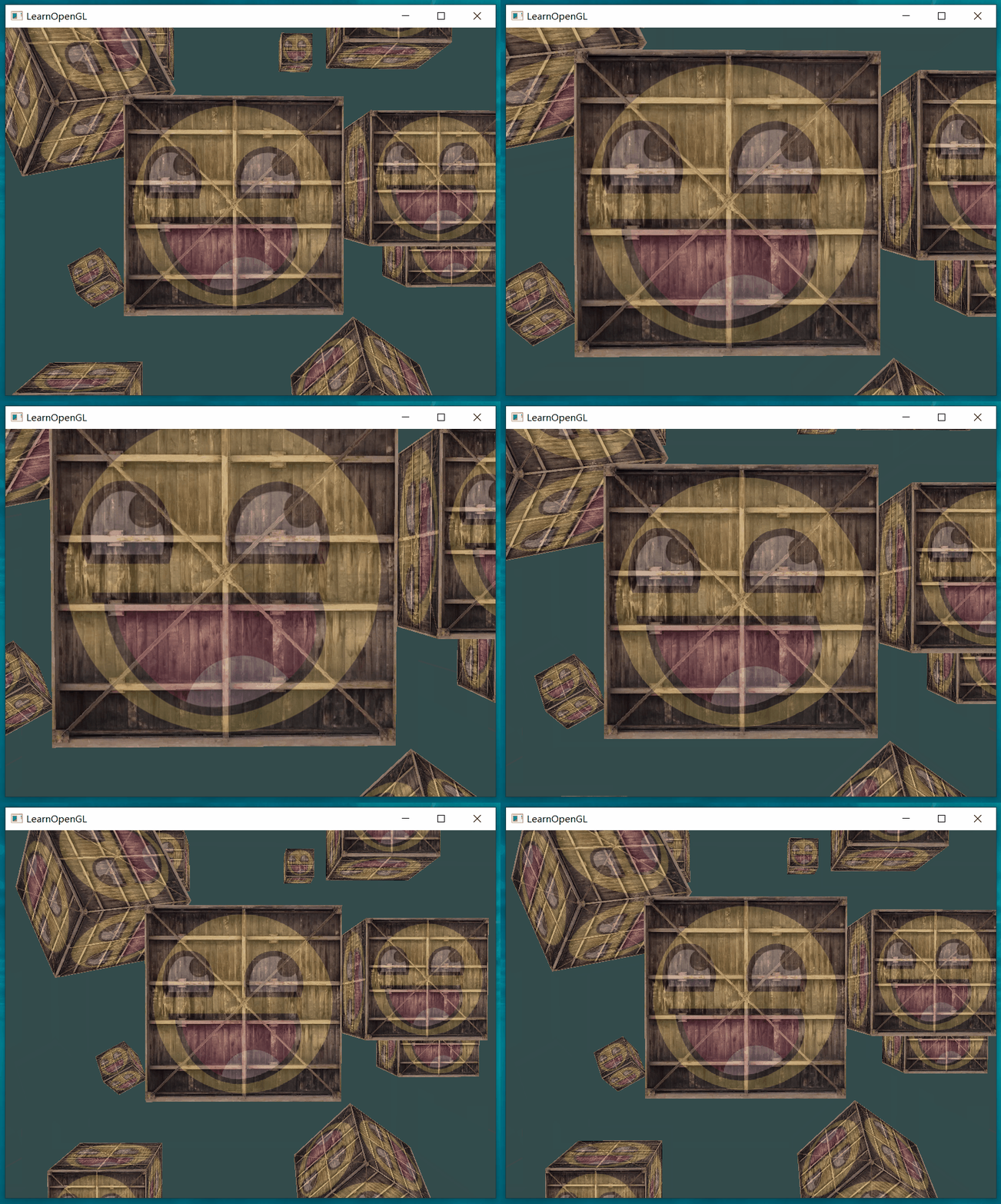
1.9 Camera
1.9 Camera
Camera/View space
通过view matrix 将 world space 转换为 view space
现在尝试通过定义camera 的位置(position) 和 camera的朝向-镜头看向哪个方向(direction)来获取对应的view matrix
示例图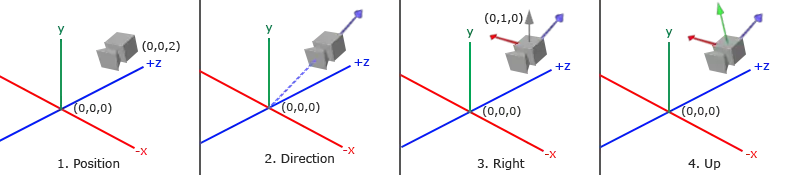
- camera 的position:(0,0,2)view coordinate system的origin
- 这里camera 看向原点?和图中camera z轴正方向相反?定义view coordinate system z轴方向
- 利用单位向量(0,1,0),确定view coordinate system的x轴
- 根据x、z确定y轴
1. Camera position
相关信息
The camera position is a vector in world space that points to the camera's position.
glm::vec3 cameraPos = glm::vec3(0.0f, 0.0f, 3.0f);camera朝屏幕屏幕内移动(z轴负方向),这space 朝着屏幕外移动(z轴正方向)。
2. Camera direction
并没有直接给出表示camera 镜头朝向的向量,而是通过camera 观察具体的点的坐标以及camera 的position 间接确认camera direction。
示例中的代码和前面图示不一致,不好
假设camera 看向 (0,0,0),这个点也可以用一个从原点出发指向看向点的向量表示.
glm::vec3 cameraTarget = glm::vec3(0.0f, 0.0f, 0.0f);那么camera direction 可以通过向量的减法计算得出:
glm::vec3 cameraDirection_0 = glm::normalize(cameraTarget - cameraPos);从camera 出发,指向被减向量,并且转换为单位向量。
相关信息
the camera points towards the negative z-axis
实际的camera的z轴正方向和camera 的朝向相反,所以需要反转下计算得到的direction
glm::vec3 cameraDirection = glm::normalize(cameraPos - cameraTarget);3. Right axis
camera coordinate system 只要满足camera的postion 以及 direction 以及 是正交的就可以了。至于x、y的方向不影响camera 观察space,所以无关紧要。
注意
以上仅代表我个人的理解
假设(0,1,0)在 y、z平面上,通过cross product 可以得到Right axis
glm::vec3 up = glm::vec3(0.0f, 1.0f, 0.0f);
glm::vec3 cameraRight = glm::normalize(glm::cross(up, cameraDirection));
4. Up axis
已知x、z 再次通过cross product得到 Up axis
glm::vec3 cameraUp = glm::cross(cameraDirection, cameraRight);现在通过camera 的position 以及 direction 可以创建处 camera coordinate system了
Look at
:right vector 的三个坐标分量
:up vector 的三个坐标分量
:direction vector 的三个坐标分量
:camera position 的三个坐标分量
相关信息
We want to rotate and translate the world in the opposite direction of where we want the camera to move.
对world space 进行的变化 和 想要对camera 进行的变化相反,所以 左侧的rotation matrix 是倒置的,右侧的transform matrix 取反(因为实际移动方向相反)
相关信息
Using the LookAt matrix effectively transforms all the world coordinates to the view space we just defined.
通过glm创建Look at matrix
glm::mat4 view;
view = glm::lookAt(glm::vec3(0.0f, 0.0f, 3.0f),
  		   glm::vec3(0.0f, 0.0f, 0.0f),
  		   glm::vec3(0.0f, 1.0f, 0.0f));

glm::mat4 glm::lookAt(glm::vec3 const& eye, glm::vec3 const& center, glm::vec3
const& up);| 参数 | 值 | 用途 | 说明 |
|---|---|---|---|
| eye | position | ||
| center | target | ||
| up | up vector |
... 参数的名称为什么和我想的不太一样,第一个参数应该叫center-camera的中心位置,第二个参数不应该叫eye吗?
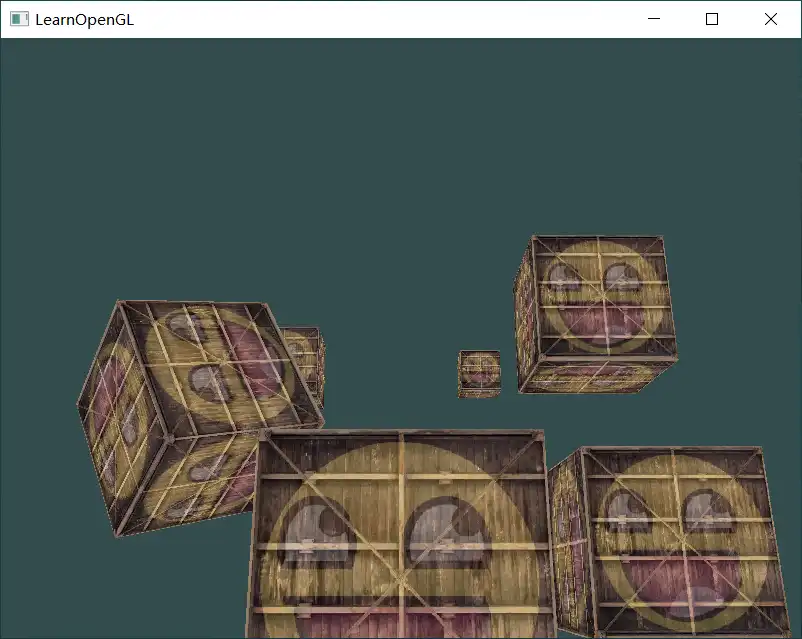
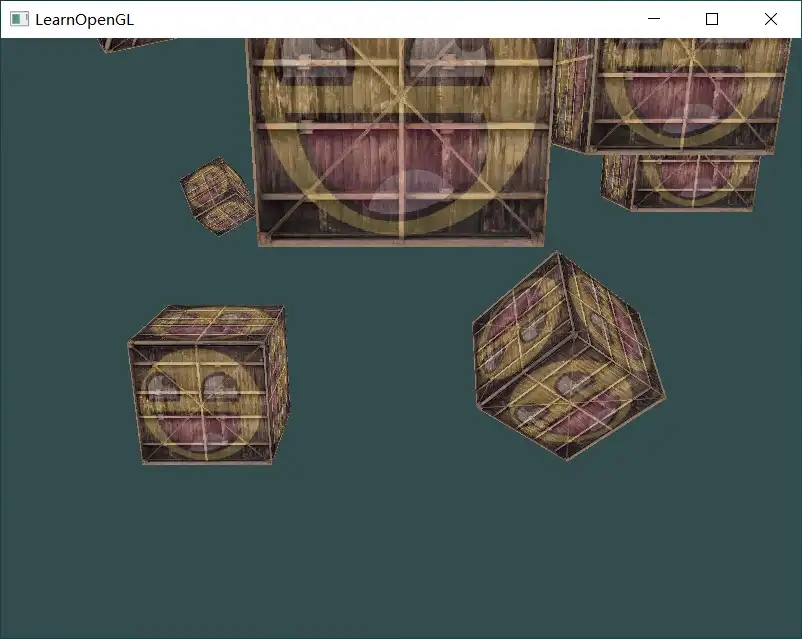
分别看向4个方向 1.0的位置
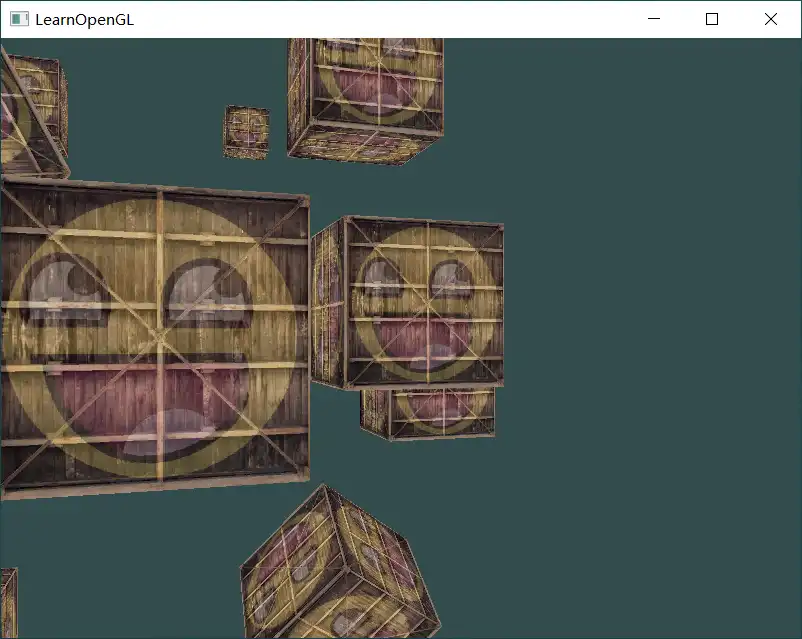
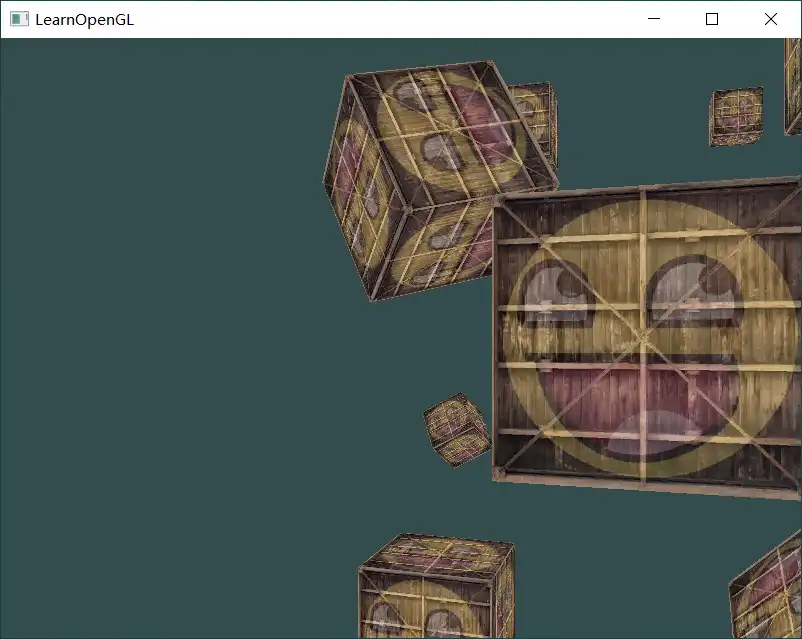
绕原点旋转
const float radius = 10.0f;
float camX = sin(glfwGetTime()) * radius;
float camZ = cos(glfwGetTime()) * radius;
glm::mat4 view;
view = glm::lookAt(glm::vec3(camX, 0.0, camZ), glm::vec3(0.0, 0.0, 0.0), glm::vec3(0.0, 1.0, 0.0));
效果: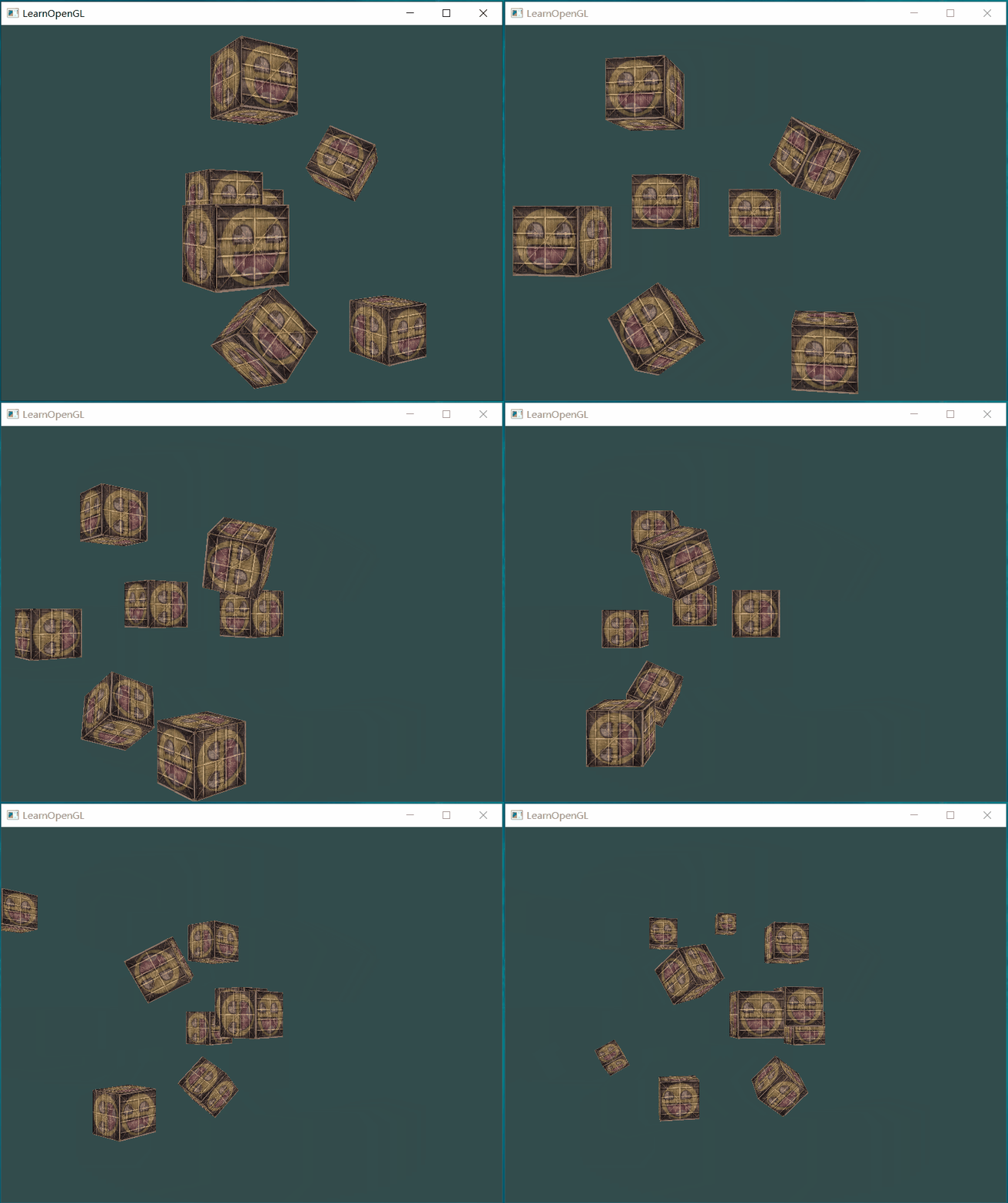
Walk around
目的: 通过按键调整camera的位置(前进、后退、左移 和 右移)
- 定义camear的初始位置相关参数,创建LookAt matrix
glm::vec3 cameraPos   = glm::vec3(0.0f, 0.0f,  3.0f);
glm::vec3 cameraFront = glm::vec3(0.0f, 0.0f, -1.0f);
glm::vec3 cameraUp    = glm::vec3(0.0f, 1.0f,  0.0f);

view = glm::lookAt(cameraPos, cameraPos + cameraFront, cameraUp);| 行号 | 功能 | 说明 |
|---|---|---|
| 2 | 定义从camera出发的朝向 | |
| 5 | 看向的点是在cameraPos的基础上向着cameraFront的方向,这里cameraFront 指向z轴负方向,所以camera看向z轴负方向 |
- 按键处理,更新camera的position
void processInput(GLFWwindow *window)
{
    ...
    const float cameraSpeed = 0.05f; // adjust accordingly
    if (glfwGetKey(window, GLFW_KEY_W) == GLFW_PRESS)
        cameraPos += cameraSpeed * cameraFront;
    if (glfwGetKey(window, GLFW_KEY_S) == GLFW_PRESS)
        cameraPos -= cameraSpeed * cameraFront;
    if (glfwGetKey(window, GLFW_KEY_A) == GLFW_PRESS)
        cameraPos -= glm::normalize(glm::cross(cameraFront, cameraUp)) * cameraSpeed;
    if (glfwGetKey(window, GLFW_KEY_D) == GLFW_PRESS)
        cameraPos += glm::normalize(glm::cross(cameraFront, cameraUp)) * cameraSpeed;
}| 行号 | 功能 | 说明 |
|---|---|---|
| 5 | 定义移动的速度 | 在render loop 处理按键输入,处理的次数由运行程序的cpu处理性能决定。需要实时调整 |
| 7 | 向前移动camera | 朝着camera朝向移动,cameraFront-朝向,单位向量;speed-每次移动的距离 |
| 11 | 向左移动camera | 先获取camera coordinate system 的 x-axis 方向上的单位向量,然后减去移动值 |
注
Note that we normalize the resulting right vector. If we wouldn't normalize this vector, the resulting cross product may return differently sized vectors based on the variable.
对表示坐标轴的向量进行normalize,否则前后方向的cameraFront 和 左右方向的 right vector( cross 产生)的大小不一样,导致两个方向上的移动速度不同。
效果: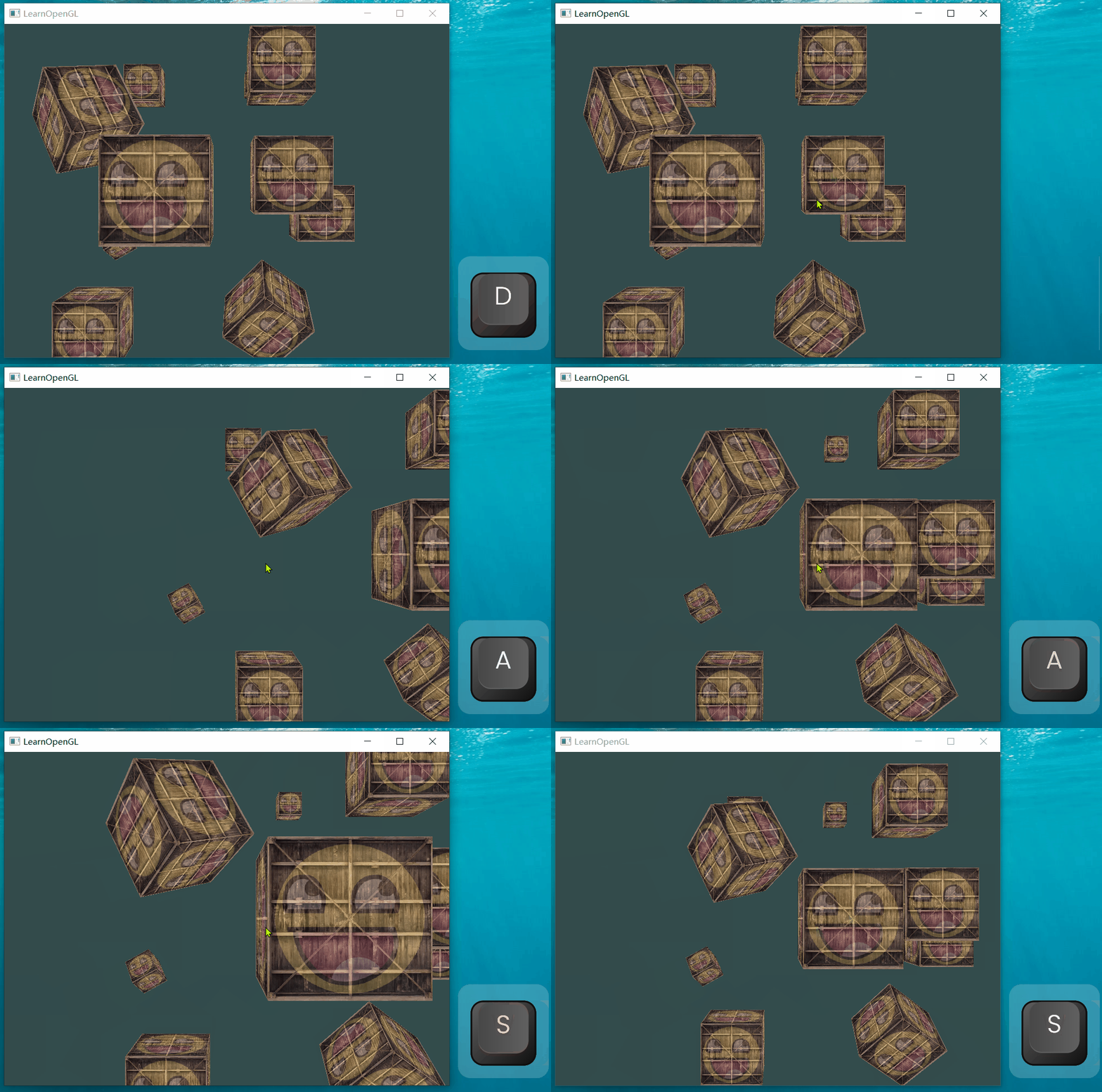
Movement speed
目前camera 的移动速度因处理器性能而异(渲染的帧数 以及 每一帧渲染的时间),为了在所有处理器上具有基本相同的移动速度,需要根据一个指标来调整移动速度。
根据渲染一帧画面所有的时间调整移动速度
相关信息
Graphics applications and games usually keep track of a variable that stores the time it took to render the last frame.
delta:希腊字母 ,表示变数的变化 ,如:温差
- 计算deltatime
float deltaTime = 0.0f;	// Time between current frame and last frame
float lastFrame = 0.0f; // Time of last frame

int main()
{
	while(!glfwWindowShouldClose(window))
	{
		float currentFrame = glfwGetTime();
		deltaTime = currentFrame - lastFrame;
		lastFrame = currentFrame;

		processInput(window);
		//...
	}
}
void processInput(GLFWwindow *window)
{
    float cameraSpeed = 2.5f * deltaTime;
    //...
}| 行号 | 功能 | 说明 |
|---|---|---|
| 1 | 定义存储绘制一帧所需要的时间变量 | 每一帧开始时计算 |
| 2 | 定义存储上一帧开始时的时间变量 | |
| 18 | 调整速度 | 绘制一帧花费的时间越长,移动的速度越快(远); |
好的处理器帧数高(调用processInput的次数多),每一帧绘制的时间短-》移动速度慢-》移动距离短;差一点的处理器帧数低,每一帧绘制的时间长-》移动速度快-》移动距离长
效果: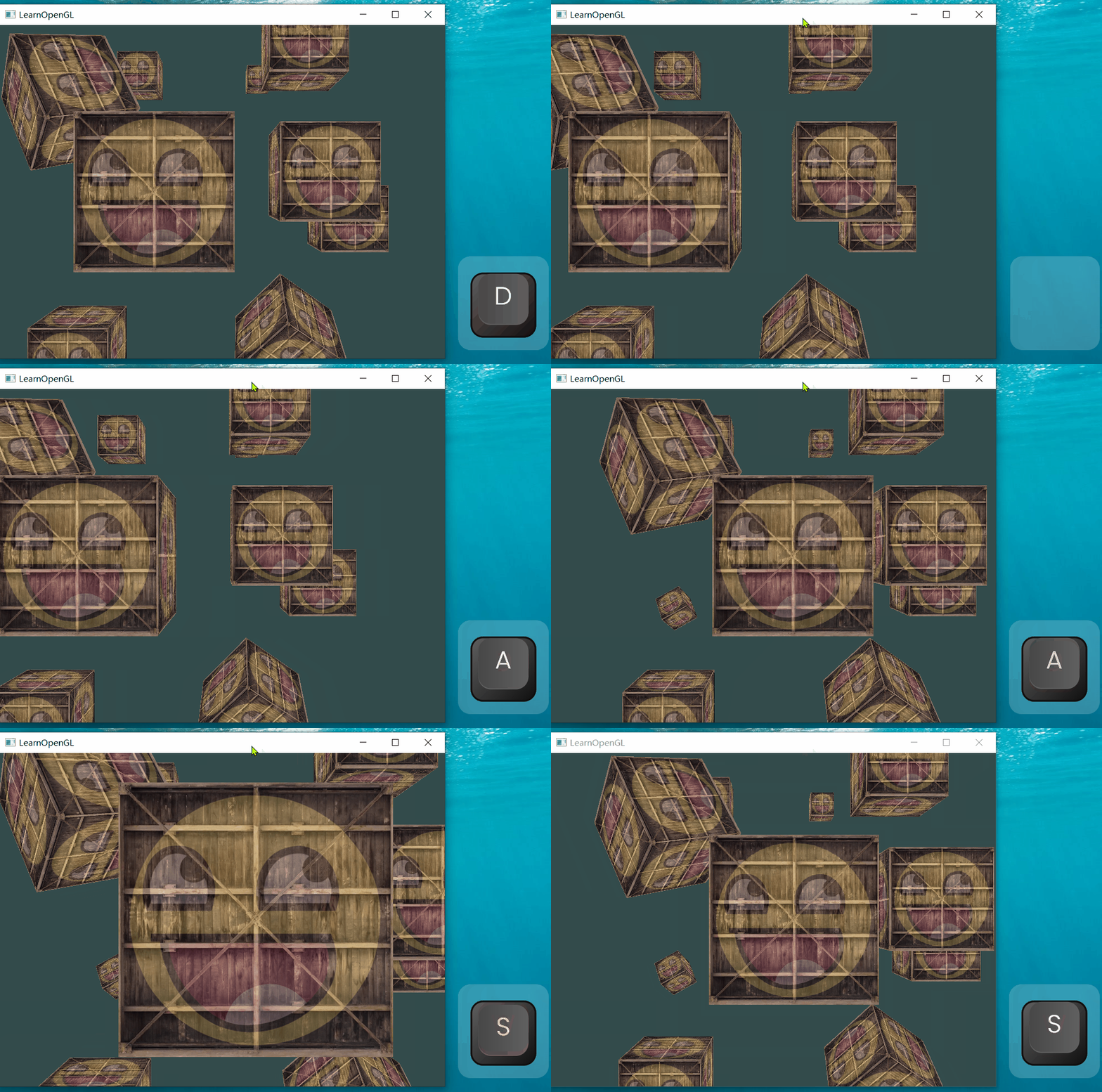
Look Around
目的: 通过鼠标调整camera的朝向(direction)
Euler angles
相关信息
Euler angles are 3 values that can represent any rotation in 3D. There are 3 Euler angles: pitch, yaw and roll.
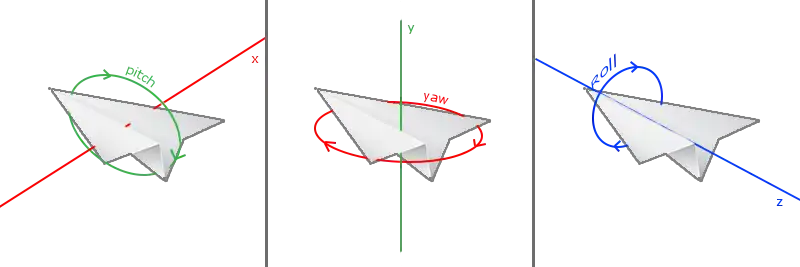
三个Euler angles 的含义:
- pitch:绕x轴旋转的角度,调整纸飞机向下或向上看;
- yaw:绕y轴旋转的角度,调整纸飞机向左或向右看(航向)
- roll:绕z轴旋转的角度,让纸飞机侧身(翻转)
相关信息
Each of the Euler angles are represented by a single value and with the combination of all 3 of them we can calculate any rotation vector in 3D.
旋转的复合
参考:Bonus章节
旋转的方式(旋转的轴的定义)有两种:外旋 和 内旋。
外旋
相关信息
旋转时,我们采用的旋转轴永远是一个外部、固定的世界坐标系,它不会受到已经进行的旋转的影响。
内旋
相关信息
旋转时,我们采用的旋转轴依据的是物体本身的坐标系,而这个局部坐标系会被旋转而改变
yaw
假设转动的顺序为yaw-》pitch,采用内旋
转动 角度yaw
glm::vec3 direction;
direction.x = cos(glm::radians(yaw)); // Note that we convert the angle to radians first
direction.z = sin(glm::radians(yaw));
原来的coordinate 中的 基向量 direction (1,0,0)就变成了 (cos(yaw), sin(yaw), 0)
pitch
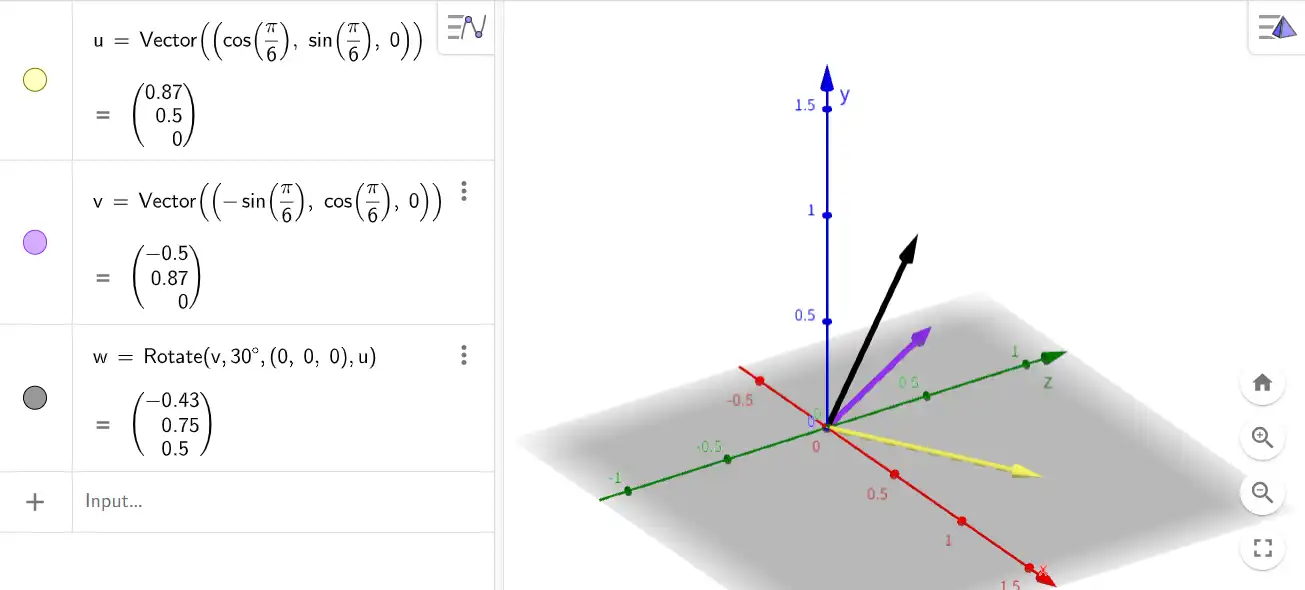
- 黄色箭头u:绕y轴counter-clockwise 旋转30°(yaw)后的x轴
- 紫色箭头v:绕y轴counter-clockwise 旋转30°(yaw)后的z轴
- 黑色箭头w:绕新的x轴(u)clockwise 旋转30°(pitch)后的z轴
w的y值:sin(pitch)
w在v() 上的投影:cos(pitch),这个投影的坐标为

用x、y、z表示初始坐标轴,用x‘,y’,z‘表示第一次旋转后坐标轴。
第一次绕y轴旋转,y’ 和 y 相同
横轴 x/z 表示的是绕x旋转后得到的、新的 z轴-z’。
从x‘ 看向yz’,z‘上的坐标值为cos(pitch)
将旋转看做是一种应用到当前状态上的变换。
最终将direction(初始值-(1,0,0)变换后得到的向量(坐标值)为:
direction.x = cos(glm::radians(yaw)) * cos(glm::radians(pitch));
direction.y = sin(glm::radians(pitch));
direction.z = sin(glm::radians(yaw)) * cos(glm::radians(pitch));
Mouse Input
有两种方式控制camera的朝向:
- 显示鼠标,按住并拖动鼠标改变朝向;
- 不显示鼠标,鼠标一直位于窗口的中心,移动鼠标改变朝向
示例为第二种
- 设置鼠标模式
glfwSetInputMode(window, GLFW_CURSOR, GLFW_CURSOR_DISABLED);

void glfwSetInputMode	(	GLFWwindow * 	window,
int 	mode,
int 	value
)| 参数 | 值 | 用途 | 说明 |
|---|---|---|---|
| mode | One of GLFW_CURSOR, GLFW_STICKY_KEYS or GLFW_STICKY_MOUSE_BUTTONS. | 要配置的内容 | |
| value | GLFW_CURSOR_NORMAL、GLFW_CURSOR_HIDDEN、GLFW_CURSOR_DISABLED | DISABLED 不会显示cursor 并且窗口获取焦点后,cursor出现在窗口中心,移动cursor不会离开窗口(一直限制在窗口内)。 |
- 创建并设置鼠标处理回调函数
void mouse_callback(GLFWwindow* window, double xpos, double ypos);

glfwSetCursorPosCallback(window, mouse_callback);- 定义变换的角度变量并设置初始角度值
float yaw = -90, pitch = 0;让camera 初始朝着-z轴的方向,需要改变航向。初始yaw=0°,pitch=0°,direction为(1,0,0)指向x轴正方向。当yaw=-90°,pitch =0°时,direction为(0,0,-1)。
没搞懂:按照右手定则,绕y轴旋转,正方向是z-》x,那么x-》-z 应该是正的角度值,为什么这里是-90°???
图示中yaw 是 x 向着z正方向转动的角度,转动的方向和 由右手定则定义的绕y轴转动的正方向相反。如果按照图示,那么向着z轴正方向转动的角度即为正,向着z轴负方向转动的角度即为负。所以是将 (1,0,0) 转动到(0,0,-1)是转动-90°。
- 获取鼠标位移量并根据位移量更新角度值
float lastX = 400, lastY = 300;

void mouse_callback(GLFWwindow* window, double xpos, double ypos)
{
	float xoffset = xpos - lastX;
	float yoffset = lastY - ypos; // reversed since y-coordinates range from bottom to top
	lastX = xpos;
	lastY = ypos;

	const float sensitivity = 0.1f;
	xoffset *= sensitivity;
	yoffset *= sensitivity;

	yaw   += xoffset;
	pitch += yoffset;

}| 行号 | 功能 | 说明 |
|---|---|---|
| 1 | 定义存储鼠标最后停留的位置变量 | 窗体初始大小为800x600,中央位置的坐标是400,300。鼠标的初始位置在中央(GLFW_CURSOR_DISABLED 模式下) |
| 5、6 | 获取鼠标移动的距离 | 单位为像素 |
| 7、8 | 更新鼠标位置 | |
| 10~12 | 由于通过callback 获取到的鼠标移动的长度是以像素作为单位,如果直接应用到角度上变化过大,所以需要乘以一个小数来调整。 | |
| 14、15 | 更新角度值 |
- 更新方向向量
    glm::vec3 direction;
    direction.x = cos(glm::radians(yaw)) * cos(glm::radians(pitch));
    direction.y = sin(glm::radians(pitch));
    direction.z = sin(glm::radians(yaw)) * cos(glm::radians(pitch));
cameraFront = glm::normalize(direction);问:对cameraFront 有必要进行normalize吗?
- 效果
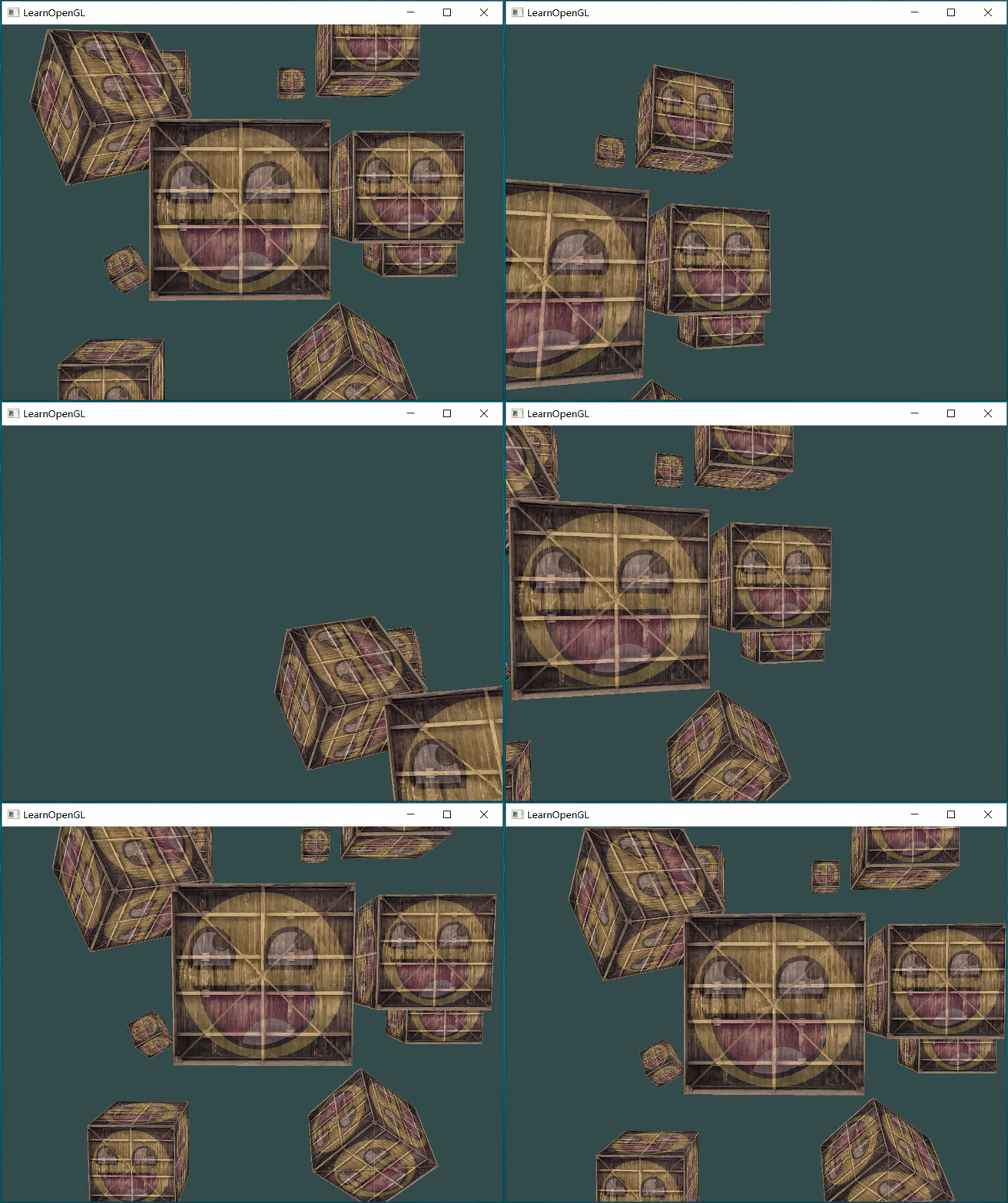
优化
sudden jump
先将glfwSetInputMode 注释掉,保持默认的mode,然后再运行程序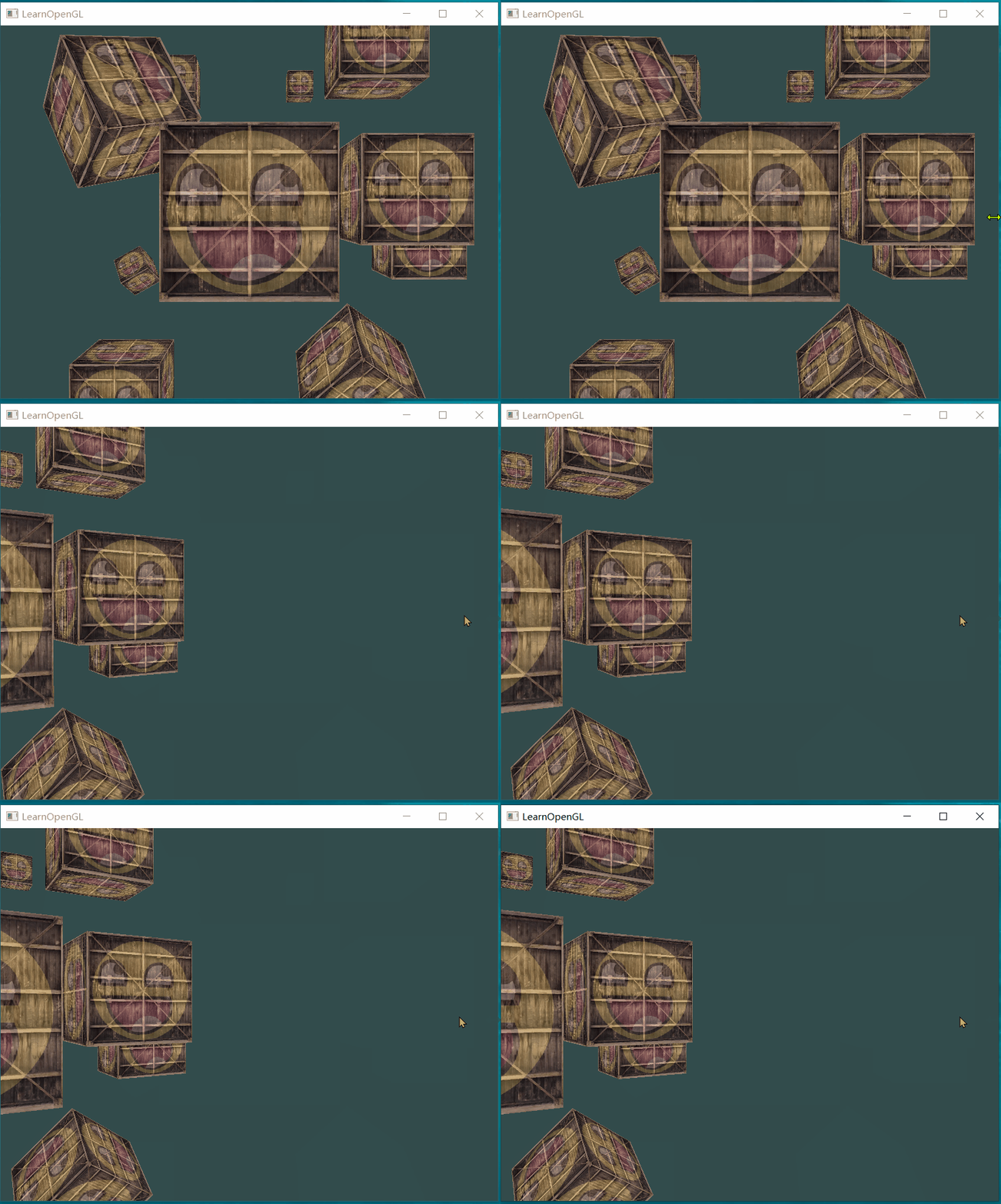
可以看到鼠标进入窗口后镜头向右”跳“了一个角度,而不是平缓地移动
在鼠标回调处理函数中打印鼠标的位置:
xpos:798 ypos:392窗口获取到焦点时,鼠标的位置和 最后的鼠标位置(窗口中心)有一定距离,导致camera 会向鼠标进入的位置转向,如果进入的位置和中心位置偏差较大 就会产生明显的 sudden jump。
消除:
bool firstMouse = true;

void mouse_callback(...)
{
	if (firstMouse) // initially set to true
	{
	    lastX = xpos;
	    lastY = ypos;
	    firstMouse = false;
	}
}
获取到焦点后更新lastX、lastY,把当前位置当作”中心点“。
效果: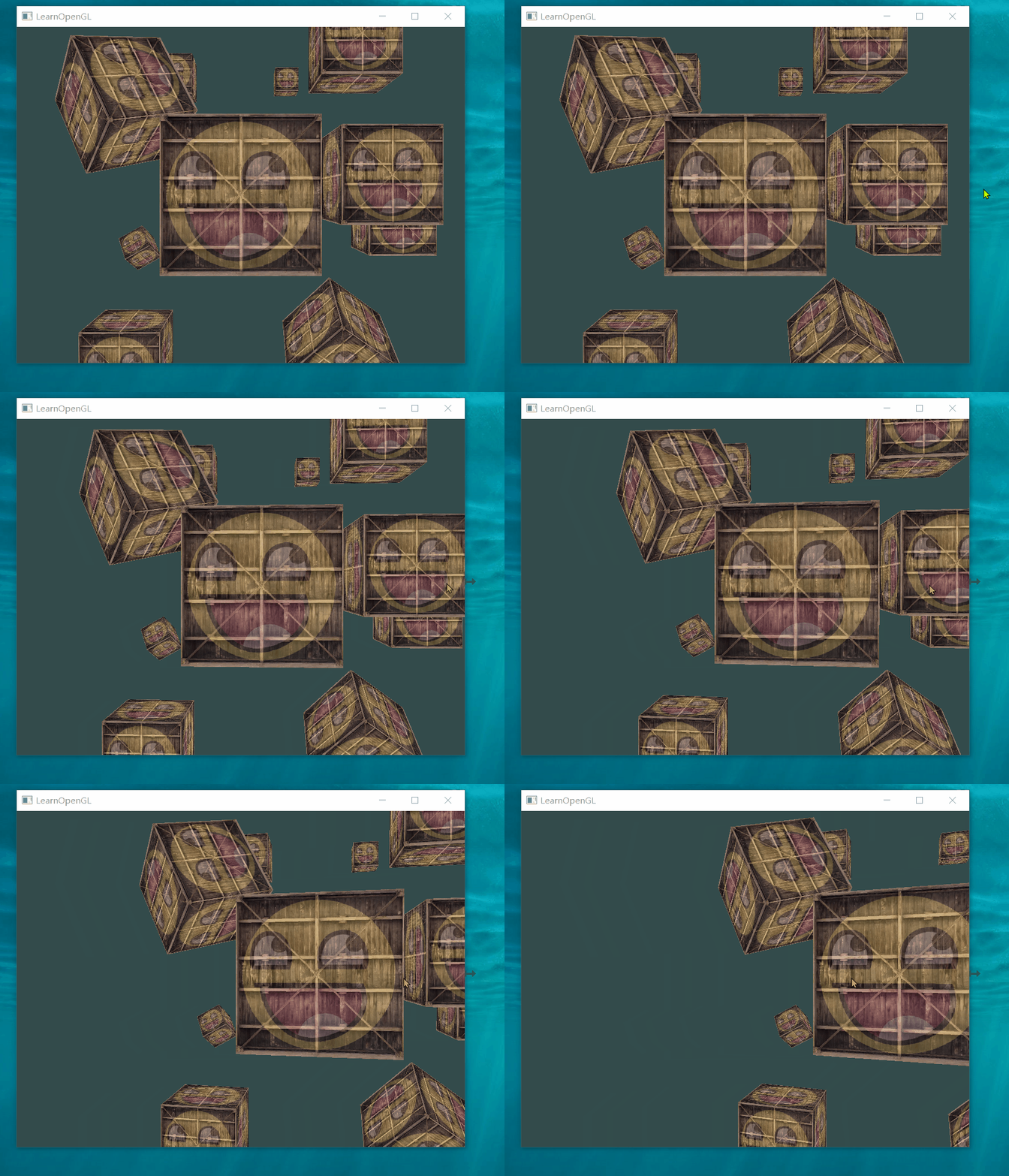
可以看到鼠标进入后camera 没有”跳“了
Weird movements
相关信息
a LookAt flip once direction vector is parallel to the world up direction
持续增加pitch 的值
效果: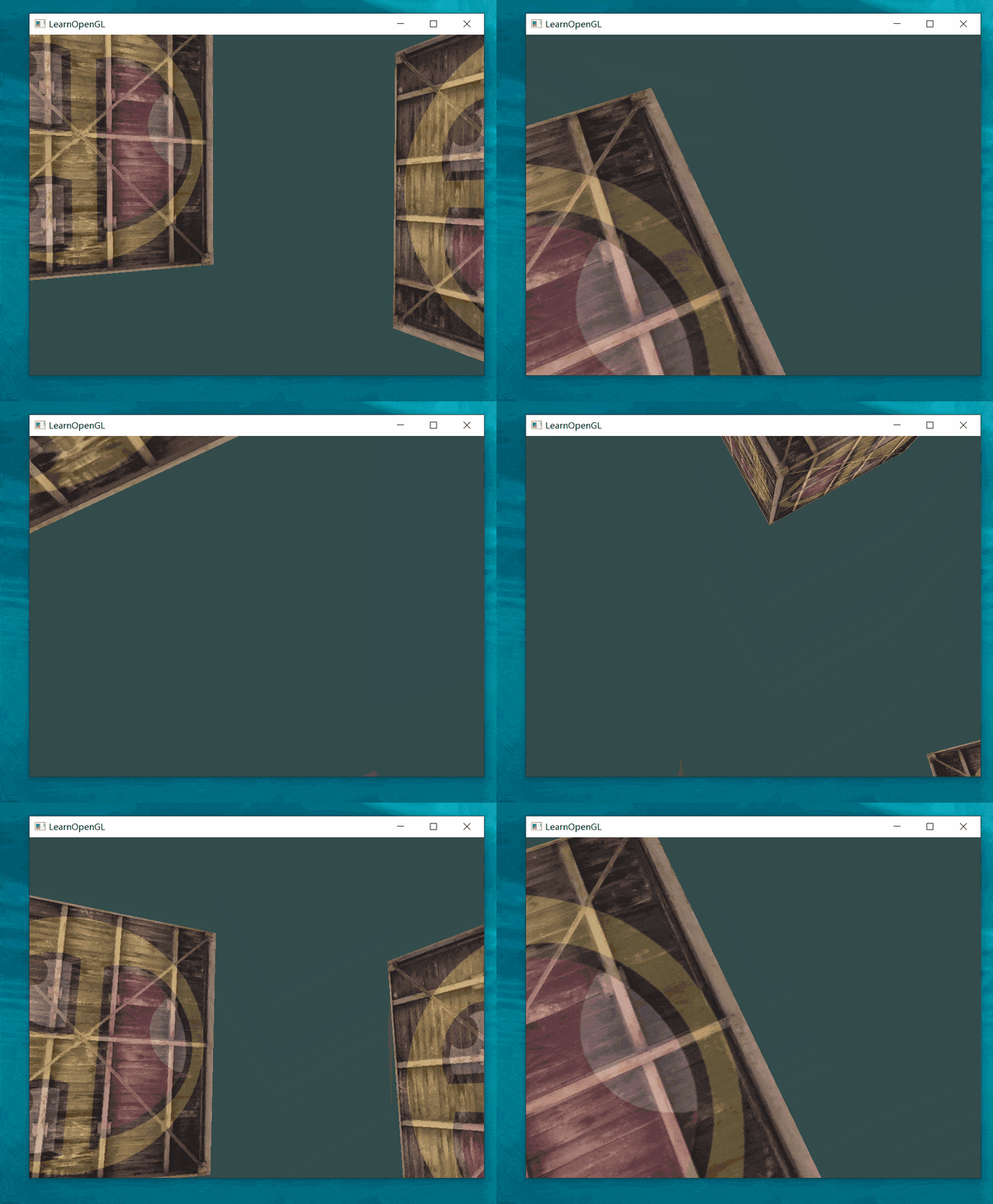
在direction vector 和 world up direction 平行时,视角反转了,从 从下到上变成了 从上到下。
限制pitch 的角度在-90° ~ +90°之间:
if(pitch > 89.0f)
  pitch =  89.0f;
if(pitch < -89.0f)
  pitch = -89.0f;
Zoom
通过鼠标滚轮调整FOV来调整图像大小
- 定义并注册鼠标滚轮回调处理函数
void scroll_callback(GLFWwindow* window, double xoffset, double yoffset);
glfwSetScrollCallback(window, scroll_callback);
滚动的方向可以是x-横向,也可以是y-竖向。
2. 获取滚动距离,定义并更新fov
float fov = 45;
void scroll_callback(GLFWwindow* window, double xoffset, double yoffset)
{
    fov -= (float)yoffset;
    if (fov < 1.0f)
        fov = 1.0f;
    if (fov > 45.0f)
        fov = 45.0f;
}| 行号 | 功能 | 说明 |
|---|---|---|
| 3 | 向前滚动yoffset的值是固定大小1,向后滚动yoffset的值是-1。fov 的值越大,视野越广,看到的东西越多。投影到屏幕后物体显得更小(同一个屏幕要装下更多东西)。向前滚动-》放大物体-》减小fov值;向后滚动-》缩小物体-》放大fov值。所以fov 需要减去 yoffset | |
| 4-7 | 限制fov |
- 应用fov到 perspective projection matrix上
projection = glm::perspective(glm::radians(fov), 800.0f / 600.0f, 0.1f, 100.0f);- 效果